
Drive letter disappear after reboot

i don't get what he meant by wrote the zero in the first and the last bits of the drive. what does it mean and how would i do it?
I have no idea. Very flimsy description of what he did, if you ask me.

And besides, there's an awful lot of important stuff going on in those "first bits" of the drive. It's obviously impossible for him to have conceivably have known what was really going on.

Plus, although I haven't installed or run this WD diagnostics utility it clearly warns that YOU WILL LOSE YOUR FILE SYSTEM AND DATA. It doesn't say you might... it says YOU WILL. How much stronger of a warning can you read that implies this to be a complete low-level format of the entire drive. I can't imagine there is any selectivity.

Yes, there seems to be an option for (a) Quick Erase, and (b) Full Erase, but without reading the README or instructions/documentation I don't know how the program works. But it's only reasonable to believe that this is a complete low-level FORMAT of the entire drive, and you'd lose EVERYTHING on the drive. Assume that is true. Now, if you want to preserve some data that's currently on the drive you'll need to back it up somehow first, so that you can restore it after the low-level FORMAT zeroes out the entire drive. If you have no backup/restore capability that can guarantee you won't lose any data on this drive, then don't consider any of this as remotely possible. It's just not possible... if you have irreplaceable data on this drive and cannot backup/restore it.

So, again... his comments are "wacky" to me, and I'm sure there's more to the explanation for why his drive suddenly began holding on to the drive letter across boots. But it IS your exact problem, so it's worth at least thinking about what makes his story similar to or different from yours.

You haven't explained where this second WD drive came from. Was it brand new as part of all the new equipment you bought when you built your new PC? Was it a replacement for an older drive? How did it get formatted for use in your new PC from out-of-the-carton? Did you just assume it was usable, or did you initialize it in some way?
 

My Computer My Computer

At a glance

Windows 7 Pro x64 (1), Win7 Pro X64 (2)i5-3350p 3.1Ghz/6MB-cache (1); E8400 3.0Ghz/6...8GB PC3-12800 DDR3 (1); 4GB PC3-10600 DDR3 (2)ATI HD7750 (1), (see TV cards); ATI R7 250 (2)
Computer type
PC/Desktop
Computer Manufacturer/Model Number
Home-built, two systems (1) and (2)
OS
Windows 7 Pro x64 (1), Win7 Pro X64 (2)
CPU
i5-3350p 3.1Ghz/6MB-cache (1); E8400 3.0Ghz/6MB-cache (2)
Motherboard
ASUS P8Z77-V Pro (1); ASUS P5Q3 (2)
Memory
8GB PC3-12800 DDR3 (1); 4GB PC3-10600 DDR3 (2)
Graphics Card(s)
ATI HD7750 (1), (see TV cards); ATI R7 250 (2)
Sound Card
Realtek ALC892 HD Audio (1); Realtek ALC1200 HD Audio (2)
Monitor(s) Displays
Eizo HD2441W LCD, Eizo S2433W (1); Eizo 24" S2433W (2)
Screen Resolution
1920x1200, 1920x1200 (1); 1920x1200 (2)
Hard Drives
(1) 1TB SATA-II (7200RPM), 2x2TB SATA-III (7200RPM), 250GB SATA-III (10000RPM) for OS; 2x2TB external USB 3.0

(2) 320GB SATA-II (7200RPM), 750GB SATA-II (7200RPM), 150GB SATA-II (10000RPM) for OS; 2TB external USB 3.0
PSU
Nesteq ECS-6001 600W (1); Nesteq ECS-5001 500W (2)
Case
Acousti-Case 360 (1) and (2)
Cooling
Noctua NH-U12P SE2 for CPU, 2x120mm case fans (1) and (2)
Keyboard
IBM PS/2 (1) and (2)
Mouse
Logitech MX Revolution wireless (1); Microsoft wired (2)
Internet Speed
100mbps down / 10mbps up
Antivirus
Microsoft Security Essentials; Malwarebyte Anti-Malware Pro
Browser
Firefox
Other Info
Ceton InfiniTV 4-tuner cablecard-enabled TV card as well as Hauppauge HVR-2250 OTA/ATSC 2-tuner TV card in (1), running under Win7 WMC
i don't get what he meant by wrote the zero in the first and the last bits of the drive. what does it mean and how would i do it?
I have no idea. Very flimsy description of what he did, if you ask me.

And besides, there's an awful lot of important stuff going on in those "first bits" of the drive. It's obviously impossible for him to have conceivably have known what was really going on.

Plus, although I haven't installed or run this WD diagnostics utility it clearly warns that YOU WILL LOSE YOUR FILE SYSTEM AND DATA. It doesn't say you might... it says YOU WILL. How much stronger of a warning can you read that implies this to be a complete low-level format of the entire drive. I can't imagine there is any selectivity.

Yes, there seems to be an option for (a) Quick Erase, and (b) Full Erase, but without reading the README or instructions/documentation I don't know how the program works. But it's only reasonable to believe that this is a complete low-level FORMAT of the entire drive, and you'd lose EVERYTHING on the drive. Assume that is true. Now, if you want to preserve some data that's currently on the drive you'll need to back it up somehow first, so that you can restore it after the low-level FORMAT zeroes out the entire drive. If you have no backup/restore capability that can guarantee you won't lose any data on this drive, then don't consider any of this as remotely possible. It's just not possible... if you have irreplaceable data on this drive and cannot backup/restore it.

So, again... his comments are "wacky" to me, and I'm sure there's more to the explanation for why his drive suddenly began holding on to the drive letter across boots. But it IS your exact problem, so it's worth at least thinking about what makes his story similar to or different from yours.

You haven't explained where this second WD drive came from. Was it brand new as part of all the new equipment you bought when you built your new PC? Was it a replacement for an older drive? How did it get formatted for use in your new PC from out-of-the-carton? Did you just assume it was usable, or did you initialize it in some way?

i just built it last friday. nothing happen until today
 

My Computer My Computer

At a glance

Windows 7inte core i5-2500k 3.3Ghzkingston 8g ddr3gtx 560ti 448core
OS
Windows 7
CPU
inte core i5-2500k 3.3Ghz
Motherboard
asus p8z68-V gen 3
Memory
kingston 8g ddr3
Graphics Card(s)
gtx 560ti 448core
Monitor(s) Displays
samsung 23inch
Hard Drives
curcial M4 ssd
western digital caviar blue 7200rpm with 16mb cache
PSU
corsair gold ax650
Case
corsair 400R
From the WD doc:

"WRITE ZEROS:
This option can be used to erase operating systems and file systems. The QUICK ERASE writes zeros to the
first and last million of sectors and the FULL ERASE writes zeros to the entire drive and may take hours to
complete depending on the drive size and system performance. "

I guess what happens is that since the MBR/PBR is written over with zeroes, the OS let the poster in the other thread start over from scratch with that drive.

Either way, if you do either method with that WD utility, agree 100% with dsperber. Get your data off of there first. FULL ERASE: all is gone. QUICK ERASE: only the stuff between the extremes is recoverable, but only with special software.
 

My Computer My Computer

At a glance

Windows 7 Ultimate x64
OS
Windows 7 Ultimate x64
I just built it last friday. nothing happen until today
You mean this "vanishing E" symptom has been with you from the moment you finished the cold install of Win7? Amazing.

If you have a usable "system image" backup (so that you wouldn't lose any time really, if you had to restore it) why not just start all over again, and reinstall Win7 one more time from scratch?

Is there anything on that WD drive you need to save? If no, then you have all kinds of options available as far as cleaning everything on it (as the other poster in that other thread apparently did). In other words maybe there's something flaky in the MBR or partition table or who knows what. Certainly zeroing out the drive and re-creating the E partition on it from zero can only help things, in my opinion.

But if you do have "real data" on that drive, copy it somewhere else first (do you have an external USB drive?) so that you won't lose it. Then wipe the drive and see what happens.

Don't know what else to suggest? Your story and the other thread story appear to be pretty much identical, and his problem was resolved by zapping the drive and formatting it and recreating his own E partition, thus probably repairing some problem with the partition table on the drive I'm guessing, but who knows.
 

My Computer My Computer

At a glance

Windows 7 Pro x64 (1), Win7 Pro X64 (2)i5-3350p 3.1Ghz/6MB-cache (1); E8400 3.0Ghz/6...8GB PC3-12800 DDR3 (1); 4GB PC3-10600 DDR3 (2)ATI HD7750 (1), (see TV cards); ATI R7 250 (2)
Computer type
PC/Desktop
Computer Manufacturer/Model Number
Home-built, two systems (1) and (2)
OS
Windows 7 Pro x64 (1), Win7 Pro X64 (2)
CPU
i5-3350p 3.1Ghz/6MB-cache (1); E8400 3.0Ghz/6MB-cache (2)
Motherboard
ASUS P8Z77-V Pro (1); ASUS P5Q3 (2)
Memory
8GB PC3-12800 DDR3 (1); 4GB PC3-10600 DDR3 (2)
Graphics Card(s)
ATI HD7750 (1), (see TV cards); ATI R7 250 (2)
Sound Card
Realtek ALC892 HD Audio (1); Realtek ALC1200 HD Audio (2)
Monitor(s) Displays
Eizo HD2441W LCD, Eizo S2433W (1); Eizo 24" S2433W (2)
Screen Resolution
1920x1200, 1920x1200 (1); 1920x1200 (2)
Hard Drives
(1) 1TB SATA-II (7200RPM), 2x2TB SATA-III (7200RPM), 250GB SATA-III (10000RPM) for OS; 2x2TB external USB 3.0

(2) 320GB SATA-II (7200RPM), 750GB SATA-II (7200RPM), 150GB SATA-II (10000RPM) for OS; 2TB external USB 3.0
PSU
Nesteq ECS-6001 600W (1); Nesteq ECS-5001 500W (2)
Case
Acousti-Case 360 (1) and (2)
Cooling
Noctua NH-U12P SE2 for CPU, 2x120mm case fans (1) and (2)
Keyboard
IBM PS/2 (1) and (2)
Mouse
Logitech MX Revolution wireless (1); Microsoft wired (2)
Internet Speed
100mbps down / 10mbps up
Antivirus
Microsoft Security Essentials; Malwarebyte Anti-Malware Pro
Browser
Firefox
Other Info
Ceton InfiniTV 4-tuner cablecard-enabled TV card as well as Hauppauge HVR-2250 OTA/ATSC 2-tuner TV card in (1), running under Win7 WMC
From the WD doc:

"WRITE ZEROS:
This option can be used to erase operating systems and file systems. The QUICK ERASE writes zeros to the
first and last million of sectors and the FULL ERASE writes zeros to the entire drive and may take hours to
complete depending on the drive size and system performance. "

I guess what happens is that since the MBR/PBR is written over with zeroes, the OS let the poster in the other thread start over from scratch with that drive.

Either way, if you do either method with that WD utility, agree 100% with dsperber. Get your data off of there first. FULL ERASE: all is gone. QUICK ERASE: only the stuff between the extremes is recoverable, but only with special software.

thank you for explaining it. i tried the write zeros it worked.
 

My Computer My Computer

At a glance

Windows 7inte core i5-2500k 3.3Ghzkingston 8g ddr3gtx 560ti 448core
OS
Windows 7
CPU
inte core i5-2500k 3.3Ghz
Motherboard
asus p8z68-V gen 3
Memory
kingston 8g ddr3
Graphics Card(s)
gtx 560ti 448core
Monitor(s) Displays
samsung 23inch
Hard Drives
curcial M4 ssd
western digital caviar blue 7200rpm with 16mb cache
PSU
corsair gold ax650
Case
corsair 400R
I just built it last friday. nothing happen until today
You mean this "vanishing E" symptom has been with you from the moment you finished the cold install of Win7? Amazing.

If you have a usable "system image" backup (so that you wouldn't lose any time really, if you had to restore it) why not just start all over again, and reinstall Win7 one more time from scratch?

Is there anything on that WD drive you need to save? If no, then you have all kinds of options available as far as cleaning everything on it (as the other poster in that other thread apparently did). In other words maybe there's something flaky in the MBR or partition table or who knows what. Certainly zeroing out the drive and re-creating the E partition on it from zero can only help things, in my opinion.

But if you do have "real data" on that drive, copy it somewhere else first (do you have an external USB drive?) so that you won't lose it. Then wipe the drive and see what happens.

Don't know what else to suggest? Your story and the other thread story appear to be pretty much identical, and his problem was resolved by zapping the drive and formatting it and recreating his own E partition, thus probably repairing some problem with the partition table on the drive I'm guessing, but who knows.

thank you so much for helping me for so long. i tried the write zero it worked.
 

My Computer My Computer

At a glance

Windows 7inte core i5-2500k 3.3Ghzkingston 8g ddr3gtx 560ti 448core
OS
Windows 7
CPU
inte core i5-2500k 3.3Ghz
Motherboard
asus p8z68-V gen 3
Memory
kingston 8g ddr3
Graphics Card(s)
gtx 560ti 448core
Monitor(s) Displays
samsung 23inch
Hard Drives
curcial M4 ssd
western digital caviar blue 7200rpm with 16mb cache
PSU
corsair gold ax650
Case
corsair 400R
...i tried the write zero it worked.

Good to hear the problem is corrected! Mind posting back one more time to let us know whether it need a Quick or a Full overwrite?
 

My Computer My Computer

At a glance

Windows 7 Ultimate x64
OS
Windows 7 Ultimate x64
...i tried the write zero it worked.

Good to hear the problem is corrected! Mind posting back one more time to let us know whether it need a Quick or a Full overwrite?

The quick fixed mine, but i don't know it has to be quick. maybe someone encounter this problem use quick first, if that didn't work then use the full.
 

My Computer My Computer

At a glance

Windows 7inte core i5-2500k 3.3Ghzkingston 8g ddr3gtx 560ti 448core
OS
Windows 7
CPU
inte core i5-2500k 3.3Ghz
Motherboard
asus p8z68-V gen 3
Memory
kingston 8g ddr3
Graphics Card(s)
gtx 560ti 448core
Monitor(s) Displays
samsung 23inch
Hard Drives
curcial M4 ssd
western digital caviar blue 7200rpm with 16mb cache
PSU
corsair gold ax650
Case
corsair 400R
Thanks for your response. That tells me all you have to do is zero out the MBR/PBR on the disk to get Windows to re-identify the disk as one that's never been connected (re-writes what it knows about the disk in the registry).

Maybe or likely, but another data point to keep in mind.

Thanks...
 

My Computer My Computer

At a glance

Windows 7 Ultimate x64
OS
Windows 7 Ultimate x64
Now wait a minute... I find this whole solution to be quite astonishing, because there is significant other information which you haven't provided to us to really close out the story.

Obviously, re-initializing (i.e. low-level format of especially the very beginning of the drive where the MBR sectors and partition table and file system root live) is tantamount to wiping the drive clean and taking it out of a brand new carton. Essentially you have a brand new drive, and you should have lost ALL of any data on that drive, as well as ALL partitions on that drive (although you only had one, according to your original screenshot).

So whatever corruption had somehow made its way onto that drive/partition, obviously FORMAT is going to clean that out. The fact that you say using the WD utility to "write zeros" in QUICK ERASE mode (to write zeros just to the beginning and end of the drive) "fixed the problem", I am guessing you mean that the newly created partition on that drive and the newly [re-]assigned drive letter (E again?) is now "sticking" across re-boot. So your problem IS solved.

But... you did lose everything previously on that drive, right? You did have to re-create a new partition on that drive, and get a new drive letter assigned for that newly recreated partition, right? Was there anything on that drive that you needed to preserve first, and copy back after the FORMAT? Or did you just toss it all away and "start from scratch", with this low-level format to "write zeros" with QUICK ERASE?


I'm certainly glad that we were able to work through this problem of yours, but the real credit goes to that poster on the other thread I happened to locate where the "solution" (of re-FORMAT of the drive, QUICK or LONG) was made public. I only shared it.

Very interesting, that "corruption" of MBR/partition table can cause this symptom, of not having assigned drive letters hold across boot. FORMAT obviously recreates MBR/partition table when you use Windows to create a brand new partition on what it believes to be a brand new and empty drive.

Fascinating.
 

My Computer My Computer

At a glance

Windows 7 Pro x64 (1), Win7 Pro X64 (2)i5-3350p 3.1Ghz/6MB-cache (1); E8400 3.0Ghz/6...8GB PC3-12800 DDR3 (1); 4GB PC3-10600 DDR3 (2)ATI HD7750 (1), (see TV cards); ATI R7 250 (2)
Computer type
PC/Desktop
Computer Manufacturer/Model Number
Home-built, two systems (1) and (2)
OS
Windows 7 Pro x64 (1), Win7 Pro X64 (2)
CPU
i5-3350p 3.1Ghz/6MB-cache (1); E8400 3.0Ghz/6MB-cache (2)
Motherboard
ASUS P8Z77-V Pro (1); ASUS P5Q3 (2)
Memory
8GB PC3-12800 DDR3 (1); 4GB PC3-10600 DDR3 (2)
Graphics Card(s)
ATI HD7750 (1), (see TV cards); ATI R7 250 (2)
Sound Card
Realtek ALC892 HD Audio (1); Realtek ALC1200 HD Audio (2)
Monitor(s) Displays
Eizo HD2441W LCD, Eizo S2433W (1); Eizo 24" S2433W (2)
Screen Resolution
1920x1200, 1920x1200 (1); 1920x1200 (2)
Hard Drives
(1) 1TB SATA-II (7200RPM), 2x2TB SATA-III (7200RPM), 250GB SATA-III (10000RPM) for OS; 2x2TB external USB 3.0

(2) 320GB SATA-II (7200RPM), 750GB SATA-II (7200RPM), 150GB SATA-II (10000RPM) for OS; 2TB external USB 3.0
PSU
Nesteq ECS-6001 600W (1); Nesteq ECS-5001 500W (2)
Case
Acousti-Case 360 (1) and (2)
Cooling
Noctua NH-U12P SE2 for CPU, 2x120mm case fans (1) and (2)
Keyboard
IBM PS/2 (1) and (2)
Mouse
Logitech MX Revolution wireless (1); Microsoft wired (2)
Internet Speed
100mbps down / 10mbps up
Antivirus
Microsoft Security Essentials; Malwarebyte Anti-Malware Pro
Browser
Firefox
Other Info
Ceton InfiniTV 4-tuner cablecard-enabled TV card as well as Hauppauge HVR-2250 OTA/ATSC 2-tuner TV card in (1), running under Win7 WMC
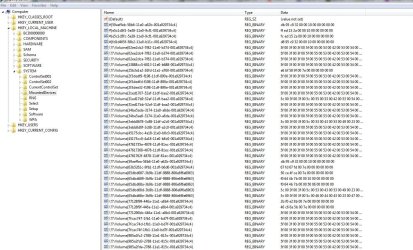
I think there are still two keys in the registry that control mounted storage devices. I think what may have happened is that the key that records the disk "signature" and the key that relates the drive letter to the appropriate "signature" got discombobulated. So he could assign a letter when it was running, and it would stick, but not written to the registry because of the disconnect between the two keys. So after a reboot he'd have lost his drive letter all over again.

So when the the disk's MBR/PBR is overwritten with zeroes, and then Windows sees it, it thinks "new disk" and rewrites the correct data to those two keys in the registry. Now the info in each registry key properly corresponds with each other and he can assign a letter which will stick across reboots. And the more I think about it, the more I think that all that was necessary to fix it would be to delete the one or both of the keys that correspond with that disk. But, without seeing the registry before/after it would be hard for me to say for sure.

I don't think there was any corruption of the MBR/PBR that caused this, or anything wrong at all with the drive, as a drive has no idea what drive letter has been assigned to its partitions. If there was something wrong with the MBR/PBR, he would have had problems beyond the assigning of drive letters.

And yes, agree with you that he would've lost all data on the disk. Unless he used recovery software to get the data within the first and last million sectors. But I think you had given plenty of warning.
 

My Computer My Computer

At a glance

Windows 7 Ultimate x64
OS
Windows 7 Ultimate x64
I think there are still two keys in the registry that control mounted storage devices. I think what may have happened is that the key that records the disk "signature" and the key that relates the drive letter to the appropriate "signature" got discombobulated.
Now he did go through the DISKPART steps I described for him, to show the disk signatures for the two drives. And they were different, which of course would have been expected since both drives were also shown as ONLINE. Had their signatures somehow gotten to be identical that would have been a "collision" and one of the two drives would be shown as OFFLINE.

But I suppose your theory seems plausible (if inexplicable) that the Registry keys for the mounted devices somehow got screwed up for the E drive. This really is the unanswered explanation we're looking for.


So he could assign a letter when it was running, and it would stick, but not written to the registry because of the disconnect between the two keys. So after a reboot he'd have lost his drive letter all over again.
I honestly don't know enough about this to understand how the drive letter can be assigned while Windows is running, but not also update the Registry key.

But if that's what is going on I guess it's the explanation for why the assigned drive letter didn't last across boot.


So when the the disk's MBR/PBR is overwritten with zeroes, and then Windows sees it, it thinks "new disk" and rewrites the correct data to those two keys in the registry. Now the info in each registry key properly corresponds with each other and he can assign a letter which will stick across reboots.
There still are some unanswered "loose ends" in my mind to this hypothesis, but it does seem to be the explanation. It certainly worked for the current situation, and it also worked for that original poster on the other thread I found. Wonder who told him to do that "zero fill", or at least try it, or if it was just blind luck out of some general discussion and suggested ideas of things to try... and that one actually DID work?


And the more I think about it, the more I think that all that was necessary to fix it would be to delete the one or both of the keys that correspond with that disk. But, without seeing the registry before/after it would be hard for me to say for sure.
I agree with this supposition.


I don't think there was any corruption of the MBR/PBR that caused this, or anything wrong at all with the drive, as a drive has no idea what drive letter has been assigned to its partitions. If there was something wrong with the MBR/PBR, he would have had problems beyond the assigning of drive letters.
Agreed. But then we really don't have a bullet-proof explanation for what type of Registry corruption occurred regarding disk signature.

In other words, in one place or another "something was wrong" (how's that for real science!), which we don't know how it got to be that way. But by essentially forcing DISKMGMT to see the drive as "brand new and initialized" it caused Windows to simply replace whatever corrupted or invalid Registry data was previously present, with brand new and valid and consistent values... and CASE SOLVED!


And yes, agree with you that he would've lost all data on the disk. Unless he used recovery software to get the data within the first and last million sectors. But I think you had given plenty of warning.
Yes. that original thread never mentioned the fact that the low-level format of the drive (either the first million sectors, or the whole drive) would obviously have initialized it to empty, losing everything previously on it. Yes, at least a drive letter could now be assigned to the newly created partition(s) and it would stick across boot, which at least gets past that major issue. But the cost was a total loss of data on that drive, which could either have been of no consequence or he had a backup to restore from, or who knows. But it's obvious all data had to be lost by that "zero fill" action.

And the same with the current story. Yes, the drive letter problem is finally fixed. But once again, the cost is the erasure of the drive... which may or may not be of any consequence. If there was meaningful data there, it was either restored from a backup or lost forever.


Honestly... this has been remarkably enlightening. Up until this discussion I'd only come across the "disk signature collision" situation as why a drive would be unlettered and could not be given a letter... but indicated as OFFLINE. I've never heard of this current symptom, of a "temporarily assignable drive letter that does not persist across re-boot".

Fascinating discussion. And informative.

Again, real credit goes to that original poster who provided the actual solution... and to "The Google" for allowing me to find it.
 

My Computer My Computer

At a glance

Windows 7 Pro x64 (1), Win7 Pro X64 (2)i5-3350p 3.1Ghz/6MB-cache (1); E8400 3.0Ghz/6...8GB PC3-12800 DDR3 (1); 4GB PC3-10600 DDR3 (2)ATI HD7750 (1), (see TV cards); ATI R7 250 (2)
Computer type
PC/Desktop
Computer Manufacturer/Model Number
Home-built, two systems (1) and (2)
OS
Windows 7 Pro x64 (1), Win7 Pro X64 (2)
CPU
i5-3350p 3.1Ghz/6MB-cache (1); E8400 3.0Ghz/6MB-cache (2)
Motherboard
ASUS P8Z77-V Pro (1); ASUS P5Q3 (2)
Memory
8GB PC3-12800 DDR3 (1); 4GB PC3-10600 DDR3 (2)
Graphics Card(s)
ATI HD7750 (1), (see TV cards); ATI R7 250 (2)
Sound Card
Realtek ALC892 HD Audio (1); Realtek ALC1200 HD Audio (2)
Monitor(s) Displays
Eizo HD2441W LCD, Eizo S2433W (1); Eizo 24" S2433W (2)
Screen Resolution
1920x1200, 1920x1200 (1); 1920x1200 (2)
Hard Drives
(1) 1TB SATA-II (7200RPM), 2x2TB SATA-III (7200RPM), 250GB SATA-III (10000RPM) for OS; 2x2TB external USB 3.0

(2) 320GB SATA-II (7200RPM), 750GB SATA-II (7200RPM), 150GB SATA-II (10000RPM) for OS; 2TB external USB 3.0
PSU
Nesteq ECS-6001 600W (1); Nesteq ECS-5001 500W (2)
Case
Acousti-Case 360 (1) and (2)
Cooling
Noctua NH-U12P SE2 for CPU, 2x120mm case fans (1) and (2)
Keyboard
IBM PS/2 (1) and (2)
Mouse
Logitech MX Revolution wireless (1); Microsoft wired (2)
Internet Speed
100mbps down / 10mbps up
Antivirus
Microsoft Security Essentials; Malwarebyte Anti-Malware Pro
Browser
Firefox
Other Info
Ceton InfiniTV 4-tuner cablecard-enabled TV card as well as Hauppauge HVR-2250 OTA/ATSC 2-tuner TV card in (1), running under Win7 WMC
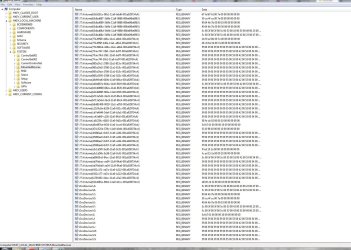
I'm actually having the exact same problem with Windows 7 Pro with (2) SATA drives that are running as a RAID1.

I'm stumped and can't afford to write zeros to the drives to try and fix it. I suppose I need to buy a new back up drive and back up the RAID and start fresh.

I did have this RAID die once before and I'm starting to wonder if that is the culprit. :shock:
 

My Computer My Computer

At a glance

Washington
OS
Washington
I'm actually having the exact same problem with Windows 7 Pro with (2) SATA drives that are running as a RAID1.

I'm stumped and can't afford to write zeros to the drives to try and fix it. I suppose I need to buy a new back up drive and back up the RAID and start fresh.

I did have this RAID die once before and I'm starting to wonder if that is the culprit. :shock:

i sorry to hear that. but my drive was fixed after write zero. i don't know other way that would fix this stupid problem. i still don't know what is the main cause but one might be improper formatting of the drive. DO NOT USE the format that was included in Win 7 system drive or very old formatting disk( thats what i used). i can write zero because my system is new and the win 7 was installed on my ssd, my hard drive was empty in the beginning. well i hope you find a way other than write zero. if you do please post back.
 

My Computer My Computer

At a glance

Windows 7inte core i5-2500k 3.3Ghzkingston 8g ddr3gtx 560ti 448core
OS
Windows 7
CPU
inte core i5-2500k 3.3Ghz
Motherboard
asus p8z68-V gen 3
Memory
kingston 8g ddr3
Graphics Card(s)
gtx 560ti 448core
Monitor(s) Displays
samsung 23inch
Hard Drives
curcial M4 ssd
western digital caviar blue 7200rpm with 16mb cache
PSU
corsair gold ax650
Case
corsair 400R
I'm actually having the exact same problem with Windows 7 Pro with (2) SATA drives that are running as a RAID1.

I'm stumped and can't afford to write zeros to the drives to try and fix it. I suppose I need to buy a new back up drive and back up the RAID and start fresh.

I did have this RAID die once before and I'm starting to wonder if that is the culprit. :shock:

i sorry to hear that. but my drive was fixed after write zero. i don't know other way that would fix this stupid problem. i still don't know what is the main cause but one might be improper formatting of the drive. DO NOT USE the format that was included in Win 7 system drive or very old formatting disk( thats what i used). i can write zero because my system is new and the win 7 was installed on my ssd, my hard drive was empty in the beginning. well i hope you find a way other than write zero. if you do please post back.

I will... For now it sounds like I might just be living with it until a hard drive upgrade!
 

My Computer My Computer

At a glance

Washington
OS
Washington
Hey Nick! Welcome!

It's been a long time since I messed with RAID, so I would be hesitant to make any recommendations that deal directly with the drives.

However, there may be something in the registry that might be done. Do you feel comfortable going in there to take a peek at something? Do you know how to back up and restore it?
 
Last edited:

My Computer My Computer

At a glance

Windows 7 Ultimate x64
OS
Windows 7 Ultimate x64
Hey Nick! Welcome!

It's been a long time since I messes with RAID, so I would be hesitant to make any recommendations that deal directly with the drives.

However, there may be something in the registry that might be done. Do you feel comfortable going in there to take a peek at something? Do you know how to back up and restore it?
I think so?
start > cmd > regedit
then export it
and to restore it, import right?

Thanks sibbil!
 

My Computer My Computer

At a glance

Washington
OS
Washington
Yes, and better yet is to create a restore point. See:

http://www.sevenforums.com/tutorials/4230-registry-backup-restore.html

Here's something I had previously written based on what I saw in this thread:

Regarding the thread where the user was losing his drive letter across boots: this is the regkey I was speaking of: HKEY_LOCAL_MACHINE\SYSTEM\MountedDevices.

If you look at that key, you see a "signature" subkey for every volume that's been mounted. If you look at the data for that subkey you'll see a hex value. That hex value corresponds to the data of another key in the same branch. The name of that subkey with matching data contains the drive letter for that partition.

I'm guessing what may have happened is the hex value that's common between the two keys got mismatched somehow. So when rebooted, Windows looked at the hex data for the volume signature, and found no matching hex data that matched with a drive letter.

Wiping the first sectors, killing the MBR/PBR data, repartitioning, would force Windows to recreate the needed subkeys.

In your case with RAID, and not knowing how it's being managed, I would suggest only examining the contents of that key and reporting back with what you found.

I'm guessing you'll find the subkey that matches the volume in question with an assigned hex value. It should be there if the OS really sees the volume.

Then look for the subkey that's supposed to match the hex value with a drive letter. I'm guessing you may find a key for the intended drive letter but the hex data for it doesn't match the other key.
 

My Computer My Computer

At a glance

Windows 7 Ultimate x64
OS
Windows 7 Ultimate x64
Please see my attached screen shots lol. I took two because all the values were not viewable on one screen :confused:

I have a feeling something doesnt look right here. :mad:
 

Attachments

  • ss01.JPG
    ss01.JPG
    220.3 KB · Views: 30
  • ss02.JPG
    ss02.JPG
    287.4 KB · Views: 22

My Computer My Computer

At a glance

Washington
OS
Washington
Looks as you've had quite a few devices attached in the past. Unsure what those keys starting with the "#" symbol are. Haven't seen those before.

It's a two disk RAID1?

You've got to widen the data column to show all in order to match the hex values. It's hard to do if you don't know info on the drives/volumes connected. It might be best to export the MountedDevices key to a text file so that it can be imported into Excel for sorting.
 

My Computer My Computer

At a glance

Windows 7 Ultimate x64
OS
Windows 7 Ultimate x64
Back
Top