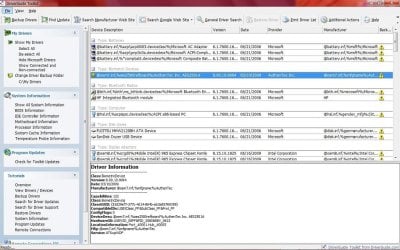
driver problem in hp pavilion dv6510ej

shabi08

New member
Local time
12:09 AM
Messages
3
i downloaded all drivers from hp.com,nothing work,try to do search from the internet dident find,what to do?
 

Attachments

  • 111.jpg
    111.jpg
    40.8 KB · Views: 62
  • 222.jpg
    222.jpg
    106.6 KB · Views: 65

My Computer

OS
win7
What drivers you downloaded? Not seeing a Windows 7 option for drivers for that laptop.
 

My Computer

Computer type
PC/Desktop
Computer Manufacturer/Model Number
DELL VOSTRO 3650
OS
Windows 8.1 PRO
CPU
3rd Generation Intel Core i7‐3612QM CPU @ 2.10GHZ
Memory
8GB DDR3
Graphics Card(s)
NVIDIA GeForce GT 525M (128 bit), 1GB Grpahics
Screen Resolution
1920X1080
Hard Drives
750GB 5400RPM
shabi08 - I was just wondering if You downloaded the drivers form www.hp.com then using the support and drivers tab -type in your model number - go to either 32 or 64 bit Vista drivers - download. After You have installed Window 7 - then you can go to the Device Manager & find all of the things that didn't install correctly. When You downlaod a vista driver and run it in Windows 7, the software makes an 'swsetup' directory. From the directory You can use the Compatibility mode and some logical evaluations, and if necessary force drivers to load. Once that process takes place Windows Update will very soon after that provide updates to "the problem" drivers if necessary. Although that happens sometimes that won't work. I have had these challenges in the many times I have upgraded Windows 7 on my HP dv5-1125nr. I hope this helps You. God's Speed. Patrick C
 

My Computer

Computer Manufacturer/Model Number
HP Pavillion dv6t
OS
Windows 7 Home - 64 Bit
CPU
AMD A8-3510MX APU with Radeon(tm) HD Graphics
Memory
6 Gigabytes
Graphics Card(s)
1GB of DDR3 Memory 7ATI Radeon HD 3200 Graphics
Sound Card
Motherboard
Monitor(s) Displays
15.6 LCD
Screen Resolution
1280 X 800 - 32-bit Color
Hard Drives
600 Gig - C:\ 299 G ; D:\ 298 G ; E:\ 32 G
Cooling
Laptop sits on a Belkin stand with a cooling fan from USB.
Mouse
On-Board Laptop Synaptics (driver) Point device
Internet Speed
Broadband -Wireless Net Gear (B, G, & N)
first thanks fo your replay

i downloaded the driveres from hp.com like you wrote.i find the directory name "swsetup",i dident understend what the next step?
thank you
 

My Computer

OS
win7
shabi08 -
Once the drivers have been downloaded into swsetup directory, then there will be several subdirectories that have numbers on them. For example, there is a subdirectory SP39622 which is driver directory for a AMD RAID CONSOLE 64 bit instance in my Device Mananger (DM) that when Windows 7 RC 64 bit loaded, refused to install correctly on my HP ndv5-1125nr. I had to intuitively figure out by looking at the Driver details in DM and then look at the driver type in the SP39622 subdirectory AND then using the driver Update function in DM. I had to drill down and find what I thought was the right driver (in SP39622 sub-directory) to force the driver to load. I don't have a better way to explain it than that. God's Speed - Patrick C

 

My Computer

Computer Manufacturer/Model Number
HP Pavillion dv6t
OS
Windows 7 Home - 64 Bit
CPU
AMD A8-3510MX APU with Radeon(tm) HD Graphics
Memory
6 Gigabytes
Graphics Card(s)
1GB of DDR3 Memory 7ATI Radeon HD 3200 Graphics
Sound Card
Motherboard
Monitor(s) Displays
15.6 LCD
Screen Resolution
1280 X 800 - 32-bit Color
Hard Drives
600 Gig - C:\ 299 G ; D:\ 298 G ; E:\ 32 G
Cooling
Laptop sits on a Belkin stand with a cooling fan from USB.
Mouse
On-Board Laptop Synaptics (driver) Point device
Internet Speed
Broadband -Wireless Net Gear (B, G, & N)
Back
Top