Pedro, but also for the other responders of this thread.
I came across this interesting thread while researching Samsung's HDD/iSSD configurations:
GUIDE: How to install Windows 7 or 8 via USB on NP700Z*, although, the title may be a little misleading it may work for your Series5
NP530U3C
This guide may work with other Samsung Series 3, 5, 7, and 9 laptops with iSSD/ExpressCache as well. Give it a try and report back. I will add to this list:
- NP700Z5C-S01US
- NP530U3C
Source from the Guide Link above.
There are also three alternative methods.
David suggested earlier that the usual method when installing a new OS, is the user (Pedro) should disconnect any drives that do not have the original boot or operating systems, and it should be the one you want the new OS installed to.
Pedro's reply was:
Yes I had the two connected just because I can't take them off because computer is still covered by warranty and I can't unplug the drivers, the HDD or the SSD.
After reading up on Samsung's iSSD configuration I understand why. It is designed to be an integrated and hidden adjunct to the HDD and it ends up getting in the way of any "clean" re-install because of the System Reserve.
There are no problems if the user needs to use Samsung's Recovery/Restore Functions because it is designed to do that seamlessly.
So Pedro, I would suggest you go over the methods in the Guide for installing Win8. You will see after reading though it that you are experiencing some of the symptoms described in the Guide i.e. Endless loops, and perceived problems with the USB Drive.
There is so much there I felt it would be better if I sent you there rather than to try and explain it here and have a step lost in the translation.
Take your time and absorb what is in the Guide and the responses from the users in that Forum, from what I see the suggestions of the other users are incorporated into the three alternative methods and it would help if you printed out the methods when you are ready to try one of them.
GUIDE: How to install Windows 7 or 8 via USB on NP700Z*
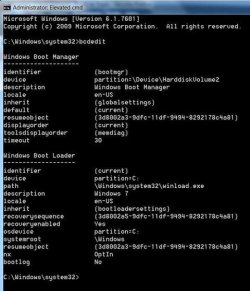
Please keep us apprised of your progress. If this works I'd still be interested in a bcdedit report.
Greg,
It is a moot point now, but thank you for adding those UEFI Tutorials after I suggested turning it on to try the install in my last post.
I realized after the fact that if I'm going to suggest something, I should have added guidance.