Solved DVD-CD ROM problem after Upgrade to Windows 7

xldeane

New member
Local time
2:23 PM
Messages
27
Location
Near London..ESSEX
Hi Folks
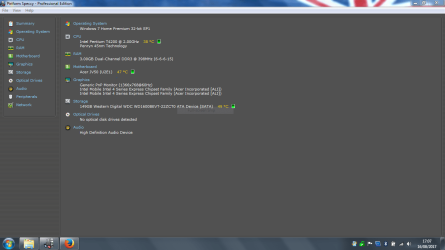
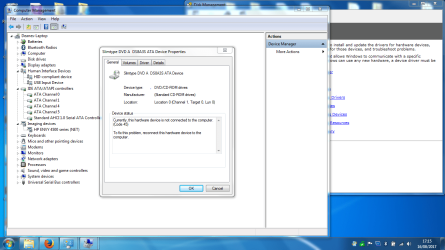
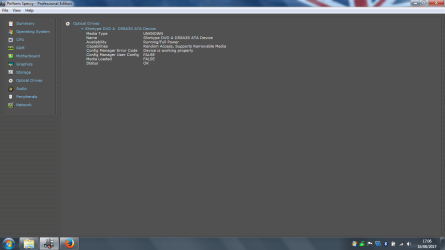
I recently upgraded my OS to Windows 7...as a result of this I am having a problem with my DVD RW.. My system only reads that I have a DVD RW fitted for a spit second when the tray is open... Its not the drivers I have updated those.. I have unistalled and re installed this device half a dozen times and still no joy.
I noticed on an old post in this forum about altering the registry.. I have tried that also but does not work

Anyone with any GOOD :devil: suggestions please feel free. My next step is to buy and external DVD RW and go with that...

Thanks

Xl
 

Attachments
  • Capture.PNG
    Capture.PNG
    34.6 KB · Views: 2
  • Capture 2.PNG
    Capture 2.PNG
    40.9 KB · Views: 1
  • Capture 5.PNG
    Capture 5.PNG
    89.3 KB · Views: 1

My Computer My Computer

Computer type
Laptop
Computer Manufacturer/Model Number
Acer Aspire 5738Z
OS
Windows 7 (SP 1)
CPU
Pentium Dual Core CPU T4200 @2.00GHz
Motherboard
ACPI x86
Memory
3.0GB
Graphics Card(s)
Mobile Intel 4 series chipset family
Hard Drives
IDE ATA/ATAPI Controllers
Try a different drive cable. Try plugging the drive into a different port on the motherboard. But here is another thought:

Is your DVD drive SATA or IDE? If it is IDE, and if you have a SATA DVD drive available, try the SATA drive.

I had a case once where I did a clean install of Windows 7 on an XP computer. The IDE DVD drive would not work for the Windows 7 install, although I never saw a failure prior to that time. I replaced it with another IDE DVD drive, and that drive also failed on the Windows 7 install. I then installed a SATA DVD drive, and the install proceeded without a hitch.

My thought here is that since IDE is old technology, there may have been an incompatibility somewhere with that type of drive.
 

My Computer My Computer

Computer type
PC/Desktop
Computer Manufacturer/Model Number
Dell
OS
Linux Mint 18.2 xfce 64-bit (VMWare host) / Windows 8.1 Pro 32-bit (VMWare guest)
CPU
Haswell
Memory
4 GB
Monitor(s) Displays
Acer 23"
Screen Resolution
1920 x 1080
Hard Drives
Two hard drives, 1TB each: One for Linux, one for my data.
Keyboard
IBM Model M
Antivirus
Sophos (Linux), Trend Micro (Windows)
Browser
Firefox, Opera
Other Info
I use Samba to share my data drive with the other computers at my house and with my guest session in VMWare Workstation Player.
I have fixed it !!!!
All I did was.........havnt got a clue, I did so many Regedits and Cmd scrpts, uninstalls and reinstalls I havnt got a clue what fixed it....but im glad its back :):)

xl........out
 

My Computer My Computer

Computer type
Laptop
Computer Manufacturer/Model Number
Acer Aspire 5738Z
OS
Windows 7 (SP 1)
CPU
Pentium Dual Core CPU T4200 @2.00GHz
Motherboard
ACPI x86
Memory
3.0GB
Graphics Card(s)
Mobile Intel 4 series chipset family
Hard Drives
IDE ATA/ATAPI Controllers
Back
Top