
Ok guys I've got a problem from which I'm not sure of what is the cause.
I got 2 DVD : One blu-ray SATA writer and another Pioneer DVD PATA writer. I replaced my motherboard. My new motherboard doesn't have any PATA port. I decided to try this: SATA Serial-ATA to 3.5 IDE PATA Converter Adapter Cable | eBay
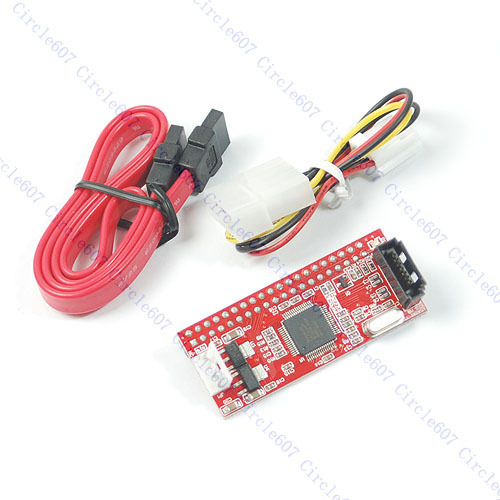
This thing works, my DVD is detected in BIOS, UDMA mode 4. DVD is bootable with the proper media, it is also detected and works fine in WinPE booted from my Blu-ray.
The problem is with my Windows 7 installation. The DVD is not detected after I boot. I have to go to Device manager and click "Scan for hardware change", then the DVD-RW is detected and it works fine after that.
I tried many things, I uninstalled Daemon tools, VirtualBox, I tried a registry fix (lowerfilter, upperfilter), no good.
I'm out of idea. I'm not sure if the culprit is the adapter or my Windows installation. Help !!!
I got 2 DVD : One blu-ray SATA writer and another Pioneer DVD PATA writer. I replaced my motherboard. My new motherboard doesn't have any PATA port. I decided to try this: SATA Serial-ATA to 3.5 IDE PATA Converter Adapter Cable | eBay
This thing works, my DVD is detected in BIOS, UDMA mode 4. DVD is bootable with the proper media, it is also detected and works fine in WinPE booted from my Blu-ray.
The problem is with my Windows 7 installation. The DVD is not detected after I boot. I have to go to Device manager and click "Scan for hardware change", then the DVD-RW is detected and it works fine after that.
I tried many things, I uninstalled Daemon tools, VirtualBox, I tried a registry fix (lowerfilter, upperfilter), no good.
I'm out of idea. I'm not sure if the culprit is the adapter or my Windows installation. Help !!!
My Computer
- OS
- Win7 64 bits FR
- CPU
- 2500K @ 4.5 GHz
- Motherboard
- Asrock Z68 Gen3 Extreme3
- Memory
- 4x4GB 1600MHz GSkill CL9.
- Graphics Card(s)
- HD6850 Powercolor stock
- Sound Card
- Integrated
- Monitor(s) Displays
- Samsung 2343 + Dell 20in 4/3
- Screen Resolution
- 2048x1152, 1600x1200
- Hard Drives
- OCZ Vertex LE SSD, 50GB
OCZ Solid 3 120GB
OCZ Vertex 2 240GB
Western Digital Scorpio 320GB 5400 rpm
- PSU
- KingWin Lazer Platinum (90+) 550Watts
- Case
- HAF912
- Cooling
- CPU: OCZ Vendetta 2
- Keyboard
- MX5500 revolution bluetooth
- Mouse
- MX5500 revolution bluetooth
- Internet Speed
- Cable 7 Mbps


