
Greetings to everyone in the forum,
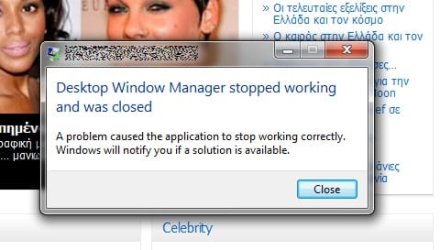
I've recently managed to get my graphics card (please take a look at my system specs) to work in Win 7 using info from the forum. Saddly, I still can't enjoy Aero because of frequent crashes of Desktop Window Manager. When this happens DWM is (usually) restarted and I get the message illustrated in pic2.jpg (see attachments)
I found out a way to disable Fast Write from the registry and that seems to have helped (crashes happen less often now), but it didn't eliminate the problem.
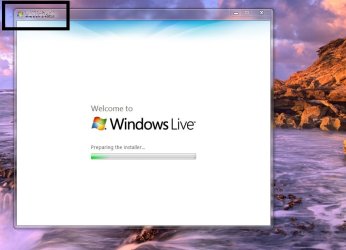
Sometimes I also get distorted window titles like those in pic1.jpg (and pic2.jpg)
I don't know where to start, if you could offer some guidance I'd be grateful. (Maybe disabling AGP Write as well could help?)
I've recently managed to get my graphics card (please take a look at my system specs) to work in Win 7 using info from the forum. Saddly, I still can't enjoy Aero because of frequent crashes of Desktop Window Manager. When this happens DWM is (usually) restarted and I get the message illustrated in pic2.jpg (see attachments)
I found out a way to disable Fast Write from the registry and that seems to have helped (crashes happen less often now), but it didn't eliminate the problem.
Sometimes I also get distorted window titles like those in pic1.jpg (and pic2.jpg)
I don't know where to start, if you could offer some guidance I'd be grateful. (Maybe disabling AGP Write as well could help?)
Attachments
My Computer
- OS
- Windows 7
- CPU
- Intel Core 2 Duo E7500 @2.93GHz
- Motherboard
- Gigabyte GA-8SG800
- Memory
- 4 GB DDR4 (Dual Channel)
- Graphics Card(s)
- NVIDIA GeForce GT 220
- Monitor(s) Displays
- Syncmaster 2693HM
- Screen Resolution
- 1920x1200
- PSU
- Chieftec 550W


