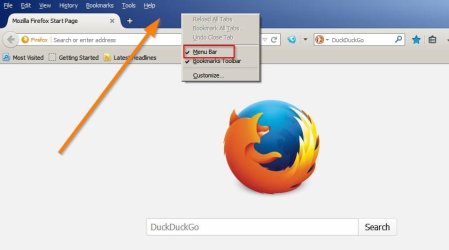
Upgrading firefox from v21 to v47 is a huge leap and it probably will not work if you auto-update it.
Suggest:
Install this extension in your current version of firefox:
FEBE Firefox Extension
You will need the version shown on the page like this:
Code:
Version history (FEBE 7.x):

June 2, 2013: Version 7.3.0.1 (1,227 kb) [B]Install[/B]  Download
Scheduled backups now have a +/- 90 second tolerance to allow for network/PC clock mis-synchronization
FEBE Results page now uploads to Box.net correctly tagged as "other"
[B]For Fx 14.0.* - 24.0a1[/B]
Click on the link where it says "install" and save the .xpi file somewhere handy.
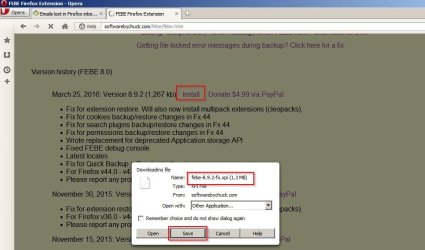
Then use Firefox Addons manager to install addon "from file" and browse to your downloaded .xpi file and open it.

Once installed set FEBE options like this:
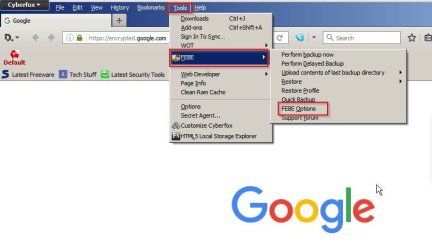
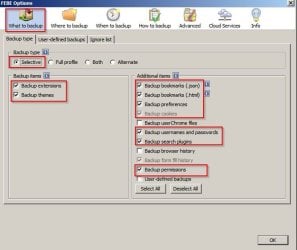
Once options are set go to the "Where to backup" tab and choose a save location away from your Appdata folder/ Firefox Profile Folder or Firefox in Program files x86. Basically somewhere like a new folder on your desktop should be okay.
When ready choose "Perform backup now" from FEBE drop down list.
Once the backup has completed you need to fully uninstall firefox.
Grab a copy of free
GeekUninstaller and extract the files to a folder of your choice. Open the folder and right click
geek.exe then choose "run as admin"
In the windows that opens scroll down to Firefox and double click to uninstall it. Allow Geek Unistaller to scan for leftovers and delete those. (Do not delete your FEBE saved backup if it shows up in the list of files to be removed)
Once finished - Reboot.
Then manually check for and delete the following items if found:
Those listed under step 10 in the link below.
Everything listed under "Remove user data and settings" in the link below.
https://support.mozilla.org/en-US/kb/uninstall-firefox-from-your-computer
When finished Reboot.
Then get the latest version of Firefox and install it. Let us know when you've done that and then instructions on how to restore bookmarks and extensions will follow.



 lugins