Hi,
Hope someone can help with this.
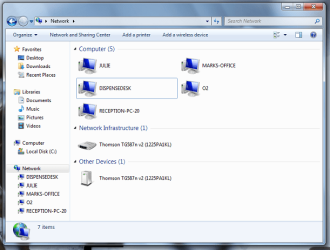
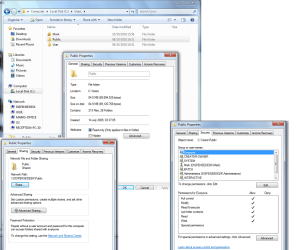
We have six pc's, four of which run Windows 7 (some Home, some Professional) and two recently purchased pc's are on Windows 10. Networking them together has usually been problematical but I eventually get there. Except for one of the Windows 7 pcs that has the Home Premium version. It will not allow access to the public documents folder, asking for a Network Username and password.
I've turned off Password Protected Sharing, and done a lot of searching about this. What I thought I had narrowed it down to was the Local Security Policy which needs changing, but I have now learned that MS decided not to include this in W7 Home versions.
I wonder if anyone has any clues as to what else to try?
Hope someone can help with this.
We have six pc's, four of which run Windows 7 (some Home, some Professional) and two recently purchased pc's are on Windows 10. Networking them together has usually been problematical but I eventually get there. Except for one of the Windows 7 pcs that has the Home Premium version. It will not allow access to the public documents folder, asking for a Network Username and password.
I've turned off Password Protected Sharing, and done a lot of searching about this. What I thought I had narrowed it down to was the Local Security Policy which needs changing, but I have now learned that MS decided not to include this in W7 Home versions.
I wonder if anyone has any clues as to what else to try?
My Computer
At a glance
Windows 7 Professional
- Computer type
- PC/Desktop
- OS
- Windows 7 Professional