
I recently performed a clean install of Win7 Ultimate x64 on my home PC and cannot seem to get my Epson Perfection 1660 Photo scanner to work anymore. Epson's site only lists 32-bit drivers that install but do not work or even present any error messages when trying to initiate a scan.
I have tried using the (Unofficial) drivers for Epson Perfection 1660 located HERE on your Windows Vista sister site. It does not work either but presents an error that I detailed below. On a side note, I have installed that unofficial driver on my notebook running Vista Home Premium x64 and it works there.
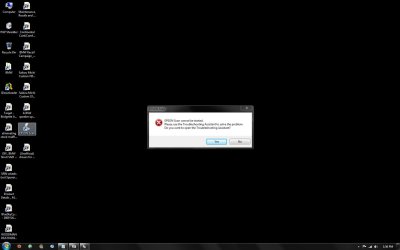
I have attached a screen capture of the error message when I try to initiate a scan with the unofficial drivers. If you select yes it just opens a help file to which I have exhausted all troubleshooting possibilities (check to see if the scanner is powered on and the cable is plugged in). It doesn't matter if I use the included utility, ACDSee, VueScan or an online Java utility with my bank.
Please advise. Thanks ahead of time for any suggestions you guys might have.
I have tried using the (Unofficial) drivers for Epson Perfection 1660 located HERE on your Windows Vista sister site. It does not work either but presents an error that I detailed below. On a side note, I have installed that unofficial driver on my notebook running Vista Home Premium x64 and it works there.
I have attached a screen capture of the error message when I try to initiate a scan with the unofficial drivers. If you select yes it just opens a help file to which I have exhausted all troubleshooting possibilities (check to see if the scanner is powered on and the cable is plugged in). It doesn't matter if I use the included utility, ACDSee, VueScan or an online Java utility with my bank.
Please advise. Thanks ahead of time for any suggestions you guys might have.
Attachments
Last edited:
My Computer
At a glance
Win 7 Ultimate
- OS
- Win 7 Ultimate

