
I have had the EPUB file type associated with 2 programs for a couple of years - Sigil and the Calibre's Ebook-Reader. Sometime in the last day or two I've lost the Calibre Ebook-Reader association
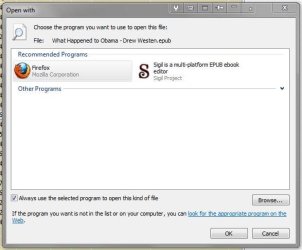
When I use the OpenWith context menu it only lists Sigil. So I browse to the Calibre 2 folder in Program Files and select ebook-viewer.exe - nothing happens.
Then I recall that I have an EPUB extension in firefox, so I browse to the Firefox folder and select firefox.exe - voila its there - right next to Sigil
I can open EPUB files from within Calibre itself via its View function, which fires up - ebook-reader.exe,
I can open EPUB files with ebook-reader.exe via Calibre's Open With plugin,
I can open an EPUB file by dropping it onto the ebook-viewer.exe file, or a shortcut to it
So I am assuming this is a Windows issue and not a Calibre issue
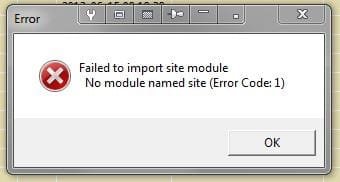
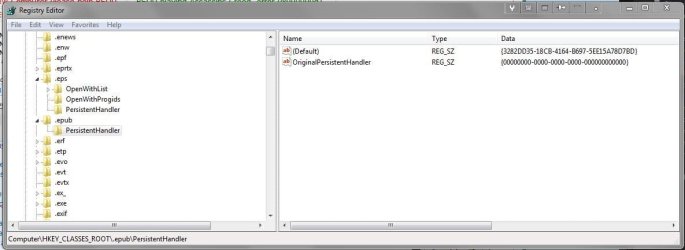
A one stage in 'trying to fix it' I got the error message you see in first attachment. I've also attached an image of the entry for EPUB in HKCR - which looks a bit sparse to me - where are the associations to Firefox and Sigil that I see in the third screen shot.
I did System Restores to Friday, Thursday and Wednesday mornings - made not a scrap of difference, almost certain it was OK on Thursday. And I've un-installed and re-installed Calibre.
PJD
Addenda - I think the error message is a Python message, Calibre is written in Python - still baffled
When I use the OpenWith context menu it only lists Sigil. So I browse to the Calibre 2 folder in Program Files and select ebook-viewer.exe - nothing happens.
Then I recall that I have an EPUB extension in firefox, so I browse to the Firefox folder and select firefox.exe - voila its there - right next to Sigil
I can open EPUB files from within Calibre itself via its View function, which fires up - ebook-reader.exe,
I can open EPUB files with ebook-reader.exe via Calibre's Open With plugin,
I can open an EPUB file by dropping it onto the ebook-viewer.exe file, or a shortcut to it
So I am assuming this is a Windows issue and not a Calibre issue
A one stage in 'trying to fix it' I got the error message you see in first attachment. I've also attached an image of the entry for EPUB in HKCR - which looks a bit sparse to me - where are the associations to Firefox and Sigil that I see in the third screen shot.
I did System Restores to Friday, Thursday and Wednesday mornings - made not a scrap of difference, almost certain it was OK on Thursday. And I've un-installed and re-installed Calibre.
PJD
Addenda - I think the error message is a Python message, Calibre is written in Python - still baffled
Attachments
Last edited:
My Computer
- Computer type
- PC/Desktop
- Computer Manufacturer/Model Number
- generic - made to spec
- OS
- Win 7 Professional 64bit
- CPU
- I5 650 @ 3.2GHz
- Motherboard
- Gigabyte H55M-UD2H
- Memory
- 6G
- Graphics Card(s)
- AMD Radeon R7 200 Series
- Sound Card
- whatever is on mobo
- Monitor(s) Displays
- 1 x 24" Samsung
- Screen Resolution
- 1920x1200
- Hard Drives
- Internal 1x256GB Toshiba SSD
Internal 1x2TB
External 2 slot USB 3.0 dock (various drives)
External 1 500GB USB 2.0 drive
- PSU
- 850W Antech Modular
- Case
- Shiny Black Aluminium
- Cooling
- extra fans - sucker in front, blower at back - noisy & cool
- Keyboard
- Microsoft USB Dual Receiver Wireless Keyboard
- Mouse
- Microsoft USB Dual Receiver Wireless Mouse
- Internet Speed
- 20/1Mbps down/up
- Antivirus
- MSE
- Browser
- Firefox and Chrome
- Other Info
- Hitachi USB 3.0 adapter
