Solved Error 0xc000000f

Elljay

New member
Power User
VIP
Local time
11:18 AM
Messages
417
Location
In the woods by the creek.
I have Error 0xc000000f
On my main PC.
...omg. panic. yes.
Why?...because I have not ritually backed up all my art projects that I was working on.
Some, yes. Not all.
For 3 days, I have read various forums and surfed the net.
I feel overwhelmed with information and don't know what to do next.:o
So sorry.. I write this from my little 5 year old Acer net book...that has never let me down.
:)
 
Last edited:

My Computer

Computer type
Laptop
Computer Manufacturer/Model Number
HP 2000-150CA Notebook
OS
Windows 7 Home Premium (x64) Service Pack 1 (build 7601)
CPU
Intel Pentium P6200 2.13 GHz
Motherboard
HP 3674 28.49 1066 MH / BIOS: HP F.34
Memory
4.00 GB
Graphics Card(s)
Intel HD Graphics
Sound Card
Multimedia HD
Monitor(s) Displays
15.3
Screen Resolution
1366X768
Hard Drives
Hitachi HTS545050B9A300 ATA
(500.11 GB)
Keyboard
Standard PS2
Mouse
Synaptics PS2 Port Touch Pad / Microsoft HID-compliant mouse
Internet Speed
100 Mbps
Antivirus
MSE
Browser
PaleMoon / Fire Fox
Other Info
Purchased 2011
Can you boot the computer into Windows?
 

My Computer

Computer type
PC/Desktop
Computer Manufacturer/Model Number
Golden Mk. I.4
OS
Windows 10 Pro x64 ; Xubuntu x64
CPU
Intel i7 860 @ 2.80 GHz O/C'ed to 4.0GHz
Motherboard
Gigabyte P55A-UD3R Rev.1. Award BIOS F13
Memory
16GB Corsair Vengance DDR3 @ 661 MHz Dual Channel (9-9-9-24)
Graphics Card(s)
EVGA NVidia GTX 560 1024MB
Sound Card
Realtek Integrated
Monitor(s) Displays
Dual Samsung SyncMaster 2494HS
Screen Resolution
1920*1080 and 1920*1080
Hard Drives
1*Samsung 840 EVO 120GB SSD;
1*OCZ Vertex 2 60GB SSD;
2*Samsung F3 SpinPoint 1TB in RAID0;
1*Samsung F1 SpinPoint 1TB;
2*Western Digital 1TB External USB 3.0
1*Western Digital 500GB External USB 3.0
1*Seagate 500GB External USB 2.0
PSU
Thermaltake ToughPower QFan 750W
Case
Thermaltake Element S VK60001W2Z
Cooling
Corsair H60 Water Cooling, 2*230mm and 2*80mm case fans
Keyboard
Logitech G110
Mouse
Logitech MX518

My Computer

Computer type
PC/Desktop
Computer Manufacturer/Model Number
Custom Build
OS
Windows 10 Pro x64
CPU
Core2Quad Q9550 @2.83GHz (o/c @3.82GHz)
Motherboard
ASUS P5K Premium WiFi
Memory
8GB (4x2GB DDR2)
Graphics Card(s)
ASUS ROG STRIX GTX1050 Ti O4G Gaming
Sound Card
Creative Soundblaster X-Fi Platinum
Monitor(s) Displays
ACER ED273WIDX 27"
Screen Resolution
1920 x 1080
Hard Drives
SAMSUNG SSD 840 Series 120GB
SAMSUNG 500GB SATA 7200 rpm
2xWD Velociraptor 150GB 10000 rpm
PSU
600W
Case
CoolerMaster Centurion
Cooling
Cooler Master V8
Keyboard
VPRO V700
Mouse
Logitech G602
Antivirus
Norton IS
Browser
Firefox x64
I have Error 0xc000000f
...omg. panic. yes.
On my main PC.
Why?...because I have not ritually backed up all my art projects that I was working on.
Some, yes. Not all.
For 3 days, I have read various forums and surfed the net.
I feel overwhelmed with information and don't know what to do next.:o
So sorry.. I write this from my little Acer net book...that has never let me down.
:)

Read the following link:

http://www.sevenforums.com/bsod-hel...-status-0xc000000f-boot-selection-failed.html

HTH
 

My Computer

Computer type
PC/Desktop
Computer Manufacturer/Model Number
Custom Built
OS
Windows 7 Professional x64
CPU
Intel i5 quad processor
Motherboard
DP67BG
Memory
16 GB
Graphics Card(s)
Radeon HD 5770
Sound Card
Realtek High Definition Audio
Monitor(s) Displays
Samsung SyncMaster
Screen Resolution
1920X1080
Hard Drives
WD 2TB (SATA Internal)
WD 1TB (USB External)
PSU
Corsair GS800
Case
Tower (Generic)
Cooling
3 Internal Fans
Keyboard
MS Wireless
Mouse
MS Optical Wired
Internet Speed
54 mbps
Antivirus
Emsisoft
Browser
IE-Version 9, Palemoon-Version 24.2.0
Hi Golden. I'm not sure what you mean. I have this message.
(except, it says 0xc000000f) When I press 'enter=continue' and choose 'Launch Startup Repair', it just goes back to the Windows failed to start message. If I choose 'Start Windows Normally', the Windows logo appears, then the screen turns black and doesn't do anything.
 

Attachments

  • 0xc000000f BOOT MANAGER.png
    0xc000000f BOOT MANAGER.png
    10.3 KB · Views: 0
Last edited:

My Computer

Computer type
Laptop
Computer Manufacturer/Model Number
HP 2000-150CA Notebook
OS
Windows 7 Home Premium (x64) Service Pack 1 (build 7601)
CPU
Intel Pentium P6200 2.13 GHz
Motherboard
HP 3674 28.49 1066 MH / BIOS: HP F.34
Memory
4.00 GB
Graphics Card(s)
Intel HD Graphics
Sound Card
Multimedia HD
Monitor(s) Displays
15.3
Screen Resolution
1366X768
Hard Drives
Hitachi HTS545050B9A300 ATA
(500.11 GB)
Keyboard
Standard PS2
Mouse
Synaptics PS2 Port Touch Pad / Microsoft HID-compliant mouse
Internet Speed
100 Mbps
Antivirus
MSE
Browser
PaleMoon / Fire Fox
Other Info
Purchased 2011
I downloaded loaded 'Rufus' onto a USB. Plugged it in and it gave me options to choose F1,F2, F10 etc... It didn't matter what I pressed, my PC started making ringing bell noises.
 

My Computer

Computer type
Laptop
Computer Manufacturer/Model Number
HP 2000-150CA Notebook
OS
Windows 7 Home Premium (x64) Service Pack 1 (build 7601)
CPU
Intel Pentium P6200 2.13 GHz
Motherboard
HP 3674 28.49 1066 MH / BIOS: HP F.34
Memory
4.00 GB
Graphics Card(s)
Intel HD Graphics
Sound Card
Multimedia HD
Monitor(s) Displays
15.3
Screen Resolution
1366X768
Hard Drives
Hitachi HTS545050B9A300 ATA
(500.11 GB)
Keyboard
Standard PS2
Mouse
Synaptics PS2 Port Touch Pad / Microsoft HID-compliant mouse
Internet Speed
100 Mbps
Antivirus
MSE
Browser
PaleMoon / Fire Fox
Other Info
Purchased 2011
They say: 'Curiosity Kills The Cat'...
Although I am frustrated right now, there is a comical side to my predicament.
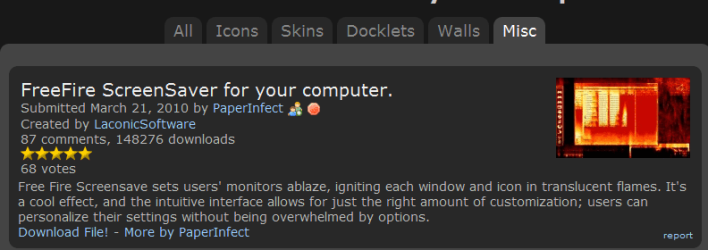
Prior to seeing the error message, I had gone to Rocket Dock website.Wanting to try something different, I downloaded it. While I was there, I also saw a screensaver that makes your desktop look like it's on fire. I'm not into screensavers, but out of curiosity I downloaded it too.
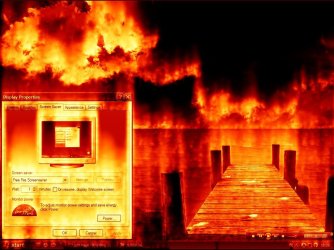
I launched it. Kewl. While I watched my desktop go up in flames with the sound effects of a crackling fire burning and kewl elevator music playing in the background, I thought to myself; "What if I just downloaded a malicious file? What if it is actually doing damage to something." Seriously, this is what I was thinking.
I turned my PC off because I had to go downtown for awhile.
When I returned a few hours later and turned on my PC and saw that error message. Well hell yes, I totally freaked! Here is the file I downloaded and an example of what it looked like. This is not my desktop, just an example of one I found. Kinda comical isn't it?
 

Attachments

  • rocketdock free fire screen saver.png
    rocketdock free fire screen saver.png
    17.7 KB · Views: 0
  • fire1.jpg
    fire1.jpg
    110.5 KB · Views: 0
Last edited:

My Computer

Computer type
Laptop
Computer Manufacturer/Model Number
HP 2000-150CA Notebook
OS
Windows 7 Home Premium (x64) Service Pack 1 (build 7601)
CPU
Intel Pentium P6200 2.13 GHz
Motherboard
HP 3674 28.49 1066 MH / BIOS: HP F.34
Memory
4.00 GB
Graphics Card(s)
Intel HD Graphics
Sound Card
Multimedia HD
Monitor(s) Displays
15.3
Screen Resolution
1366X768
Hard Drives
Hitachi HTS545050B9A300 ATA
(500.11 GB)
Keyboard
Standard PS2
Mouse
Synaptics PS2 Port Touch Pad / Microsoft HID-compliant mouse
Internet Speed
100 Mbps
Antivirus
MSE
Browser
PaleMoon / Fire Fox
Other Info
Purchased 2011

My Computer

Computer type
PC/Desktop
Computer Manufacturer/Model Number
Own build
OS
Windows 7x64 Home Premium SP1
CPU
Intel i7 2600k
Motherboard
ASUS P8Z68 Deluxe
Memory
G.Skill Ripjaws (DDR3-1600) 2x4GB
Graphics Card(s)
Nvidia GeForce GTS 450; Intel HD Graphics 3000(GT2+)
Monitor(s) Displays
Dell Ultrasharp IPS panel U2311H, Samsung SyncMaster P2350
Screen Resolution
1920x1080
Hard Drives
Samsung 850 Pro SSD 256GB, Samsung SSD 840 120GB, Seagates 1TB Barracuda ST31000528AS x2
PSU
Seasonic M12II 520W
Case
Lian Li Lancool PC-K60
Cooling
Case: 1x120mm, 3x140mm CPU: Hyper 212+
Keyboard
Logitech MK520 (wireless)
Mouse
Logitech MK520
Internet Speed
6-7 Mbps
Antivirus
Norton Security Premium, Malwarebytes on 2 (MSE on 3rd PC)
Browser
FireFox
Other Info
Audio: Logitech Z523 2.1
Try mjf's solution- get your files backed up first.
 

My Computer

Computer type
PC/Desktop
Computer Manufacturer/Model Number
Golden Mk. I.4
OS
Windows 10 Pro x64 ; Xubuntu x64
CPU
Intel i7 860 @ 2.80 GHz O/C'ed to 4.0GHz
Motherboard
Gigabyte P55A-UD3R Rev.1. Award BIOS F13
Memory
16GB Corsair Vengance DDR3 @ 661 MHz Dual Channel (9-9-9-24)
Graphics Card(s)
EVGA NVidia GTX 560 1024MB
Sound Card
Realtek Integrated
Monitor(s) Displays
Dual Samsung SyncMaster 2494HS
Screen Resolution
1920*1080 and 1920*1080
Hard Drives
1*Samsung 840 EVO 120GB SSD;
1*OCZ Vertex 2 60GB SSD;
2*Samsung F3 SpinPoint 1TB in RAID0;
1*Samsung F1 SpinPoint 1TB;
2*Western Digital 1TB External USB 3.0
1*Western Digital 500GB External USB 3.0
1*Seagate 500GB External USB 2.0
PSU
Thermaltake ToughPower QFan 750W
Case
Thermaltake Element S VK60001W2Z
Cooling
Corsair H60 Water Cooling, 2*230mm and 2*80mm case fans
Keyboard
Logitech G110
Mouse
Logitech MX518
Hello mjf and Golden. Thank you so much for responding and thank you for your advice and the link. I have no idea what I'm doing but I'm willing to give it a go. I'm feeling so stupid right now.:o
 

My Computer

Computer type
Laptop
Computer Manufacturer/Model Number
HP 2000-150CA Notebook
OS
Windows 7 Home Premium (x64) Service Pack 1 (build 7601)
CPU
Intel Pentium P6200 2.13 GHz
Motherboard
HP 3674 28.49 1066 MH / BIOS: HP F.34
Memory
4.00 GB
Graphics Card(s)
Intel HD Graphics
Sound Card
Multimedia HD
Monitor(s) Displays
15.3
Screen Resolution
1366X768
Hard Drives
Hitachi HTS545050B9A300 ATA
(500.11 GB)
Keyboard
Standard PS2
Mouse
Synaptics PS2 Port Touch Pad / Microsoft HID-compliant mouse
Internet Speed
100 Mbps
Antivirus
MSE
Browser
PaleMoon / Fire Fox
Other Info
Purchased 2011

My Computer

Computer type
PC/Desktop
Computer Manufacturer/Model Number
Golden Mk. I.4
OS
Windows 10 Pro x64 ; Xubuntu x64
CPU
Intel i7 860 @ 2.80 GHz O/C'ed to 4.0GHz
Motherboard
Gigabyte P55A-UD3R Rev.1. Award BIOS F13
Memory
16GB Corsair Vengance DDR3 @ 661 MHz Dual Channel (9-9-9-24)
Graphics Card(s)
EVGA NVidia GTX 560 1024MB
Sound Card
Realtek Integrated
Monitor(s) Displays
Dual Samsung SyncMaster 2494HS
Screen Resolution
1920*1080 and 1920*1080
Hard Drives
1*Samsung 840 EVO 120GB SSD;
1*OCZ Vertex 2 60GB SSD;
2*Samsung F3 SpinPoint 1TB in RAID0;
1*Samsung F1 SpinPoint 1TB;
2*Western Digital 1TB External USB 3.0
1*Western Digital 500GB External USB 3.0
1*Seagate 500GB External USB 2.0
PSU
Thermaltake ToughPower QFan 750W
Case
Thermaltake Element S VK60001W2Z
Cooling
Corsair H60 Water Cooling, 2*230mm and 2*80mm case fans
Keyboard
Logitech G110
Mouse
Logitech MX518
I'm feeling so stupid right now.:o
I wouldn't feel that way there are probably a number of unfamiliar steps in what I suggested. I forgot about the "Peppermint" tutorial option which looks more straightforward.
 

My Computer

Computer type
PC/Desktop
Computer Manufacturer/Model Number
Own build
OS
Windows 7x64 Home Premium SP1
CPU
Intel i7 2600k
Motherboard
ASUS P8Z68 Deluxe
Memory
G.Skill Ripjaws (DDR3-1600) 2x4GB
Graphics Card(s)
Nvidia GeForce GTS 450; Intel HD Graphics 3000(GT2+)
Monitor(s) Displays
Dell Ultrasharp IPS panel U2311H, Samsung SyncMaster P2350
Screen Resolution
1920x1080
Hard Drives
Samsung 850 Pro SSD 256GB, Samsung SSD 840 120GB, Seagates 1TB Barracuda ST31000528AS x2
PSU
Seasonic M12II 520W
Case
Lian Li Lancool PC-K60
Cooling
Case: 1x120mm, 3x140mm CPU: Hyper 212+
Keyboard
Logitech MK520 (wireless)
Mouse
Logitech MK520
Internet Speed
6-7 Mbps
Antivirus
Norton Security Premium, Malwarebytes on 2 (MSE on 3rd PC)
Browser
FireFox
Other Info
Audio: Logitech Z523 2.1
Hello Golden and mjf. I decided to try Peppermint. It looks a little more user friendly. I have been trying to download the 32 bit for the last 3 hours and hasn't even reached 50% yet. I'm not sure why. Usually don't have problems downloading. Brutal. I'll have to get back to you. Thank you.
 

My Computer

Computer type
Laptop
Computer Manufacturer/Model Number
HP 2000-150CA Notebook
OS
Windows 7 Home Premium (x64) Service Pack 1 (build 7601)
CPU
Intel Pentium P6200 2.13 GHz
Motherboard
HP 3674 28.49 1066 MH / BIOS: HP F.34
Memory
4.00 GB
Graphics Card(s)
Intel HD Graphics
Sound Card
Multimedia HD
Monitor(s) Displays
15.3
Screen Resolution
1366X768
Hard Drives
Hitachi HTS545050B9A300 ATA
(500.11 GB)
Keyboard
Standard PS2
Mouse
Synaptics PS2 Port Touch Pad / Microsoft HID-compliant mouse
Internet Speed
100 Mbps
Antivirus
MSE
Browser
PaleMoon / Fire Fox
Other Info
Purchased 2011
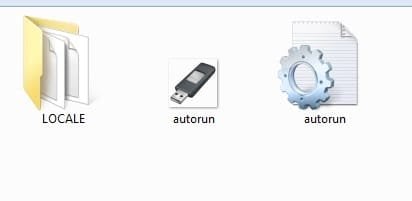
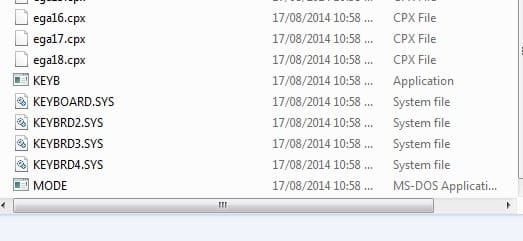
Hi again Golden and mjf. The file finally downloaded. At the Peppermint 3 Tutorial, I followed the link. There wasn`t an option for 3, just 5. So I downloaded it anyways. I think I made the USB correctly. This what is on it.
 

Attachments

  • rufus.jpg
    rufus.jpg
    5.5 KB · Views: 25
  • locale 1.jpg
    locale 1.jpg
    68 KB · Views: 1
  • locale2.jpg
    locale2.jpg
    17.1 KB · Views: 25

My Computer

Computer type
Laptop
Computer Manufacturer/Model Number
HP 2000-150CA Notebook
OS
Windows 7 Home Premium (x64) Service Pack 1 (build 7601)
CPU
Intel Pentium P6200 2.13 GHz
Motherboard
HP 3674 28.49 1066 MH / BIOS: HP F.34
Memory
4.00 GB
Graphics Card(s)
Intel HD Graphics
Sound Card
Multimedia HD
Monitor(s) Displays
15.3
Screen Resolution
1366X768
Hard Drives
Hitachi HTS545050B9A300 ATA
(500.11 GB)
Keyboard
Standard PS2
Mouse
Synaptics PS2 Port Touch Pad / Microsoft HID-compliant mouse
Internet Speed
100 Mbps
Antivirus
MSE
Browser
PaleMoon / Fire Fox
Other Info
Purchased 2011
I am lost from here.
I tried the USB, nothing happened. I don`t know how to get to BIOS.
I looked it up for my PC. The problem PC is a HP win.7 64bit Premium. It says to press esc repeatedly and then f10. That did nothing.
Godd I`m tired! Almost ready to throw in the towel.
 

Attachments

  • you will need to know.png
    you will need to know.png
    2.7 KB · Views: 30

My Computer

Computer type
Laptop
Computer Manufacturer/Model Number
HP 2000-150CA Notebook
OS
Windows 7 Home Premium (x64) Service Pack 1 (build 7601)
CPU
Intel Pentium P6200 2.13 GHz
Motherboard
HP 3674 28.49 1066 MH / BIOS: HP F.34
Memory
4.00 GB
Graphics Card(s)
Intel HD Graphics
Sound Card
Multimedia HD
Monitor(s) Displays
15.3
Screen Resolution
1366X768
Hard Drives
Hitachi HTS545050B9A300 ATA
(500.11 GB)
Keyboard
Standard PS2
Mouse
Synaptics PS2 Port Touch Pad / Microsoft HID-compliant mouse
Internet Speed
100 Mbps
Antivirus
MSE
Browser
PaleMoon / Fire Fox
Other Info
Purchased 2011
Done! I don't believe it. I did it! :D I don't have to take my PC down the street to the Tech Guy. So glad I didn't throw in the towel. I rescued all my art projects from my HD, as well as some photos, videos and music.
My projects were a priority. I am so relieved to say the least.
I went out and bought a Seagate 2 TB External Drive. Maybe that is over kill, but I now have absolutely everything backed up.
I learned a lesson the hard way...BACK IT ALL UP!
How I did it. I finally figured out how to get to BIOS on my HP.
(press F10 repeatedly) I went wrong somewhere with Peppermint on the USB, so I made a Live Linux CD.
I found a tutorial on Lucid Puppy by jamanji here.
http://www.sevenforums.com/software/198909-lucid-puppy-way-recover-files-non-bootable-computer.html
This is an excellent tutorial. Very easy to follow and understand.
Thank you jamanji!
I can't believe what I learn from visiting Windows 7 Forums and the helpful people here. I learn something new every time I visit.
Thanks Golden, mjf for the feedback and helping me out.
Thanks Sir George and Geogeks for the links as well.
Is there anything else I need to grab from my HD (besides what I did already) before I proceed to the next step? By the way, what is the next step? Run a Windows repair Disk?Cheers! :)
 

My Computer

Computer type
Laptop
Computer Manufacturer/Model Number
HP 2000-150CA Notebook
OS
Windows 7 Home Premium (x64) Service Pack 1 (build 7601)
CPU
Intel Pentium P6200 2.13 GHz
Motherboard
HP 3674 28.49 1066 MH / BIOS: HP F.34
Memory
4.00 GB
Graphics Card(s)
Intel HD Graphics
Sound Card
Multimedia HD
Monitor(s) Displays
15.3
Screen Resolution
1366X768
Hard Drives
Hitachi HTS545050B9A300 ATA
(500.11 GB)
Keyboard
Standard PS2
Mouse
Synaptics PS2 Port Touch Pad / Microsoft HID-compliant mouse
Internet Speed
100 Mbps
Antivirus
MSE
Browser
PaleMoon / Fire Fox
Other Info
Purchased 2011
Please. I still need help.
I would like to know if there is anything else I need to rescue from my hard drive, besides my personal folders... before I proceed to the next step?
 

My Computer

Computer type
Laptop
Computer Manufacturer/Model Number
HP 2000-150CA Notebook
OS
Windows 7 Home Premium (x64) Service Pack 1 (build 7601)
CPU
Intel Pentium P6200 2.13 GHz
Motherboard
HP 3674 28.49 1066 MH / BIOS: HP F.34
Memory
4.00 GB
Graphics Card(s)
Intel HD Graphics
Sound Card
Multimedia HD
Monitor(s) Displays
15.3
Screen Resolution
1366X768
Hard Drives
Hitachi HTS545050B9A300 ATA
(500.11 GB)
Keyboard
Standard PS2
Mouse
Synaptics PS2 Port Touch Pad / Microsoft HID-compliant mouse
Internet Speed
100 Mbps
Antivirus
MSE
Browser
PaleMoon / Fire Fox
Other Info
Purchased 2011
Without being able to boot into Windows 7? No, there is nothing else you can rescue.
 

My Computer

Computer type
PC/Desktop
Computer Manufacturer/Model Number
Golden Mk. I.4
OS
Windows 10 Pro x64 ; Xubuntu x64
CPU
Intel i7 860 @ 2.80 GHz O/C'ed to 4.0GHz
Motherboard
Gigabyte P55A-UD3R Rev.1. Award BIOS F13
Memory
16GB Corsair Vengance DDR3 @ 661 MHz Dual Channel (9-9-9-24)
Graphics Card(s)
EVGA NVidia GTX 560 1024MB
Sound Card
Realtek Integrated
Monitor(s) Displays
Dual Samsung SyncMaster 2494HS
Screen Resolution
1920*1080 and 1920*1080
Hard Drives
1*Samsung 840 EVO 120GB SSD;
1*OCZ Vertex 2 60GB SSD;
2*Samsung F3 SpinPoint 1TB in RAID0;
1*Samsung F1 SpinPoint 1TB;
2*Western Digital 1TB External USB 3.0
1*Western Digital 500GB External USB 3.0
1*Seagate 500GB External USB 2.0
PSU
Thermaltake ToughPower QFan 750W
Case
Thermaltake Element S VK60001W2Z
Cooling
Corsair H60 Water Cooling, 2*230mm and 2*80mm case fans
Keyboard
Logitech G110
Mouse
Logitech MX518
OK.Thank you Golden.
 

My Computer

Computer type
Laptop
Computer Manufacturer/Model Number
HP 2000-150CA Notebook
OS
Windows 7 Home Premium (x64) Service Pack 1 (build 7601)
CPU
Intel Pentium P6200 2.13 GHz
Motherboard
HP 3674 28.49 1066 MH / BIOS: HP F.34
Memory
4.00 GB
Graphics Card(s)
Intel HD Graphics
Sound Card
Multimedia HD
Monitor(s) Displays
15.3
Screen Resolution
1366X768
Hard Drives
Hitachi HTS545050B9A300 ATA
(500.11 GB)
Keyboard
Standard PS2
Mouse
Synaptics PS2 Port Touch Pad / Microsoft HID-compliant mouse
Internet Speed
100 Mbps
Antivirus
MSE
Browser
PaleMoon / Fire Fox
Other Info
Purchased 2011
Is my next step to run a Windows Repair Disc?
 

My Computer

Computer type
Laptop
Computer Manufacturer/Model Number
HP 2000-150CA Notebook
OS
Windows 7 Home Premium (x64) Service Pack 1 (build 7601)
CPU
Intel Pentium P6200 2.13 GHz
Motherboard
HP 3674 28.49 1066 MH / BIOS: HP F.34
Memory
4.00 GB
Graphics Card(s)
Intel HD Graphics
Sound Card
Multimedia HD
Monitor(s) Displays
15.3
Screen Resolution
1366X768
Hard Drives
Hitachi HTS545050B9A300 ATA
(500.11 GB)
Keyboard
Standard PS2
Mouse
Synaptics PS2 Port Touch Pad / Microsoft HID-compliant mouse
Internet Speed
100 Mbps
Antivirus
MSE
Browser
PaleMoon / Fire Fox
Other Info
Purchased 2011
Back
Top