
ExcelsiorPC
New member
- Local time
- 12:57 PM
- Messages
- 6
I am using a Windows XP as the main server computer. It is hardwired to the Internet and we have a wireless network setup for our laptops.
My employer wants the WinXP desktop to store shared files and for the laptops to be able to connect to the desktop
I set up the network on the WinXP computer with the Network Wizard in the control panel.
My laptop is a Win7 and my employer's laptop is Win8.
I can see the shared files from my laptop but when I click to open I get the following error pop up:
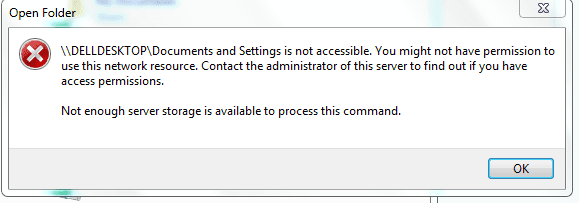
\\DELLDESKTOP\Documents and Settings is not accessible. you might not have permission to use this network resource. Contact the administrator of this server to find out if you have access permissions. Not enough server storage is available to process this command.
I would sure appreciate any thoughts and help with this.
Thank you
My employer wants the WinXP desktop to store shared files and for the laptops to be able to connect to the desktop
I set up the network on the WinXP computer with the Network Wizard in the control panel.
My laptop is a Win7 and my employer's laptop is Win8.
I can see the shared files from my laptop but when I click to open I get the following error pop up:
\\DELLDESKTOP\Documents and Settings is not accessible. you might not have permission to use this network resource. Contact the administrator of this server to find out if you have access permissions. Not enough server storage is available to process this command.
I would sure appreciate any thoughts and help with this.
Thank you
Attachments
My Computer
- OS
- Windows 7 Home Premium 64-bit


