Error while installing windows 7 disk

Misterandyy

New member
Local time
2:53 PM
Messages
4
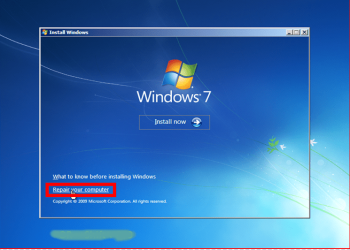
Something happened to my computer and ill get "bootmgr is missing" unless I have a reboot DVD in there and all I can do is go to safe mode and install windows 7. When I try it it'll stop me and say I have a file corrupted, please help. It's not the DVD because I tried it on another computer and it worked. I did chkdsk /R C: in cmd and bootrec/fix and all of that already
14l7apv.jpg
 

My Computer

OS
Windows 7 Home Premium 32bit

I can't get into my computer at all so I can't check the ram. The farthest I can get into my computer is safe mode and the windows 7 installation is there
 

My Computer

OS
Windows 7 Home Premium 32bit
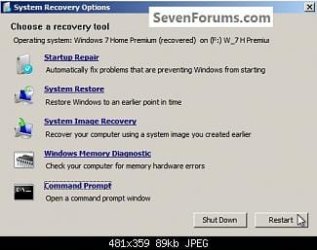
Boot into DVD Recovery Options Command Line to confirm that Win7 or it's 100mb System Reserved partition (if you have it) are marked Active Mark Partition Active then run Startup Repair - Run up to 3 Separate Times to see if you can start Win7. If not work through these other steps for Troubleshooting Windows 7 Failure to Start

Where did you get Win7? Did you burn the DVD yourself? Confirm the ISO then burn another using ImgBurn at 4x speed. If that fails write the ISO to flash stick using Universal USB Installer

If you decide to reinstall and it continues to fail, access the Command Prompt from installer at boot to run Diskpart Clean Command . Unplug all other HD's and peripherals to try install.
 
Back
Top