Solved Error windows

ah yeah i type again show but messange X:\Sources\bootrec.exe
X:\Sources\bootrec.exe is not a valid Win32 application

yup, i boot disk i've try startup repair, but system restore
No restore point have been created on your computer's system drive...
 

My Computer

Computer type
Laptop
OS
Win 7 Ulitimate x86
Can you still boot the OS? If so then repairing the boot files is not necessary.

Confirm there is no infection then if it still won't start try running SFC /SCANNOW Run in Command Prompt at Boot.

Can you install TeamViewer in Safe Mode with Networking so that I can connect and take a look?

If you can't do any of the repairs then you're probably best off rescuiing any files to run Factory Recovery or Clean Reinstall Windows 7.

Once you make the Win7 disk from Step 1 and 2, you can rescue your files using Copy & Paste - in Windows Recovery Console
http://www.sevenforums.com/tutorials/219487-clean-reinstall-factory-oem-windows-7-a.html#post1839164
 
i try still Windows sfc /scannow /offbootdir=f:\ /offwindir=f:\windows
but Windows Resource Protection could not start repair the service

i will try teamviewer so you can look my win?
 

My Computer

Computer type
Laptop
OS
Win 7 Ulitimate x86
Yes, if you can install Teamviewer in Safe Mode with Networking.

Then Private Message back to me the ID and password.
 
i've download Teamviewer which i choose for installation
how do you want proceced?
how do you wan use team viewer?
 

My Computer

Computer type
Laptop
OS
Win 7 Ulitimate x86
i've download Teamviewer which i choose for installation
how do you want proceced?
how do you wan use team viewer?
edit installtion aborted so i should download portable version
 

My Computer

Computer type
Laptop
OS
Win 7 Ulitimate x86
ah damn i cant install i've dowmload portable but cant open
critical error
vertification of your team viewers version failed...

last way now..
 

My Computer

Computer type
Laptop
OS
Win 7 Ulitimate x86
Why would you stop installing Teamviewer when asked the question if you want to use it for Personal or Business purposes? Is the answer not obvious?

You also want the installed version.

Use all defaults, the boxes already checked.

I would also look over these steps to do a perfect Clean Reinstall Windows 7 which will not only result in a perfect install if you can follow written instructions, but will keep it that way if you stick with the tools and methods given only.
 
Why would you stop installing Teamviewer when asked the question if you want to use it for Personal or Business purposes? Is the answer not obvious?

You also want the installed version.

Use all defaults, the boxes already checked.

I would also look over these steps to do a perfect Clean Reinstall Windows 7 which will not only result in a perfect install if you can follow written instructions, but will keep it that way if you stick with the tools and methods given only.
no i've install but aborted when almost done
Code:
Error:
An error occured during installation.
Installation aborted!
yeah i want saved my all file/document first
 

My Computer

Computer type
Laptop
OS
Win 7 Ulitimate x86
yeah that's i mean but my win eror again when i want disk boot but missing operating system:cry:
i can boot through boot menu to HDD

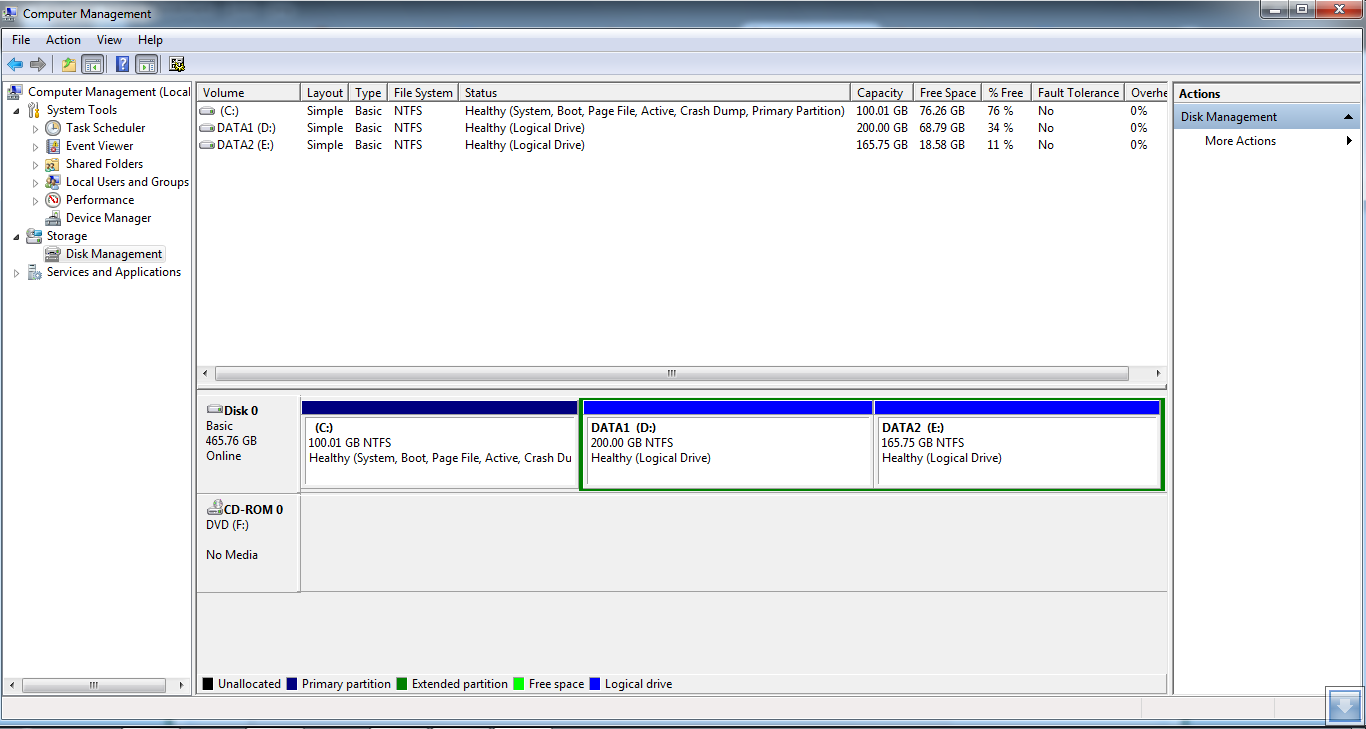
btw when i check on diskmgmt.msc i cant see my HHD there
i click file> options
Code:
Disk cleanup 
changes to view of a console file are saved in your profile.

The files in your profile that store these console changes are using the
following amount of disk space on this computer:

284.13KB                                     Delete Files

To permanently delete these files, click Delete Files.
i should delete it?
 

My Computer

Computer type
Laptop
OS
Win 7 Ulitimate x86
I've already gone over how to avoid the error Missing Operating System which means it is trying to boot the hard drive and not the disk:

If the disk prompts you to "Press any key to boot disk" and then it doesn't boot then it is not burned correctly. Make sure you download the full ISO file and then burn to disk using Windows Image Burner. It should be on the rightclick menu when you right click on the ISO files.

In the case of the Win7 disk it requires the special tool to burn to DVD or flash stick here: Windows 7 USB-DVD Download Tool

If the disk cannot be made to boot correctly then try writing ISO to flash stick using same tool.
 
Sorry very late answer,
finally i buy hardisk portable yesterday i copy/paste all files in disk and clean reinstall
but still missing operating system after off lights, i need press F11>Hardisk to booting
 

My Computer

Computer type
Laptop
OS
Win 7 Ulitimate x86
Thanks george, i think its because after blackout yesterday
fOqDLug.png
 

My Computer

Computer type
Laptop
OS
Win 7 Ulitimate x86
Did you boot the installer to do a Custom install, delete all partitions using the drive options shown in Steps 7 and 8 of Clean Install Windows 7?

Did you follow the steps in Clean Reinstall Windows 7 as they pertain to drivers and all other things?

What is the exact problem? When does it occur?

Try running a full Disk Check. if necessary from System Recovery Options Command Prompt.
yup i custom install and i format disk c

i think because outage , but no problem its boot normal now

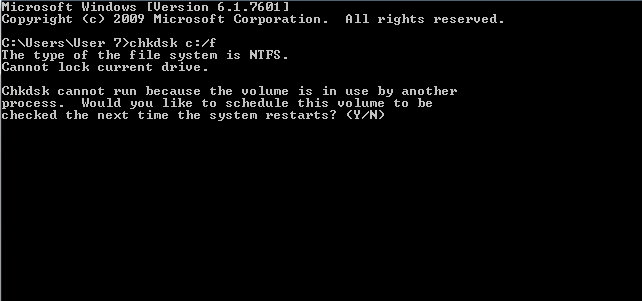
Windows cant check the while its in use
 

My Computer

Computer type
Laptop
OS
Win 7 Ulitimate x86
It should prompt you to reboot to check Disk, or use Option Two from Disk Check
to check disk from Win7 disk command line.
 
ah damn got blue screen, today i watch youtube suddenly the screen is blurred and show blue screen
i tried with cmd
JBmdTWn.png
 

My Computer

Computer type
Laptop
OS
Win 7 Ulitimate x86
Did you type Y?

That commands is best done from System Recovery Options
Command line.

Did you do a Clean Reinstall Windows 7 ?

When you did the Clean Reinstall did you follow the steps in red for how to handle drivers? If so then what Display driver was provided? Is this the driver which came from Windows Update, or did you import a driver from the laptop's Support Downloads webpage for your model?

Answer every question I just asked completely in full English sentences.
 
Back
Top