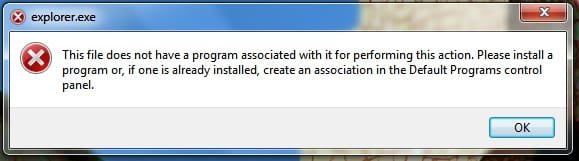
couple suggestions.. One, if you have a back up.. boot a live linux disk so you can go in and restore it.. System restore has also worked for me.. I believe there are some explorer.exe's in the customization thread if you dont have a back up.. could try them
it solved~~some regedit key messed up, i google it and found solution~thanks everyone!!
copy this lines below into a txt file then rename it to *.reg and double click to add this information to your registry
Windows Registry Editor Version 5.00
[HKEY_CLASSES_ROOT\Folder\shell\opennewprocess\command]
"DelegateExecute"="{11dbb47c-a525-400b-9e80-a54615a090c0}"
[HKEY_CLASSES_ROOT\Folder\shell\opennewwindow\command]
"DelegateExecute"="{11dbb47c-a525-400b-9e80-a54615a090c0}"
[HKEY_CLASSES_ROOT\opensearchfilefolderresult\shell\open\command]
@=""
"DelegateExecute"="{99969a8f-27e6-4adf-ab9f-b5b5e90d4733}"
[HKEY_CLASSES_ROOT\Folder\shell\explore\command]
"DelegateExecute"="{11dbb47c-a525-400b-9e80-a54615a090c0}"
[HKEY_CLASSES_ROOT\WMP11.AssocFile.m3u\shell\Enqueue\command]
"DelegateExecute"="{45597c98-80f6-4549-84ff-752cf55e2d29}"