removesoul
New member
- Local time
- 11:50 PM
- Messages
- 4
Hello all,
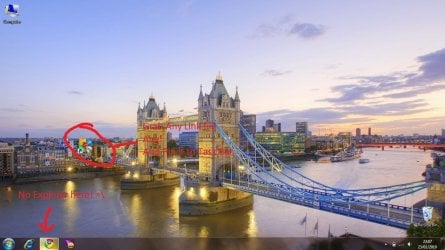
This problem started long while ago, I don't quite remember how but the pinned explorer icon on my taskbar one day disappeared, and now when I open explorer and right click it "Pin this program to taskbar" it just doesn't do anything. I close the explorer folder and the icon disappears from the taskbar as if I hadn't pinned it.
Even after right clicking it again I still see "Pin this program to taskbar" rather than "Unpin...".
This problem only happens with explorer.
I've searched google and this forum a couple of times already without finding any similiar issues or solutions.
Does anyone know what I could possibly do to get explorer pinned again?
Thanks.
This problem started long while ago, I don't quite remember how but the pinned explorer icon on my taskbar one day disappeared, and now when I open explorer and right click it "Pin this program to taskbar" it just doesn't do anything. I close the explorer folder and the icon disappears from the taskbar as if I hadn't pinned it.
Even after right clicking it again I still see "Pin this program to taskbar" rather than "Unpin...".
This problem only happens with explorer.
I've searched google and this forum a couple of times already without finding any similiar issues or solutions.
Does anyone know what I could possibly do to get explorer pinned again?
Thanks.
Last edited:
My Computer
- OS
- Windows 7


 . If the above poster's instruction doesn't work, please try the below:


 )
)