
Hi, new here, so this thread may be in the wrong section...
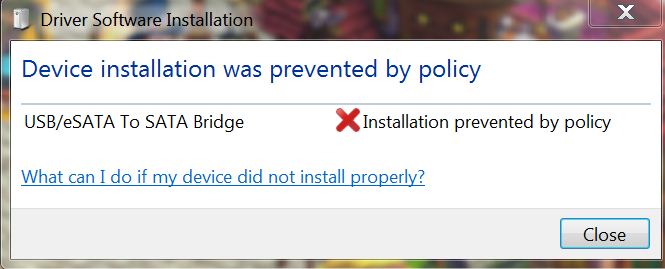
I have an external HD, plug & play, that I cannot install on Win7. When I try, I get the error message "due to policy". I know this has something to due with the Admin configs, but I don't know how to change them. How do I do this?
here is a screen shot of the error message, this may help to answer the question:
I have an external HD, plug & play, that I cannot install on Win7. When I try, I get the error message "due to policy". I know this has something to due with the Admin configs, but I don't know how to change them. How do I do this?
here is a screen shot of the error message, this may help to answer the question:
Last edited:
My Computer
- OS
- Windows 7 Ultimate 64bit


