External HDD (WD Passport 500gb) not responding

KuroYuuki

New member
Local time
7:17 PM
Messages
2
Good morning, i have a problem with my HDD. I have been looking around google for this problem but i can't find any (i'm sorry if i'm not keen enough to search if this problem have been solved). When i plug my HDD to my laptop it shows up in my computer as local disk F, but when i double click or right click local disk F, it shows not responding message and make my windows explorer restart every time ending the process.

I already checked the problem was RAW thing (maybe), and try some instruction to get my HDD working. But the program required to do that didn't work well.

Example :
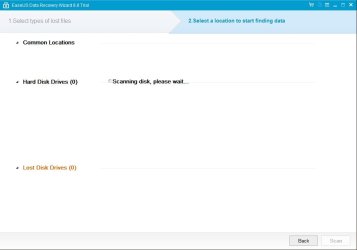
I use EaseUS data recovery, but it always stuck at scanning disk. It works fine after i unplugged the external HDD.

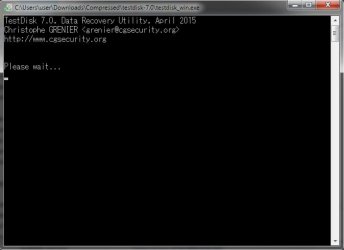
I use testdisk.exe, choose create, but it's stuck at please wait screen.

Some program didn't start up or slow start up eventhough clicked it/open it.
(VLC, paint, etc.)

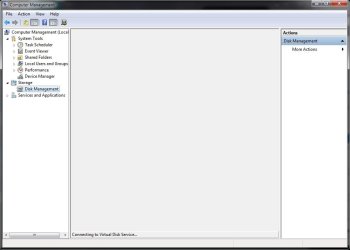
Disk management didn't show anything when i plugged the external HDD.

How can i follow the instruction if i can't pass the loading screen at all?
I really appreciate the help regarding this matter, and sorry for bad english (it's not my native language after all).
Thanks..
 

Attachments
  • 1.jpg
    1.jpg
    23.1 KB · Views: 0
  • 2.jpg
    2.jpg
    16.1 KB · Views: 13
  • 3.jpg
    3.jpg
    54.3 KB · Views: 0
  • 4.jpg
    4.jpg
    36.8 KB · Views: 1

My Computer My Computer

At a glance

Windows 7 Professional 32 bit
Computer type
Laptop
OS
Windows 7 Professional 32 bit
Hello KuroYuuki!

I'm sorry for the issue you're having. :/

The fact that the system lags and doesn't respond, and even freezes, when the external WD drive is connected means that its corruption is malfunctioning the system, and you may not be able to pass through the loading screens.

I would suggest you change the cable with a new shorter one and try a different port, USB 3.0, USB 2.0, and after that another system, just to see if it will load up fully.

How did you determine the drive has went to RAW format if it can't load and show up in Disk Management or it did?

If you are not able to go through the loading screens successfully, and you need your data back, your best option would be to take the drive to a professional Data Recovery Company, WD has partners in the field.

WD Data Recovery Partners:
Support Answers

I wish you best of luck!

CK_WD
 

My Computer My Computer

At a glance

Windows 7 Home Premium x64
Computer type
PC/Desktop
OS
Windows 7 Home Premium x64
Thank you for your fast reply.
I already try a new cable but no luck. I'll try that USB port thing and hope it'll work.

Hmm, when i plugged my HDD and then unplugged it because system not responding, it says that it need to be formatted. I search that in google and similiar problem that has same dialog was RAW HDD. I'm a noob about computer so i try to solved my HDD following the how to fix RAW HDD but i just can't pass that loading screen. I already have DPC latency problem, and now this. So it really drive me nuts this weeks.
At least if i can save this HDD (Losing data not a problem) will really help my day. That's why i resort asking in this forum.

And thanks again for your reply, i really appreciate it..
 

My Computer My Computer

At a glance

Windows 7 Professional 32 bit
Computer type
Laptop
OS
Windows 7 Professional 32 bit
Yes, this does sound like a drive gone to RAW format. Usually retrieving the data is what makes the whole situation hard. But if you are not that keen on getting it back then it could be easier, only if the drive didn't malfunction the system in that way. If you get it to work, on your PC, on any other, using a different cable, or may be, booting into Ubuntu/Linux, you can try to repair the file system, if you want your data back, use a recovery tool, if you want your data back, or simply try to reformat, if you don't want your data back.

If nothing works, try and RMA the drive:

WD Warranty Check:
Support Answers

WD Warranty Policy:
Support Answers

Best of luck! :)

CK_WD
 

My Computer My Computer

At a glance

Windows 7 Home Premium x64
Computer type
PC/Desktop
OS
Windows 7 Home Premium x64
Back
Top