(Win 7 - 64 on my desktop machine)
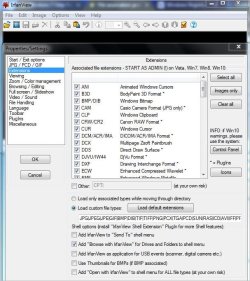
I've been extracting new versions of Irfan View for many yrs now but they now apparently only offer an installable option. I installed ver 4.44, monitoring the install with Regshot 2, and it overwrote all of my custom image file icons. So I built a reg file to fix this and merged it. Now clicking on a jpg opens Win Photo Viewer. Hmmm. All of my file associations look correct. Running FileTypesManager shows Irfan View as the default app as does Win Default Programs.
OK I export the few Irfan View keys that I think I really need and build an install.reg. Next I "uninstall" Irfan View by deleting all references to Irfan View in the reg and then merge my install.reg. FileTypesManager shows Irfan View correctly registered as does Win Default Programs. .bmp's and gif's now work correctly, opening I-View. But jpg's, png's & ico's still open in Win Photo Viewer. Rt click on a jpg, choose "OPEN WITH" > choose and Irfan View is already preselected. I click OK and it opens Win Photo Viewer !!! Welcome to the Alternate Universe.
I went into HKEY_CURRENT_USER\Software\Microsoft\Windows\CurrentVersion\Explorer\FileExts and deleted all "user choice" entries for image files. Didn't help.
Here's my install.reg file:
Any ideas?
I've been extracting new versions of Irfan View for many yrs now but they now apparently only offer an installable option. I installed ver 4.44, monitoring the install with Regshot 2, and it overwrote all of my custom image file icons. So I built a reg file to fix this and merged it. Now clicking on a jpg opens Win Photo Viewer. Hmmm. All of my file associations look correct. Running FileTypesManager shows Irfan View as the default app as does Win Default Programs.
OK I export the few Irfan View keys that I think I really need and build an install.reg. Next I "uninstall" Irfan View by deleting all references to Irfan View in the reg and then merge my install.reg. FileTypesManager shows Irfan View correctly registered as does Win Default Programs. .bmp's and gif's now work correctly, opening I-View. But jpg's, png's & ico's still open in Win Photo Viewer. Rt click on a jpg, choose "OPEN WITH" > choose and Irfan View is already preselected. I click OK and it opens Win Photo Viewer !!! Welcome to the Alternate Universe.
I went into HKEY_CURRENT_USER\Software\Microsoft\Windows\CurrentVersion\Explorer\FileExts and deleted all "user choice" entries for image files. Didn't help.
Here's my install.reg file:
Code:
Windows Registry Editor Version 5.00

[HKEY_CLASSES_ROOT\IrfanView]
@="IrfanView"

[HKEY_CLASSES_ROOT\IrfanView\shell]

[HKEY_CLASSES_ROOT\IrfanView\shell\open]

[HKEY_CLASSES_ROOT\IrfanView\shell\open\command]
@="\"C:\\Kosmo\\Apps\\Graphics\\I-View\\i_view32.exe\" \"%1\""


[HKEY_CLASSES_ROOT\Applications\i_view32.exe]
"FriendlyAppName"="IrfanView"

[HKEY_CLASSES_ROOT\Applications\i_view32.exe\shell]

[HKEY_CLASSES_ROOT\Applications\i_view32.exe\shell\open]

[HKEY_CLASSES_ROOT\Applications\i_view32.exe\shell\open\command]
@="\"C:\\Kosmo\\Apps\\Graphics\\I-View\\i_view32.exe\" \"%1\""


[HKEY_LOCAL_MACHINE\SOFTWARE\Classes\.bmp]
@="Paint.Picture"

[HKEY_LOCAL_MACHINE\SOFTWARE\Classes\.gif]
@="giffile"

[HKEY_LOCAL_MACHINE\SOFTWARE\Classes\.ico]
@="icofile"

[HKEY_LOCAL_MACHINE\SOFTWARE\Classes\.jpg]
@="jpegfile"

[HKEY_LOCAL_MACHINE\SOFTWARE\Classes\.png]
@="pngfile"

[HKEY_LOCAL_MACHINE\SOFTWARE\Classes\.tif]
@="TIFImage.Document"


[HKEY_LOCAL_MACHINE\SOFTWARE\Classes\giffile]
@="GIF Image"

[HKEY_LOCAL_MACHINE\SOFTWARE\Classes\giffile\DefaultIcon]
@="C:\\Kosmo\\Tools\\Icons\\GIF.ICO,0"

[HKEY_LOCAL_MACHINE\SOFTWARE\Classes\giffile\shell\Open\command]
@="\"C:\\Kosmo\\Apps\\Graphics\\I-View\\i_view32.exe\" \"%1\""


[HKEY_LOCAL_MACHINE\SOFTWARE\Classes\icofile]
@="Icon"

[HKEY_LOCAL_MACHINE\SOFTWARE\Classes\icofile\DefaultIcon]
@="%1"

[HKEY_LOCAL_MACHINE\SOFTWARE\Classes\icofile\shell\open\command]
@="\"C:\\Kosmo\\Apps\\Graphics\\I-View\\i_view32.exe\" \"%1\""


[HKEY_LOCAL_MACHINE\SOFTWARE\Classes\jpegfile]
@="JPEG Image"

[HKEY_LOCAL_MACHINE\SOFTWARE\Classes\jpegfile\DefaultIcon]
@="C:\\Kosmo\\Tools\\Icons\\JPG.ICO,0"

[HKEY_LOCAL_MACHINE\SOFTWARE\Classes\jpegfile\shell\open\command]
@="\"C:\\Kosmo\\Apps\\Graphics\\I-View\\i_view32.exe\" \"%1\""


[HKEY_LOCAL_MACHINE\SOFTWARE\Classes\Paint.Picture]
@="Bitmap Image"

[HKEY_LOCAL_MACHINE\SOFTWARE\Classes\Paint.Picture\DefaultIcon]
@="C:\\Kosmo\\Tools\\Icons\\bmp.ico,0"

[HKEY_LOCAL_MACHINE\SOFTWARE\Classes\Paint.Picture\shell]
@=edit

[HKEY_LOCAL_MACHINE\SOFTWARE\Classes\Paint.Picture\shell\edit\command]
@="\"C:\\Kosmo\\Apps\\Graphics\\I-View\\i_view32.exe\" \"%1\""


[HKEY_LOCAL_MACHINE\SOFTWARE\Classes\pngfile]
@="PNG Image"

[HKEY_LOCAL_MACHINE\SOFTWARE\Classes\pngfile\DefaultIcon]
@="C:\\Kosmo\\Tools\\Icons\\PNG.ICO,0"

[HKEY_LOCAL_MACHINE\SOFTWARE\Classes\pngfile\shell\open\command]
@="\"C:\\Kosmo\\Apps\\Graphics\\I-View\\i_view32.exe\" \"%1\""


[HKEY_LOCAL_MACHINE\SOFTWARE\Classes\TIFImage.Document\DefaultIcon]
@="C:\\Kosmo\\Tools\\Icons\\tiff.ICO,0"

[HKEY_LOCAL_MACHINE\SOFTWARE\Classes\TIFImage.Document\shell\open\command]
@="\"C:\\Kosmo\\Apps\\Graphics\\I-View\\i_view32.exe\" \"%1\""


[HKEY_LOCAL_MACHINE\SOFTWARE\Wow6432Node\Microsoft\Windows\CurrentVersion\Uninstall\IrfanView]
@=""
"DisplayName"="IrfanView 4.44"
"UninstallString"="\"C:\\Kosmo\\Apps\\Graphics\\I-View\\iv_uninstall.exe\""
"Publisher"="Irfan Skiljan"
"InstallLocation"="C:\\Kosmo\\Apps\\Graphics\\I-View\\"
"DisplayVersion"="4.44"
"DisplayIcon"="C:\\Kosmo\\Apps\\Graphics\\I-View\\i_view32.exe,0"
"VersionMajor"=dword:00000004
"VersionMinor"=dword:0000002c
"EstimatedSize"=dword:00000c00
Any ideas?
My Computer
At a glance
win7 Pro - 648gb
- Computer type
- PC/Desktop
- Computer Manufacturer/Model Number
- Dell Opti3020
- OS
- win7 Pro - 64
- Memory
- 8gb
- Browser
- Vivaldi