

System specs (long version) are in my profile
Short version
MBO:Asrock X58 Deluxe
Proc: i7 920 (not OC)
Mem: 6GB triple-channel
Win 7 Build 7229 (x64) - clean install the day after it appeared in the wild
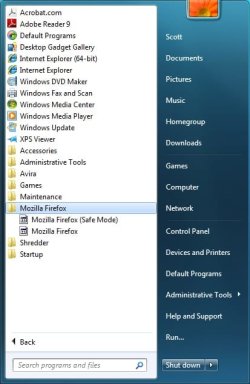
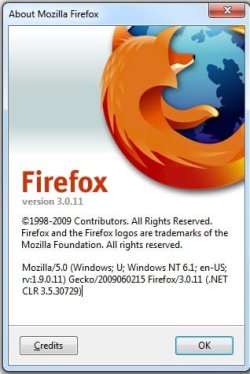
Installed FF (32-bit), pinned it to the task bar. Some sort time later, the Icon changed. Uninstalled, re-installed. Didn't pin it to the task bar. Some sort time later, the icon changed again. Installed the update (from 3.0.10 to 3.0.11) See the attached images.
Anyone have any idea of what is happening here and how to fix/prevent it? Any help will be greatly appreciated.
Also - forgot to add that in the above, I added the "noscript" add-on. Could that have been the issue?
Short version
MBO:Asrock X58 Deluxe
Proc: i7 920 (not OC)
Mem: 6GB triple-channel
Win 7 Build 7229 (x64) - clean install the day after it appeared in the wild
Installed FF (32-bit), pinned it to the task bar. Some sort time later, the Icon changed. Uninstalled, re-installed. Didn't pin it to the task bar. Some sort time later, the icon changed again. Installed the update (from 3.0.10 to 3.0.11) See the attached images.
Anyone have any idea of what is happening here and how to fix/prevent it? Any help will be greatly appreciated.
Also - forgot to add that in the above, I added the "noscript" add-on. Could that have been the issue?
Attachments
Last edited:
My Computer
- Computer Manufacturer/Model Number
- Cobbled together :)
- OS
- Win7 Ultimate, x64
- CPU
- i7 920, currently NOT OC
- Motherboard
- Asrock X58 Deluxe
- Memory
- OCZ Platinum 12GB (6 x 2GB) 240-Pin DDR3 SDRAM DDR3 1600
- Graphics Card(s)
- nvidia geforce 7600 gt
- Sound Card
- integrated
- Monitor(s) Displays
- Samsung SyncMaster 204t (dual monitors)
- Screen Resolution
- 1600 x 1200
- Hard Drives
- WDC WD2000JS-00MHB0 ATA
WDC WD5000AAKS-65YGA0 ATA
- PSU
- 750w
- Cooling
- Air, 4 120mm

 )
)


