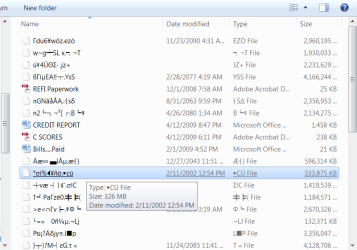
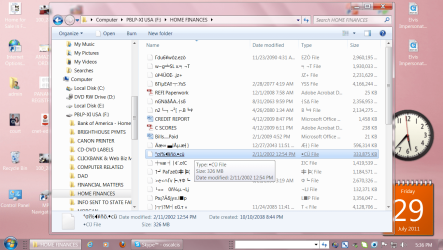
I have probably about fifteen folders on my USB flash drive, each of which contains valuable information (all text files). On one particular folder, when I click it, the contents of that particular folder (the files) appear - only they all have messed up titles and won't open. On all the other folders of the flash drive, they all work perfectly and no messed text anywhere in any of them when I click them. But, this one folder, when I click it, these "garbled" titles appear. Please see attached screenshot just to show you what I'm talking about.
I have scanned the flash drive with ESET, as well as Malwarebytes Antimalware and nothing is found.
Any clues as to how I could resolve this problem? I really need all the information on this flash drive.
I have scanned the flash drive with ESET, as well as Malwarebytes Antimalware and nothing is found.
Any clues as to how I could resolve this problem? I really need all the information on this flash drive.
Attachments
My Computer
- Computer Manufacturer/Model Number
- Dell Optiplex 760
- OS
- Windows 7 Pro, 64-bit