claudignacio
New member
- Local time
- 7:25 PM
- Messages
- 3
I have followed the instructions from this site, more specifically http://www.sevenforums.com/tutorial...e-firmware-interface-install-windows-7-a.html
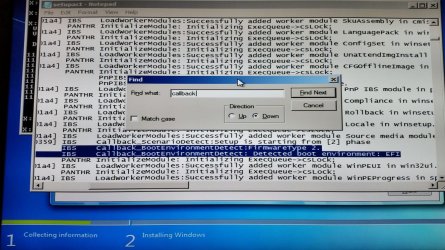
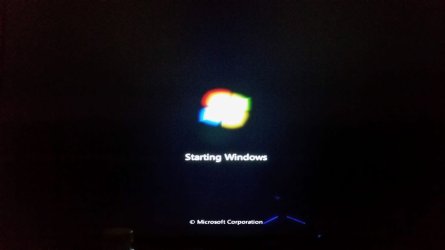
and when I reach the "Starting Windows" screen with the windows logo, it stays there indefinitely. I tried both methods: Rufus and Diskpart, both yielded the same result.
The partition table of the disk is GPT.
UEFI is 2+ (Rampage IV Mobo)
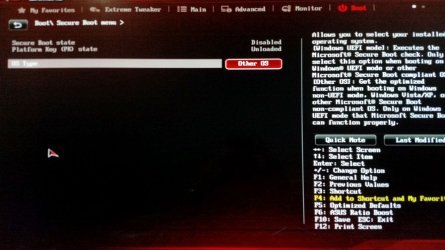
Safe Boot is disabled
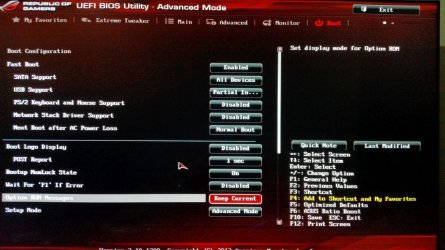
Tried with Fast Boot enabled and disabled.
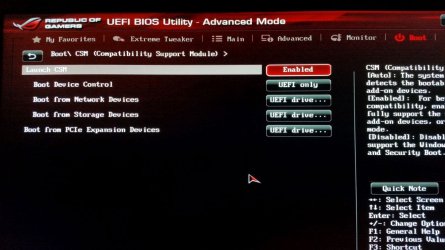
Tried with CSM enabled and disabled. Works with CSM enabled, but not in UEFI mode.
Tried with SMART is enabled and disabled.
Tried with two different flash drives (just to make sure it was not the problem).
SATA is set to AHCI.
I'm not sure of what else I should try.
Any help is appreciated.
and when I reach the "Starting Windows" screen with the windows logo, it stays there indefinitely. I tried both methods: Rufus and Diskpart, both yielded the same result.
The partition table of the disk is GPT.
UEFI is 2+ (Rampage IV Mobo)
Safe Boot is disabled
Tried with Fast Boot enabled and disabled.
Tried with CSM enabled and disabled. Works with CSM enabled, but not in UEFI mode.
Tried with SMART is enabled and disabled.
Tried with two different flash drives (just to make sure it was not the problem).
SATA is set to AHCI.
I'm not sure of what else I should try.
Any help is appreciated.
My Computer
At a glance
Windows 7 Pro 64 biti7-4960X32 GBAsus GeForce 780
- Computer type
- PC/Desktop
- Computer Manufacturer/Model Number
- Custom Built
- OS
- Windows 7 Pro 64 bit
- CPU
- i7-4960X
- Motherboard
- Rampage IV Formula
- Memory
- 32 GB
- Graphics Card(s)
- Asus GeForce 780
- Sound Card
- Mobo
- Monitor(s) Displays
- 1
- Screen Resolution
- 4k
- Hard Drives
- 2 SSD (500GB/each) + 1 HDD (3 TB)
- Case
- Cosmos II
- Cooling
- Water
- Keyboard
- STRIKE 5
- Mouse
- RAT 7
- Internet Speed
- 150 Mbps


 Nevertheless I would not have realized without going through your suggestions.