Hello there,
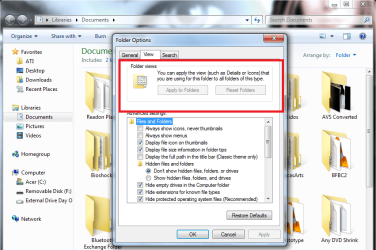
I'd like to ask for some help about icons inside a or all folders. Icons are in default size when I open a folder.
I try to change the icon size but when I close and reopen the folder, this happens to all the folders, it reverts back to the default view size.
I have Tuneup Utilities 2011 and did the Reload Icons and Repair Icon Cache function but still same results. Can anyone help me out? Thanks a bunch!
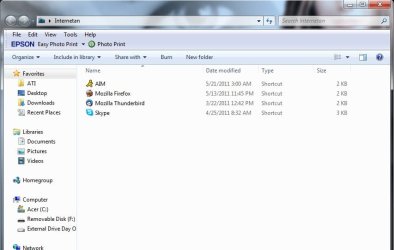
Upper left image is the default, upper right is after resizing and the bottom one is when I reopen it. Sorry, I'm not knowledgeable when it comes to this.
I'd like to ask for some help about icons inside a or all folders. Icons are in default size when I open a folder.
I try to change the icon size but when I close and reopen the folder, this happens to all the folders, it reverts back to the default view size.
I have Tuneup Utilities 2011 and did the Reload Icons and Repair Icon Cache function but still same results. Can anyone help me out? Thanks a bunch!
Upper left image is the default, upper right is after resizing and the bottom one is when I reopen it. Sorry, I'm not knowledgeable when it comes to this.
Attachments


My Computer
- OS
- Windows 7 Home Premiuim x64
- CPU
- Intel i5
- Memory
- 2G
- Graphics Card(s)
- ATI Mobility Radeon