Folder View - Set a Default for All Folders

How to Set a Default Folder View for All Folders in Windows 7


   Information
This will show you how to set a default folder view setting for all Windows Explorer folders to open with in Windows 7.

   Note
This will not affect the folder view settings in libraries and library folders, the small File -> "Save as", "Open" common dialog type windows, or a window's default size and position.


Here's How:
1. Set a default folder template that you want to have all Windows Explorer folders to use.
NOTE: You can choose between having General Items, Documents, Pictures, Music, or Video as the default folder template for all folders.

2. When finished, apply the folder view to all folders.
   Tip
If you wish to undo this and restore the folder view settings back to their default settings later, then this tutorial can show you how to: How to Reset All Folder View Settings to Default in Windows 7

That's it,
Shawn


Last edited:
Solved, thanks a lot.

Luis.
 

My Computer My Computer

At a glance

Windows 7 Professional 32 bitsIntel Celeron E3300 @ 2.50GHz 2.50 GHz4.00 GB (3.00 GB usable)NVIDIA GeForce 210
Computer Manufacturer/Model Number
home built
OS
Windows 7 Professional 32 bits
CPU
Intel Celeron E3300 @ 2.50GHz 2.50 GHz
Motherboard
ACPI x86-based PC
Memory
4.00 GB (3.00 GB usable)
Graphics Card(s)
NVIDIA GeForce 210
Sound Card
NVIDIA High Definition Audio
Monitor(s) Displays
2 Generic PnP Monitors
Screen Resolution
1920X1080; 1680X1050
Hard Drives
ST380011A ATA Device
WDC WD2500BB-00DWA0 ATA Device
You're most welcome Luis. :)
 

My Computer My Computer

At a glance

64-bit Windows 11 Pro for WorkstationsIntel i7-8700K OC'd to 5 GHz64 GB (4x16GB) G.SKILL TridentZ RGB DDR4 3600...ASUS ROG-STRIX-GTX1080TI-O11G-GAMING
Computer type
PC/Desktop
Computer Manufacturer/Model Number
Self built custom
OS
64-bit Windows 11 Pro for Workstations
CPU
Intel i7-8700K OC'd to 5 GHz
Motherboard
ASUS ROG Maximus XI Formula Z390
Memory
64 GB (4x16GB) G.SKILL TridentZ RGB DDR4 3600 MHz
Graphics Card(s)
ASUS ROG-STRIX-GTX1080TI-O11G-GAMING
Sound Card
Integrated
Monitor(s) Displays
2 x Samsung Odyssey G7 27"
Screen Resolution
2560x1440
Hard Drives
1TB Samsung 990 PRO M.2,
4TB Samsung 990 PRO PRO M.2,
TerraMaster F8 SSD Plus NAS
PSU
Seasonic Prime Titanium 850W
Case
Thermaltake Core P3
Cooling
Corsair Hydro H115i
Keyboard
Logitech wireless K800
Mouse
Logitech MX Master 4
Internet Speed
2 Gb/s Download and 100 Mb/s Upload
Antivirus
Malwarebyte Anti-Malware Premium
Browser
Google Chrome
Other Info
Logitech Z625 speaker system,
Logitech BRIO 4K Pro webcam,
HP Color LaserJet Pro MFP M477fdn,
APC SMART-UPS RT 1000 XL - SURT1000XLI,
Galaxy S23 Plus phone
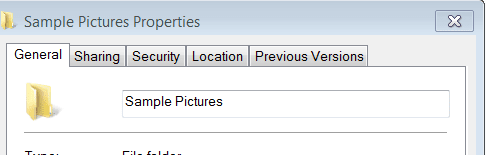
I'm trying to do tha e same thing but there is no "Customise" tag available. See here:
sample pics.PNG

I have tried it with "Take Ownership" and logged into the Win 7 Default Administrator Account but no go.
Can you hlp please, no rush, it hardly rates as urgent.:)
EDIT: Slapped wrist time for me again!!!! Have just read that you can't set the customise in Liraries view!!! Sorry
 
Last edited:

My Computer My Computer

At a glance

Microsoft Windows 7 Home Premium 64-bit 7601 ...Intel(R) Core(TM) i7-3770 CPU @ 3.40GHz8.00 GBIntel(R) HD Graphics 4000
Computer type
PC/Desktop
OS
Microsoft Windows 7 Home Premium 64-bit 7601 Multiprocessor Free Service Pack 1
CPU
Intel(R) Core(TM) i7-3770 CPU @ 3.40GHz
Motherboard
ASUSTeK COMPUTER INC. P8H77-M
Memory
8.00 GB
Graphics Card(s)
Intel(R) HD Graphics 4000
Sound Card
On Board
Monitor(s) Displays
Dell 24"
Screen Resolution
1920 x 1080
Hard Drives
(1) INTEL SSDSC2CT180A3 ATA Device (2) ST500DM002-1BD142 ATA Device (3) WDC WD3200AAKS-75L9A0 ATA Device (4) Generic- Compact Flash USB Device (5) Generic- MS/MS-Pro USB Device (6) Generic- SD/MMC USB Device (7) Generic- SM/xD-Picture USB
PSU
500w Corsair
Case
Cooler Master
Cooling
3 Fans
Keyboard
Logitech MK300
Mouse
Logitech WOM
Internet Speed
75Mb
Antivirus
Norton 360
Browser
Firefox, Opera, IE
No problem John. Glad you got it sorted though. :)
 

My Computer My Computer

At a glance

64-bit Windows 11 Pro for WorkstationsIntel i7-8700K OC'd to 5 GHz64 GB (4x16GB) G.SKILL TridentZ RGB DDR4 3600...ASUS ROG-STRIX-GTX1080TI-O11G-GAMING
Computer type
PC/Desktop
Computer Manufacturer/Model Number
Self built custom
OS
64-bit Windows 11 Pro for Workstations
CPU
Intel i7-8700K OC'd to 5 GHz
Motherboard
ASUS ROG Maximus XI Formula Z390
Memory
64 GB (4x16GB) G.SKILL TridentZ RGB DDR4 3600 MHz
Graphics Card(s)
ASUS ROG-STRIX-GTX1080TI-O11G-GAMING
Sound Card
Integrated
Monitor(s) Displays
2 x Samsung Odyssey G7 27"
Screen Resolution
2560x1440
Hard Drives
1TB Samsung 990 PRO M.2,
4TB Samsung 990 PRO PRO M.2,
TerraMaster F8 SSD Plus NAS
PSU
Seasonic Prime Titanium 850W
Case
Thermaltake Core P3
Cooling
Corsair Hydro H115i
Keyboard
Logitech wireless K800
Mouse
Logitech MX Master 4
Internet Speed
2 Gb/s Download and 100 Mb/s Upload
Antivirus
Malwarebyte Anti-Malware Premium
Browser
Google Chrome
Other Info
Logitech Z625 speaker system,
Logitech BRIO 4K Pro webcam,
HP Color LaserJet Pro MFP M477fdn,
APC SMART-UPS RT 1000 XL - SURT1000XLI,
Galaxy S23 Plus phone
But it doesn't work for "Network Location." I set a default folder
template to a Network Location using
All_Folders_Use_General_Items_Folder_Template.bat, and no matter to what
subfolder I go, it doesn't inherit the folder view I previously set.

It worked with Windows XP, but from Windows Vista on, not anymore :-(
 

My Computer My Computer

At a glance

Windows 7 Home Premium 64 bit2.40 GHz Intel Core i36 GBIntel HD Graphics
Computer type
Laptop
Computer Manufacturer/Model Number
HP Pavilion g6
OS
Windows 7 Home Premium 64 bit
CPU
2.40 GHz Intel Core i3
Motherboard
HP
Memory
6 GB
Graphics Card(s)
Intel HD Graphics
Hard Drives
Hitachi 500 GB
Antivirus
AVG
Browser
Internet Explorer, Chrome, Firefox
Unfortunately, you'll need to manually set the folder view for the Network shell folder and network locations. :(
 

My Computer My Computer

At a glance

64-bit Windows 11 Pro for WorkstationsIntel i7-8700K OC'd to 5 GHz64 GB (4x16GB) G.SKILL TridentZ RGB DDR4 3600...ASUS ROG-STRIX-GTX1080TI-O11G-GAMING
Computer type
PC/Desktop
Computer Manufacturer/Model Number
Self built custom
OS
64-bit Windows 11 Pro for Workstations
CPU
Intel i7-8700K OC'd to 5 GHz
Motherboard
ASUS ROG Maximus XI Formula Z390
Memory
64 GB (4x16GB) G.SKILL TridentZ RGB DDR4 3600 MHz
Graphics Card(s)
ASUS ROG-STRIX-GTX1080TI-O11G-GAMING
Sound Card
Integrated
Monitor(s) Displays
2 x Samsung Odyssey G7 27"
Screen Resolution
2560x1440
Hard Drives
1TB Samsung 990 PRO M.2,
4TB Samsung 990 PRO PRO M.2,
TerraMaster F8 SSD Plus NAS
PSU
Seasonic Prime Titanium 850W
Case
Thermaltake Core P3
Cooling
Corsair Hydro H115i
Keyboard
Logitech wireless K800
Mouse
Logitech MX Master 4
Internet Speed
2 Gb/s Download and 100 Mb/s Upload
Antivirus
Malwarebyte Anti-Malware Premium
Browser
Google Chrome
Other Info
Logitech Z625 speaker system,
Logitech BRIO 4K Pro webcam,
HP Color LaserJet Pro MFP M477fdn,
APC SMART-UPS RT 1000 XL - SURT1000XLI,
Galaxy S23 Plus phone
I want to change things permanently

None of these works for my situation. I have many folders that I want to look at in specific ways but I cannot get them to always look the way I want them to. Here are several versions of the problem and my thoughts on how to fix each of them.
1) General format. I usually want "general" format folders to default to "details" view, sorted by date. But they always come up looking different than that. How do I change the default so that it comes up the way I want? I've tried changing the view, but that doesn't "stick" past a reboot. So I tried changing the view and closing the window with "control" while hitting the window close (X) symbol, but that doesn't do it either. It will show up the way I want it if I open it up again in the same session but once I shut down and later reboot my system, that all goes away and the undesired look shows up the next time I open the folder.
2) I have a few special folders that I want to look differently from the normal defaults. Is there a way to set up a different default for just those folders? I notice that one can set up a different template for library folders, but this doesn't seem to be an option for regular folders.
3) What is a library folder, why is it different from a general purpose folder, and can library folders only exist in a particular place?
 

My Computer My Computer

At a glance

Windows 7 64 bitIntel Core-i7-980x-EE (G)24GBnVidia GeForce GTX 460
Computer type
PC/Desktop
Computer Manufacturer/Model Number
HP Pavilion Elite -- HPE 390t
OS
Windows 7 64 bit
CPU
Intel Core-i7-980x-EE (G)
Memory
24GB
Graphics Card(s)
nVidia GeForce GTX 460
Hard Drives
1TB
Antivirus
Norton 360
Browser
Explorer, Firefox, Chrome, Maxathon
Hello A0110915, and welcome to Seven Forums.

By default, each folder will have it's own folder view per location it's opened from.

Q1) Setting General Items as the folder template with Sort by -> Date selected, and using the tutorial to apply should set this as the default for all folders. This will not affect libraries though.

If this does not stick, then reset all folder views back to default, and try again.

Q2) Yes, you will still be able to set any specific folder to any folder view you like as normal without affecting any other folder.

Q3) A library is a collection of included folders to allow accessing the contents of all the included folders in one location. All included folders in a library share the same folder view no matter which included folder the folder view was set in.
Hope this helps for now, :)
Shawn
 

My Computer My Computer

At a glance

64-bit Windows 11 Pro for WorkstationsIntel i7-8700K OC'd to 5 GHz64 GB (4x16GB) G.SKILL TridentZ RGB DDR4 3600...ASUS ROG-STRIX-GTX1080TI-O11G-GAMING
Computer type
PC/Desktop
Computer Manufacturer/Model Number
Self built custom
OS
64-bit Windows 11 Pro for Workstations
CPU
Intel i7-8700K OC'd to 5 GHz
Motherboard
ASUS ROG Maximus XI Formula Z390
Memory
64 GB (4x16GB) G.SKILL TridentZ RGB DDR4 3600 MHz
Graphics Card(s)
ASUS ROG-STRIX-GTX1080TI-O11G-GAMING
Sound Card
Integrated
Monitor(s) Displays
2 x Samsung Odyssey G7 27"
Screen Resolution
2560x1440
Hard Drives
1TB Samsung 990 PRO M.2,
4TB Samsung 990 PRO PRO M.2,
TerraMaster F8 SSD Plus NAS
PSU
Seasonic Prime Titanium 850W
Case
Thermaltake Core P3
Cooling
Corsair Hydro H115i
Keyboard
Logitech wireless K800
Mouse
Logitech MX Master 4
Internet Speed
2 Gb/s Download and 100 Mb/s Upload
Antivirus
Malwarebyte Anti-Malware Premium
Browser
Google Chrome
Other Info
Logitech Z625 speaker system,
Logitech BRIO 4K Pro webcam,
HP Color LaserJet Pro MFP M477fdn,
APC SMART-UPS RT 1000 XL - SURT1000XLI,
Galaxy S23 Plus phone
Is there a similar one for Windows 8.1 8.x?
 

My Computer My Computer

At a glance

WinXP/ Win7x64/ Mac OSX Snow Leopard - Multi ...
Computer Manufacturer/Model Number
Mac Book Pro | Thinkpads T61 X61T W510
OS
WinXP/ Win7x64/ Mac OSX Snow Leopard - Multi Boot

My Computer My Computer

At a glance

64-bit Windows 11 Pro for WorkstationsIntel i7-8700K OC'd to 5 GHz64 GB (4x16GB) G.SKILL TridentZ RGB DDR4 3600...ASUS ROG-STRIX-GTX1080TI-O11G-GAMING
Computer type
PC/Desktop
Computer Manufacturer/Model Number
Self built custom
OS
64-bit Windows 11 Pro for Workstations
CPU
Intel i7-8700K OC'd to 5 GHz
Motherboard
ASUS ROG Maximus XI Formula Z390
Memory
64 GB (4x16GB) G.SKILL TridentZ RGB DDR4 3600 MHz
Graphics Card(s)
ASUS ROG-STRIX-GTX1080TI-O11G-GAMING
Sound Card
Integrated
Monitor(s) Displays
2 x Samsung Odyssey G7 27"
Screen Resolution
2560x1440
Hard Drives
1TB Samsung 990 PRO M.2,
4TB Samsung 990 PRO PRO M.2,
TerraMaster F8 SSD Plus NAS
PSU
Seasonic Prime Titanium 850W
Case
Thermaltake Core P3
Cooling
Corsair Hydro H115i
Keyboard
Logitech wireless K800
Mouse
Logitech MX Master 4
Internet Speed
2 Gb/s Download and 100 Mb/s Upload
Antivirus
Malwarebyte Anti-Malware Premium
Browser
Google Chrome
Other Info
Logitech Z625 speaker system,
Logitech BRIO 4K Pro webcam,
HP Color LaserJet Pro MFP M477fdn,
APC SMART-UPS RT 1000 XL - SURT1000XLI,
Galaxy S23 Plus phone
Compared the batch files.. Same commands :) So I dont need to re-run it on my Win 8.1. But saved it anyways.

My Windows Explorer got funky after this, and had to boot into Safe Mode, run WE and then reboot again till things worked.
 

My Computer My Computer

At a glance

WinXP/ Win7x64/ Mac OSX Snow Leopard - Multi ...
Computer Manufacturer/Model Number
Mac Book Pro | Thinkpads T61 X61T W510
OS
WinXP/ Win7x64/ Mac OSX Snow Leopard - Multi Boot
Yep, it's the same. :)
 

My Computer My Computer

At a glance

64-bit Windows 11 Pro for WorkstationsIntel i7-8700K OC'd to 5 GHz64 GB (4x16GB) G.SKILL TridentZ RGB DDR4 3600...ASUS ROG-STRIX-GTX1080TI-O11G-GAMING
Computer type
PC/Desktop
Computer Manufacturer/Model Number
Self built custom
OS
64-bit Windows 11 Pro for Workstations
CPU
Intel i7-8700K OC'd to 5 GHz
Motherboard
ASUS ROG Maximus XI Formula Z390
Memory
64 GB (4x16GB) G.SKILL TridentZ RGB DDR4 3600 MHz
Graphics Card(s)
ASUS ROG-STRIX-GTX1080TI-O11G-GAMING
Sound Card
Integrated
Monitor(s) Displays
2 x Samsung Odyssey G7 27"
Screen Resolution
2560x1440
Hard Drives
1TB Samsung 990 PRO M.2,
4TB Samsung 990 PRO PRO M.2,
TerraMaster F8 SSD Plus NAS
PSU
Seasonic Prime Titanium 850W
Case
Thermaltake Core P3
Cooling
Corsair Hydro H115i
Keyboard
Logitech wireless K800
Mouse
Logitech MX Master 4
Internet Speed
2 Gb/s Download and 100 Mb/s Upload
Antivirus
Malwarebyte Anti-Malware Premium
Browser
Google Chrome
Other Info
Logitech Z625 speaker system,
Logitech BRIO 4K Pro webcam,
HP Color LaserJet Pro MFP M477fdn,
APC SMART-UPS RT 1000 XL - SURT1000XLI,
Galaxy S23 Plus phone
Back
Top