Font problem - 7 Ultimate x64

scorcher

New member
Local time
12:41 AM
Messages
4
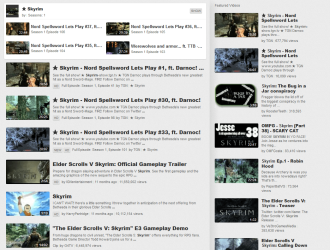
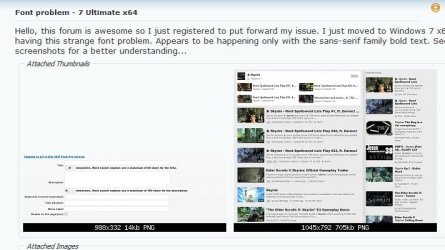
Hello, this forum is awesome so I just registered to put forward my issue. I just moved to win7 x64 but having this strange font problem. Appears to be happening only with the sans-serif family bold text. See the screenshots for a better understanding...
 

Attachments
  • font-issue1.png
    font-issue1.png
    9.5 KB · Views: 35
  • font-issue2.png
    font-issue2.png
    201.4 KB · Views: 49
  • font-issue3.png
    font-issue3.png
    1.8 KB · Views: 333

My Computer

OS
Windows 7 Ultimate x64
CPU
Intel Core2 Quad Processor Q8400
Motherboard
Asus P5QL PRO
Memory
Kingston 6GB
Sound Card
Creative X-Fi XtremeMusic
Monitor(s) Displays
DELL 2007FP
It would help if we knew what the problem is.

I've checked your screenshots and can't see anything wrong.

Looks like Arial bold, which one would expect to see in headings.
 

My Computer

Computer Manufacturer/Model Number
HP Pavilion Elite 495UK
OS
Windows 7 Ultimate SP1 64-Bit
CPU
Intel Core i7 870 @ 2.93GHz
Motherboard
MSI 2A9C (CPU1)
Memory
8Gb Dual-Channel DDR3 @ 664MHz
Graphics Card(s)
nVidia GeForce GTX 460 1024MB dedicated RAM
Sound Card
Realtek HD Audio
Monitor(s) Displays
HP2310i
Screen Resolution
1920 x 1080
Hard Drives
1x1954GB Hitachi HDS22020ALA 330 (RAID), 1x1954GB Hitachi External for backup and storage
PSU
460W
Case
HP Elite
Cooling
Air cooled
Keyboard
Logitech K750 solar-powered keyboard
Mouse
Logitech Wireless M180 mouse
Internet Speed
2Mb
Other Info
Pure Avanti Flow Internet Radio with iPod Dock, 64Gb iPod, HP USB Speakers, Sony MDR-V500 Headphones, Sony Vaio F-Series Laptop
The font at these places should be arial bold, but it is NOT!.... I might try to get some screenshots from someone's computer and put here to compare. Or you go to you tube search results page and see for yourself. I can't guess which font it is but its definitely not arial bold...
 

My Computer

OS
Windows 7 Ultimate x64
CPU
Intel Core2 Quad Processor Q8400
Motherboard
Asus P5QL PRO
Memory
Kingston 6GB
Sound Card
Creative X-Fi XtremeMusic
Monitor(s) Displays
DELL 2007FP
Well, that's me out. I don't like being called a liar. I don't like being shouted at and I certainly don't like being told where to go.

It looks suspiciously like Arial Bold, which is what I suggested in my reply.

Font.JPG
 

My Computer

Computer Manufacturer/Model Number
HP Pavilion Elite 495UK
OS
Windows 7 Ultimate SP1 64-Bit
CPU
Intel Core i7 870 @ 2.93GHz
Motherboard
MSI 2A9C (CPU1)
Memory
8Gb Dual-Channel DDR3 @ 664MHz
Graphics Card(s)
nVidia GeForce GTX 460 1024MB dedicated RAM
Sound Card
Realtek HD Audio
Monitor(s) Displays
HP2310i
Screen Resolution
1920 x 1080
Hard Drives
1x1954GB Hitachi HDS22020ALA 330 (RAID), 1x1954GB Hitachi External for backup and storage
PSU
460W
Case
HP Elite
Cooling
Air cooled
Keyboard
Logitech K750 solar-powered keyboard
Mouse
Logitech Wireless M180 mouse
Internet Speed
2Mb
Other Info
Pure Avanti Flow Internet Radio with iPod Dock, 64Gb iPod, HP USB Speakers, Sony MDR-V500 Headphones, Sony Vaio F-Series Laptop
My apologies for sounding rude, but I wasn't really. Just a humble request to help me out... Alright lets take it somewhere, please tell me is there some way I can re-install the fonts on my x64 windows without having to re-install the windows itself?
 

My Computer

OS
Windows 7 Ultimate x64
CPU
Intel Core2 Quad Processor Q8400
Motherboard
Asus P5QL PRO
Memory
Kingston 6GB
Sound Card
Creative X-Fi XtremeMusic
Monitor(s) Displays
DELL 2007FP
still looking for any possible solution... don't wanna force myself into re-installing windows again :(
 

My Computer

OS
Windows 7 Ultimate x64
CPU
Intel Core2 Quad Processor Q8400
Motherboard
Asus P5QL PRO
Memory
Kingston 6GB
Sound Card
Creative X-Fi XtremeMusic
Monitor(s) Displays
DELL 2007FP
Back
Top