Starmon
New member
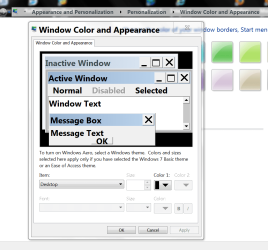
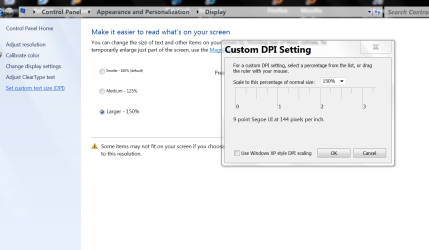
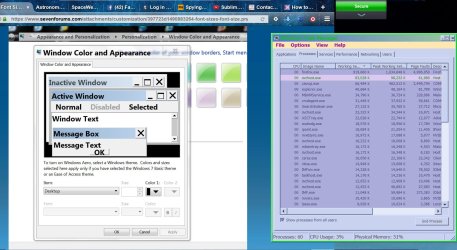
How to increase the FontSize in 'Applications/Processes/Services/Performance/Networking/Users' in Task Manager in Windows 7 Home Premium 32bit. NONE OF THE ABOVE ANSWERS (From a Search on this Question), & that means the DPI increase doesn't effect Font Size in Task Manager & the Personalization/Theme Colors, .....Doesn't Even Come Close, to effecting a change. I can find no where in Registry to make a SIMPLE FONTSIZE change.... Now it seems to be at '9 point' Tahoma, I can hardly see it on my 24" ASUS. Resolution is NOT the Problem, COLOR is NOT the Problem, it is the SIZE !!! ******And Please Try the Solution on your Machine, before you suggest it to me, to make sure it is The Soluition*******
Last edited:
My Computer
At a glance
Windows 7 Home Premium 32bitIntel Mobile Core 2 Duo T93004GigOnBoard
- Computer type
- PC/Desktop
- Computer Manufacturer/Model Number
- Dell Vostro 1700
- OS
- Windows 7 Home Premium 32bit
- CPU
- Intel Mobile Core 2 Duo T9300
- Motherboard
- OHX767
- Memory
- 4Gig
- Graphics Card(s)
- OnBoard
- Sound Card
- OnBoard
- Monitor(s) Displays
- OnBoard, 24" ASUS
- Screen Resolution
- 1440x900
- Hard Drives
- Ricoh SD/MMC Disk Device
WD 10EAVS External USB Device
WDC WD1600BEVS-60RST0 ATA Device
WDC WD32 00BEVE-00A0HT0 USB Device
- Cooling
- OnBoard, 4" Rotary Fan
- Keyboard
- OnBoard
- Mouse
- MS Standard Wireless Optical
- Antivirus
- Comodo Internet Security Premium 10
- Browser
- Firefox 52.0.1 32-bit
- Other Info
- Think cosmic !!