Windows 7.
Numerous times I have tried to reboot my computer, because it’s running slow, or sluggish. When I close all open files, and try to reboot, I get message saying something is running, do you want to force the program to shut down.
How can I find out what is running?
After reboot the computer runs faster.
Numerous times I have tried to reboot my computer, because it’s running slow, or sluggish. When I close all open files, and try to reboot, I get message saying something is running, do you want to force the program to shut down.
How can I find out what is running?
After reboot the computer runs faster.
My Computer
- Computer type
- PC/Desktop
- OS
- 32
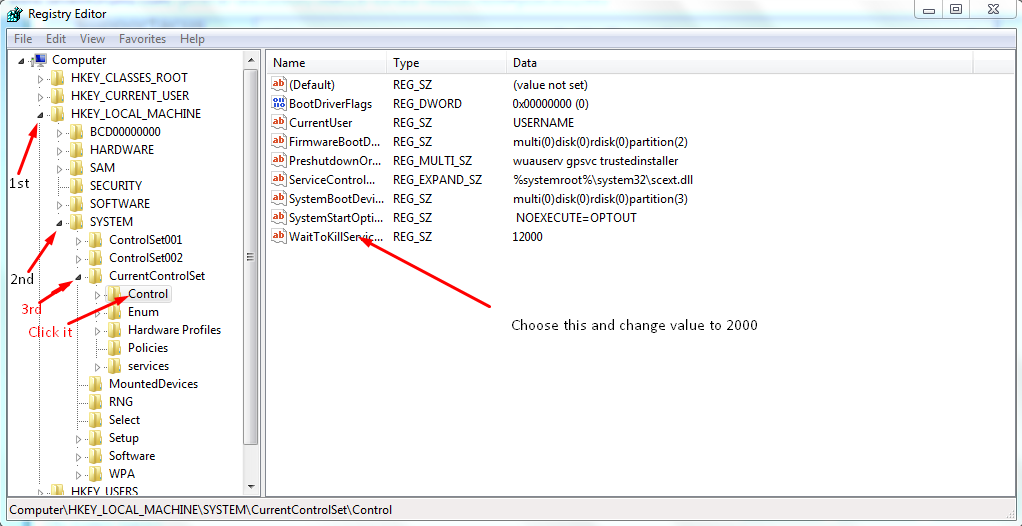
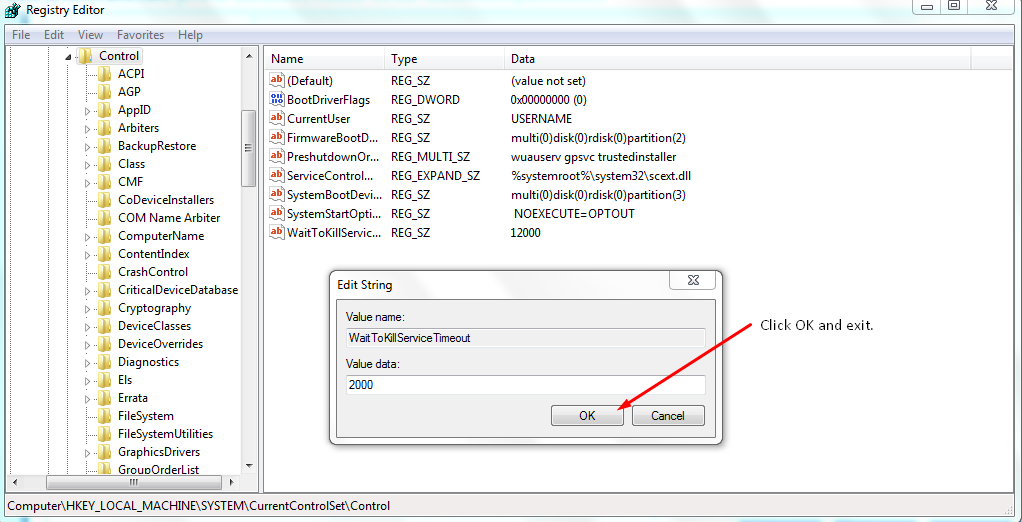
 rb: + R -->Type Regedit.exe --->Enter---> UAC Prompt click yes---->Keep expanding this path: