Format of a disk issue code

Also if you have a couple of documents that keep crashing that don't contain personal or sensitive content upload them here and me or someone else can have a look to see if there's anything wrong with the actually document.
 

My Computer

Computer Manufacturer/Model Number
Self built
OS
Windows 7 Ultimate x64
CPU
Intel Pentium Dual Core E5200 2.5GHz (3.77GHz OC)
Motherboard
Asus P5Q-E
Memory
Corsair 4GB DDR2 (4x1GB CM2X1024-6400C4)
Graphics Card(s)
Palit GeForce GTS 250 (1024MB)
Sound Card
On Board (ADI AD2000B 8ch HD)
Monitor(s) Displays
Samsung 32in LCD TV
Screen Resolution
1360x768
Hard Drives
2 x 1TB Samsung 103SJ (Raid0)
2 x External 500GB Samsung 502IJ (NexStar 3 HD Enclosures)
PSU
550W Antec Neo HE 550
Case
Antec P180
Cooling
Xigmatex Red Scorpion CPU Cooler. 3x120mm Fans
Keyboard
Logitech MX5000 Laser (Combo)
Mouse
Logitech MX5000 Laser (Combo)
Internet Speed
ADSL2+ (avg 10 Mbps Down, 0.80 Mbps up)
Other Info
Gigabyte GN-WP01GS 54g Wireless Lan Card
Thank you,

I guess that I never think before I act. I am not that well and I guess do not think of the bigger picture. I can see where you are coming from.

Personal stuff will stay private. I guess with identity fraud etc best not to show the world.

I am very tired. Not thinking.

Just a quick question - with the .wbk - is that usually a hidden folder - I have never seen it as a document on my screen that is all.

Thank you for your assistance and I take on board your information and will re read the rules of the forum.

My documents are an inspirational look at things from the perspective of a person only given six months to live.

Cancer is not the best thing.

Will find a general example.

Melissa
 

My Computer

Computer type
Laptop
Computer Manufacturer/Model Number
Sony VAIO / E Series VPCEB46FG
OS
Windows 7 Home Premium 64bit
CPU
Windows 7 Service Pack 1 x86 NTFS
Motherboard
AMD E-350 Processor
Memory
4 GB
Hard Drives
500GB
Other Info
1.6GHz
My theory regarding the .wbk and .tmp and .asd are the background saves or sometimes are created by Word. I have had this happen to me a lot.

I have then opened them MS Word 2007 - now it looks like that they are being treated like ~.do files. I have never had this happen. It is perhaps because of the collapse of the hard drive and the link. The path of the autosaves remains the same however. I am very confused what Windows is doing.

I may try the old IT trick and turn it on and off again.
 

Attachments

  • wbk files.PNG
    wbk files.PNG
    15.8 KB · Views: 2

My Computer

Computer type
Laptop
Computer Manufacturer/Model Number
Sony VAIO / E Series VPCEB46FG
OS
Windows 7 Home Premium 64bit
CPU
Windows 7 Service Pack 1 x86 NTFS
Motherboard
AMD E-350 Processor
Memory
4 GB
Hard Drives
500GB
Other Info
1.6GHz
I guess what I am saying is that if I save a document to my desktop and then into a folder on the dektop - do I have to move the backup folder too - as this is not happening and I am pyschically doing this at the moment
 

My Computer

Computer type
Laptop
Computer Manufacturer/Model Number
Sony VAIO / E Series VPCEB46FG
OS
Windows 7 Home Premium 64bit
CPU
Windows 7 Service Pack 1 x86 NTFS
Motherboard
AMD E-350 Processor
Memory
4 GB
Hard Drives
500GB
Other Info
1.6GHz
Melissa -

You are suffering a lot of problems which may be in part related to having less than a perfect install of Win7.

If you'd like I will help you get a perfect Clean Reinstall Factory OEM.

All you'd need to do is read through the steps to discuss them until you understand everything. Prepare by sorting the files you want to keep into User folders on your external similar to those in Win7 (Documents, Pictures, Music, Download, Desktop, etc). Then when you're ready do the initial 20 minute install until you can get connected to the internet.

I can then connect via a simple program called TeamViewer to set up an optimized WIn7 for you, including the backup method you want.

This can be as simple as using SyncToys to regularly sync or back up your C: User folder data to matching user folders on the working external. Or we can set up something similar to what I describe in the tutorial to also back up to the cloud in case your external should fail again.

I know you are going through a lot with your chemo treatments now and will be happy to help you this way, including maintaining your perfect install going forward.

So if this interests you read over the steps involved and ask back all the questions you need to understand everything fully and prepare for a perfect reinstall. I would imagine the biggest part will be to sort all of the data you need into the User folders - so that alone might be enough if we can then help get you a backup method that suits your needs.

Feel free to discuss this with the others to see if this is something you'd like to do with our help.
 
Last edited:
Hi melissa
The offer that Gregrocker has made to you is far too good not to take up. When I suggested a clean install would suit you best I had Greg in mind, knowing that he is the expert in this field and indeed it was his excellent tutorial that I was referring to. But to have the extra opportuninity of Greg using Team Viewer to help you get the best possible setup is the very best scenario. I would strongly urge you to take up this most generous offer. You and your PC will be very safe in Greg's hands.
 

My Computer

Computer type
PC/Desktop
OS
Microsoft Windows 7 Home Premium 64-bit 7601 Multiprocessor Free Service Pack 1
CPU
Intel(R) Core(TM) i7-3770 CPU @ 3.40GHz
Motherboard
ASUSTeK COMPUTER INC. P8H77-M
Memory
8.00 GB
Graphics Card(s)
Intel(R) HD Graphics 4000
Sound Card
On Board
Monitor(s) Displays
Dell 24"
Screen Resolution
1920 x 1080
Hard Drives
(1) INTEL SSDSC2CT180A3 ATA Device (2) ST500DM002-1BD142 ATA Device (3) WDC WD3200AAKS-75L9A0 ATA Device (4) Generic- Compact Flash USB Device (5) Generic- MS/MS-Pro USB Device (6) Generic- SD/MMC USB Device (7) Generic- SM/xD-Picture USB
PSU
500w Corsair
Case
Cooler Master
Cooling
3 Fans
Keyboard
Logitech MK300
Mouse
Logitech WOM
Internet Speed
75Mb
Antivirus
Norton 360
Browser
Firefox, Opera, IE
Hello People,

Another day and morning being very sick.

I am so sorry that I have not replied to any posts.

For a clean install - you would require a disk - I do not have that - my computer came with the Windows 7 with it.

I guess I am a little naive. I do not want to mess with anything. I have things that are still open - Task Scheduler and such things - I am so scared of messing the whole computer up. I rely on it a lot.

MS Word is crashing - coming up with a new document called building blocks. I will do a repair of Word - that may assist.

I guess without having a person pyschically looking at the screen - I am finding it tough to convey. I am also sick. You may have guessed that by my typing and posts that perhaps do not make sense.

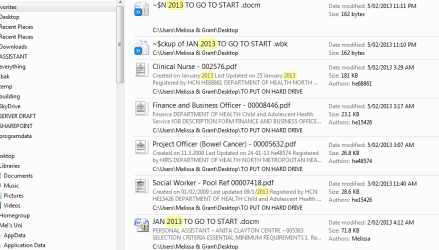
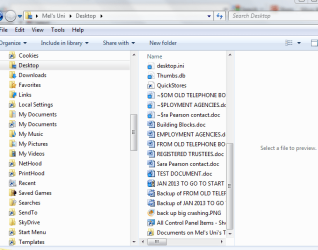
I have attached my current problem at hand - which is Word crashing and also the back up of the data that was synced from the software from the company from the USB Hard Drive.

I know that this is not a forum for Word - so I will leave it there.

The system looks like it is backing up the larger documents - I am scared to move files into folders as paths may go missing.


Thank you for putting up with my silly messages forum members
Melissa
 

Attachments

  • TEST DOCUMENT.doc
    TEST DOCUMENT.doc
    224.5 KB · Views: 0
  • back up big crashing.PNG
    back up big crashing.PNG
    34.5 KB · Views: 0
  • windows complete crashing - help.PNG
    windows complete crashing - help.PNG
    27.3 KB · Views: 3

My Computer

Computer type
Laptop
Computer Manufacturer/Model Number
Sony VAIO / E Series VPCEB46FG
OS
Windows 7 Home Premium 64bit
CPU
Windows 7 Service Pack 1 x86 NTFS
Motherboard
AMD E-350 Processor
Memory
4 GB
Hard Drives
500GB
Other Info
1.6GHz
For a clean install - you would require a disk - I do not have that - my computer came with the Windows 7 with it.
That is NOT true. You do not need a Windows 7 disc. You do need the licence key which you will find on a sticker on the side of the PC. The turorial clearly staes the Link to use to download what is called the ISO file for the particular version of Windows 7 that you have installed on your machine. After download you simly burn that ISO file to a blank disc.
Again I would urge you most strongly to take up Gregs offer of help. It will solve your Word problems too!
Please read Gregs post again and you will understand what a good ooportunity this is to lessen the stress and worry that you seem to be generating.
 

My Computer

Computer type
PC/Desktop
OS
Microsoft Windows 7 Home Premium 64-bit 7601 Multiprocessor Free Service Pack 1
CPU
Intel(R) Core(TM) i7-3770 CPU @ 3.40GHz
Motherboard
ASUSTeK COMPUTER INC. P8H77-M
Memory
8.00 GB
Graphics Card(s)
Intel(R) HD Graphics 4000
Sound Card
On Board
Monitor(s) Displays
Dell 24"
Screen Resolution
1920 x 1080
Hard Drives
(1) INTEL SSDSC2CT180A3 ATA Device (2) ST500DM002-1BD142 ATA Device (3) WDC WD3200AAKS-75L9A0 ATA Device (4) Generic- Compact Flash USB Device (5) Generic- MS/MS-Pro USB Device (6) Generic- SD/MMC USB Device (7) Generic- SM/xD-Picture USB
PSU
500w Corsair
Case
Cooler Master
Cooling
3 Fans
Keyboard
Logitech MK300
Mouse
Logitech WOM
Internet Speed
75Mb
Antivirus
Norton 360
Browser
Firefox, Opera, IE
Did you read Clean Reinstall - Factory OEM Windows 7?

If you had you'd see that the latest official installer for your licensed version is provided in Step 1, with a tool to burn to DVD or write to flash stick provided in Step 2.

Do you have the Office installer for your licensed version, besides the Product Key? You can find installer here: Offcial Office 2010 installers - Dell Community

The tutorial also explains how to audit all hardware, software and installed Product Keys using Belarc Advisor.

However you must have a readable Win7 Product Key on the COA sticker on PC because the one audited is only a factory batch key.
 
Slowly looking through the information - do not worry I will be posting - that is if I do not stuff it up, and letting you know how I go.

I feel like I have really stuffed up my computer and an epic failure.

Thanks for the assistance. Googling etc - I think sometimes you get the incorrect information.

I think personally that the computer software that came with the USB 500GB Hard External caused the back ups or perhaps me. I am so confused.

That is why I am taking it slow. I am slowly getting tired. Have to be alert for this procedure.
 

My Computer

Computer type
Laptop
Computer Manufacturer/Model Number
Sony VAIO / E Series VPCEB46FG
OS
Windows 7 Home Premium 64bit
CPU
Windows 7 Service Pack 1 x86 NTFS
Motherboard
AMD E-350 Processor
Memory
4 GB
Hard Drives
500GB
Other Info
1.6GHz
WMPNetworkSvc - What is it and what is the default services.msc
Dear Community,

I went onto to Google thinking that I would be able to avoid embarassment by going on here and ask why that I have WMPNetworkSvc has access to some of my documents.

I know that I am a silly sausage. I even have been ditched on MS Communities for my supposed 'filddling".

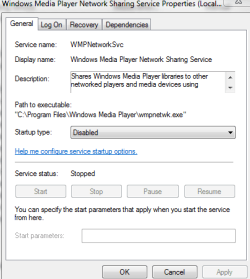
I just wish to finish this back up and know what the default of the above is as I was told to do a workaround for my back up on Microsoft Communities and disable it.


In my experience, the backup fails with the 0x80070002 error because of two things:
1) The built-in administrator account is disabled (it is disabled by default in Windows 7)
2) The Windows Media Player Network Sharing Service is enabled


2) Disable the Windows Media Player Network Sharing Service , this also can be done several ways. The two most common ways are:
msconfig
click the Start Menu
type msconfig in the "search programs and files" entry box (or from Run dialog box)
select the Services tab at the top of the window
un-check the Windows Media Player Network Sharing Service
click Apply
click OK (you may see some warnings or notifications, click OK)
restart the computer
OR
services.msc
click the Start Menu
type services.msc in the "search programs and files" entry box (or from Run dialog box)
select the Windows Media Player Network Sharing Service fro the list at the right
right-click it and select properties
set Startup type to disabled
click Apply
click OK
restart the computer
3) Backup the computer

Windows 7 Backup Error 0x80070002 - Microsoft Community

Thank you

So there is no need to have it on Automatic - delayed start.

When do you ever use it?

I did not do it after a clean install. I just did it for an error in back up.

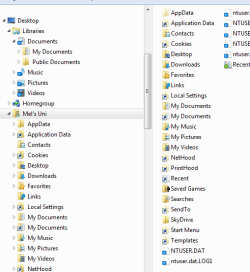
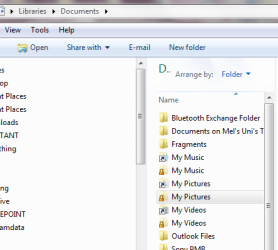
Is it normal for your libraries to look like the following afterwards?

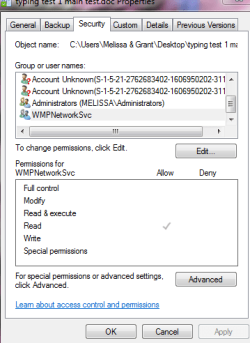
I also saw that there was an extra permission on my documents.

Not allowed to 'fiddle' with any settings anymore
 

Attachments

  • wmp network svce.PNG
    wmp network svce.PNG
    14.3 KB · Views: 2
  • wmp network svce - disable.PNG
    wmp network svce - disable.PNG
    12.4 KB · Views: 2
  • libraries - full.PNG
    libraries - full.PNG
    17.1 KB · Views: 2
  • libraries - documents.PNG
    libraries - documents.PNG
    23.7 KB · Views: 2
  • Backup Files 2013-02-17 122037_error.log
    Backup Files 2013-02-17 122037_error.log
    336 bytes · Views: 4

My Computer

Computer type
Laptop
Computer Manufacturer/Model Number
Sony VAIO / E Series VPCEB46FG
OS
Windows 7 Home Premium 64bit
CPU
Windows 7 Service Pack 1 x86 NTFS
Motherboard
AMD E-350 Processor
Memory
4 GB
Hard Drives
500GB
Other Info
1.6GHz
Why are you continuiing to try to use Windows Backup? Did you learn nothing after having a backup program lose your files? I told you already how to back up your files, more than once. Sort all of them into the appropriate User folders, then drag those User folders to external. Simple. If you want it automated I will help you set up SyncToys on a schedule or whenever you want it.

The problem is that you don't learn. You don't listen to any advice or even respond to it, just bring up the next problem as though you didn't even read what we wrote. So it is hard to help you. When you begin reacting to our specific advice - asking all the questions needed to get it done correctly - then we can progress.

Please try to focus now: Can you use the backup method I have outlined just now and several times before?

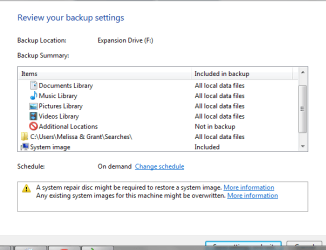
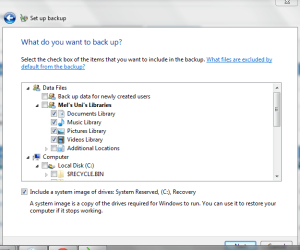
If you insist on using Windows Backup, did you remove the entire C and external drive from being backed up?
 
Dear Greg,

Thank you for your email -

I am trying to focus

-

With regards to the backup - I am having trouble still with the skydrive.

I will try it once more with the C: and external, so then I can try and tick that off my list to do.

Can you please clarify what you mean by sort them into all the correct User files?

I am listening - maybe you do not understand how ill I really am. Also how scared and hopeless I really feel.
I do not know what you mean by User?
I also do not know how to drag the contents out - will it leave the an imprint in the folder and not cause any errors?

I am currently running the back up - hopefully I got the settings correct. I thought that I could just put the file back in place - as I may have dragged it and then re do the Windows back up. I did not even get an explanation on why it would come up with the code.

Could you also assist me with the above WMPNetworkSvc settings as it becomes distressing to me - my other computer has it as started and enabled? I do not want to loose the internet or any work?

I hear what you are saying.
I apologise.
I am upset. I am dying. I have limited function also. I wish that you could see me in my hospital bed at the moment.
 

Attachments

My Computer

Computer type
Laptop
Computer Manufacturer/Model Number
Sony VAIO / E Series VPCEB46FG
OS
Windows 7 Home Premium 64bit
CPU
Windows 7 Service Pack 1 x86 NTFS
Motherboard
AMD E-350 Processor
Memory
4 GB
Hard Drives
500GB
Other Info
1.6GHz
I have tried running the back up again with the same error and I know what you are going to say.

I tried my best.

I am doing the best I can and it is tough to tell you that I am struggling with stamina and brain health.

I received theh same message back on my Back attempt.

I guess what is getting to me is that I never had any issues prior to me having a look at public folders etc. I should have just left it alone.

Then the crash of external hard drive - it has woken me up.

With the back up - I want it perfect before I can move forward.

If you wish to tell me to get it done physically - as it must be tough having me - who is not good on a computer - trying to relay poor communication to the forum.

You have been more than helpful and I do wish to take you up on your offer. It is 02:00 am - so I must go.

Will try again tomorrow.
 

My Computer

Computer type
Laptop
Computer Manufacturer/Model Number
Sony VAIO / E Series VPCEB46FG
OS
Windows 7 Home Premium 64bit
CPU
Windows 7 Service Pack 1 x86 NTFS
Motherboard
AMD E-350 Processor
Memory
4 GB
Hard Drives
500GB
Other Info
1.6GHz
This is the log from the back up.
 

Attachments

My Computer

Computer type
Laptop
Computer Manufacturer/Model Number
Sony VAIO / E Series VPCEB46FG
OS
Windows 7 Home Premium 64bit
CPU
Windows 7 Service Pack 1 x86 NTFS
Motherboard
AMD E-350 Processor
Memory
4 GB
Hard Drives
500GB
Other Info
1.6GHz
Dear Greg,

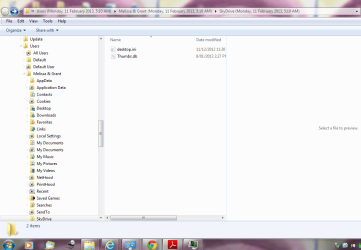
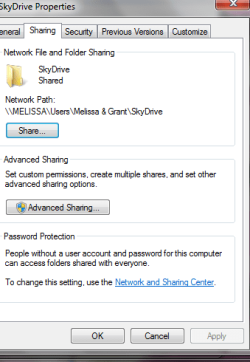
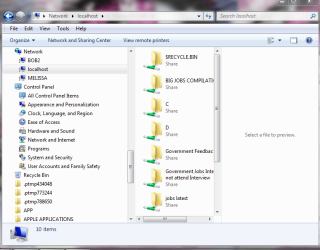
Before I go, I went to previous versions of Skydrive and found the following:

I do not know what to do.

I guess I am too sick and ill and stupid to own a computer.

I want the security changed also on the Word document that I posted - I have no idea how it got access.

I give up.

Going to rest for the night.

I am very upset. I understand where your post was coming from too.
 

Attachments

  • local host one.PNG
    local host one.PNG
    57.4 KB · Views: 1
  • local host two.PNG
    local host two.PNG
    12.1 KB · Views: 2
  • local host.PNG
    local host.PNG
    45.4 KB · Views: 1

My Computer

Computer type
Laptop
Computer Manufacturer/Model Number
Sony VAIO / E Series VPCEB46FG
OS
Windows 7 Home Premium 64bit
CPU
Windows 7 Service Pack 1 x86 NTFS
Motherboard
AMD E-350 Processor
Memory
4 GB
Hard Drives
500GB
Other Info
1.6GHz
Which backup method would you like to use? Let's help you decide that first then we can proceed.

- Windows automatic file and image backup
- Manually dragging User folders to external as often as you want
- Scheduling SyncToys (with out help) to backup User folders to external on a schedule or defining another trigger.
- Rooting your User folders in Skydrive so everything stays sync'd from MS Servers: Sync, Backup and Store your Files to the Cloud with Skydrive - Windows 7 Forums
- Other?
 
Windows Automatic file and image back up.

I will then drag manually the files I require to external.

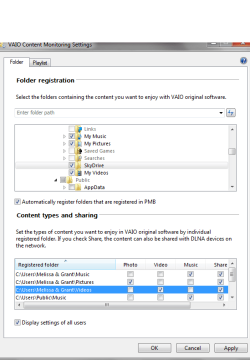
I also found this in my computer -

Is it fixable my problem or very big? I know that I am silly and I am so sorry. You have been kind - extremely kind.

I will look at Sync Toys tomorrow
 

Attachments

  • vaio gate snip.PNG
    vaio gate snip.PNG
    19.4 KB · Views: 2

My Computer

Computer type
Laptop
Computer Manufacturer/Model Number
Sony VAIO / E Series VPCEB46FG
OS
Windows 7 Home Premium 64bit
CPU
Windows 7 Service Pack 1 x86 NTFS
Motherboard
AMD E-350 Processor
Memory
4 GB
Hard Drives
500GB
Other Info
1.6GHz
OK you just chose three out of the four options I mentioned. Please focus on one backup method first and then we can discuss secondary backups.

If you are reinstalling Win7 then it isn't necessary to try to undo the mess that's been made of the file System, backup of the backup drive, etc. What's needed is to decide how you plan to proceed, settle on ONE method, then go ahead and back up to external to get ready for reinstall.

Even more important is that you promise to stop messing with everything once you get a perfect reinstall. We will support you getting that reinstall and even help you set it up perfectly. But if you start fiddling with everything again we cannot help you. Are you able to control yourself?
 
Windows Back Up and that will do me at the moment.

Can you please assist me with the backup error or not?

I promise not to do anything else to my computer - ever
 

My Computer

Computer type
Laptop
Computer Manufacturer/Model Number
Sony VAIO / E Series VPCEB46FG
OS
Windows 7 Home Premium 64bit
CPU
Windows 7 Service Pack 1 x86 NTFS
Motherboard
AMD E-350 Processor
Memory
4 GB
Hard Drives
500GB
Other Info
1.6GHz
Back
Top