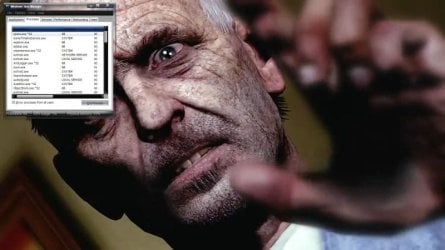
ok so i want to have my "Task Manager" to be visible AT ALL THE TIME during my game play... i enabled the "Always on top" option.. which WORKS if i play in "window mode" but once i go into "Full Screen mode" it disappear somewhere even thought the "Always on top" option is still enabled... any fix?
EDIT: it does not necessary has to be game that is in "Full screen"... as long as it REALLY does go into "Full screen" it will bypass/override all the "Always on top" option... for example youtube video's "Full screen" option will override it
EDIT2: you can try by yourself... it is also not limited to only "Task Manager's" "Always on top" option... if you have desktop gadgets and you put it on "Always on top" mode, the "Full screen" will still override this... it DOES NOT happens in XP... so i pretty much suspect it to be Issues of Windows 7...
PS. please tell me if this is wrong section of forum...
EDIT: it does not necessary has to be game that is in "Full screen"... as long as it REALLY does go into "Full screen" it will bypass/override all the "Always on top" option... for example youtube video's "Full screen" option will override it
EDIT2: you can try by yourself... it is also not limited to only "Task Manager's" "Always on top" option... if you have desktop gadgets and you put it on "Always on top" mode, the "Full screen" will still override this... it DOES NOT happens in XP... so i pretty much suspect it to be Issues of Windows 7...
PS. please tell me if this is wrong section of forum...
Last edited:
My Computer
- OS
- Windows 7 Ultimate SP1 64Bit
- CPU
- AMD Phenom II X4 965BE
- Motherboard
- Asus M4A89GTD PRO/USB3
- Memory
- 8 GB
- Graphics Card(s)
- Asus Radeon HD 6970
- Sound Card
- integrated
- Screen Resolution
- 1280 x 1024
- Hard Drives
- 1TB Western Digital WDC ATA Device
- Keyboard
- Logitech G15
- Mouse
- Logitech G500
- Internet Speed
- 20 mb/s