JackGroenvold
New member
- Local time
- 3:05 AM
- Messages
- 1
Why not just install Vuescan
I struggled for a few hours to follow your desc. about how to make my Coolscan V work, but with no success. (Thanks for your effort on the forum anyway.)
I managed to install the Nikon Scan 4.03 on my PC - download the scanner.inf file and looked into program files x86 where I found the Nikon folder, copied the dll, but my system just refused to accept the files in the "Nikon Files" folder as valid driver files. No idea why.
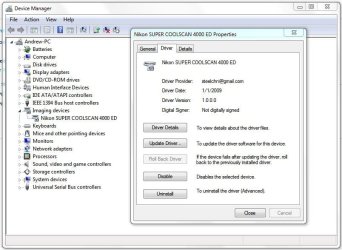
Then I installed a trial version of Vuescan and viola the scanner was recognized and worked again including with the Nikon Scan 4.03 for Vista. So I suppose the drivers from Vuescan must have done the trick.
I also vented my frustration to the Nikon support page here in Hong Kong about lack of willingness to update their drivers. Shame on Nikon.
(One more reason to do Canon Cameras)

I struggled for a few hours to follow your desc. about how to make my Coolscan V work, but with no success. (Thanks for your effort on the forum anyway.)
I managed to install the Nikon Scan 4.03 on my PC - download the scanner.inf file and looked into program files x86 where I found the Nikon folder, copied the dll, but my system just refused to accept the files in the "Nikon Files" folder as valid driver files. No idea why.
Then I installed a trial version of Vuescan and viola the scanner was recognized and worked again including with the Nikon Scan 4.03 for Vista. So I suppose the drivers from Vuescan must have done the trick.
I also vented my frustration to the Nikon support page here in Hong Kong about lack of willingness to update their drivers. Shame on Nikon.
(One more reason to do Canon Cameras)
My Computer
At a glance
Windows 7 64 bitI7 Windows12GBATI Firepro 4600
- OS
- Windows 7 64 bit
- CPU
- I7 Windows
- Motherboard
- Gigabyte GA-x58A-UD3R
- Memory
- 12GB
- Graphics Card(s)
- ATI Firepro 4600