gtx260 bsod after installing driver

yetb0

New member
Local time
8:55 AM
Messages
4
guys can you help me with my gtx260 gold edition
after i install driver then restart my pc BSOD

i attached my minidump file
 

Attachments

My Computer My Computer

OS
windows 7 x64
guys can you help me with my gtx260 gold edition
after i install driver then restart my pc BSOD

i attached my minidump file


Have you checked on there website to download the latest drivers?
 

My Computer My Computer

Computer Manufacturer/Model Number
Cooler Master
OS
Windows 7 Home Premium 64 Bit
CPU
Core I7 1155 3.4GHZ
Memory
8GB DDR 1600
Hard Drives
64 GB SSD - OS
1TB - DATA
PSU
340 Watt Corsair
Case
Cooler Master
Cooling
Cooler Master
yes i intalled a lot of driver from 191 to 310.90 and reformat still no luck i dont know what happen to my card
 

My Computer My Computer

OS
windows 7 x64
Check that the graphics card is seated correctly on the motherboard.
 

My Computer My Computer

Computer Manufacturer/Model Number
Cooler Master
OS
Windows 7 Home Premium 64 Bit
CPU
Core I7 1155 3.4GHZ
Memory
8GB DDR 1600
Hard Drives
64 GB SSD - OS
1TB - DATA
PSU
340 Watt Corsair
Case
Cooler Master
Cooling
Cooler Master
yes i already tried reseated my card
 

My Computer My Computer

OS
windows 7 x64
Well the debugger states that it's an issue with your driver. \SystemRoot\system32\DRIVERS\nvlddmkm.sys
I know you said that you tried multiple versions but maybe it's having a conflict somewhere. I suggest trying to uninstall the driver again through Device Manager (Right-mouse click on video card and select Uninstall). Restart your computer and let windows do its thing.

Then navigate to Drivers | GeForce to get the latest supported drivers.

If that doesn't work then you might have to run Driver Sweeper to remove all video drivers that may still be present and try again. Let us know what happens.
 

My Computer My Computer

Computer Manufacturer/Model Number
Me
OS
Windows 7 Pro x64
CPU
Intel Core i7 920
Motherboard
ASUS P6T Deluxe V2
Memory
Corsair XMS3 12GB (3x2GB) DDR3 1333
Graphics Card(s)
EVGA GTX 470 1280MB GDDR5 DX11
Monitor(s) Displays
ASUS VW246H | ACER AL2216W
Screen Resolution
3600x1080
Hard Drives
1x Corsair Vertex 3 SSD (120GB)
1x Corsair Vertex 2 SSD (60GB)
2x Western Digital Black (500GB/1TB)
1x External WD Green eSATA (1TB)
PSU
Corsair 850HX
Case
Velocity Micro FullTower
Keyboard
Logitech G110
Mouse
Logitech G500
Internet Speed
http://www.speedtest.net/result/1226664359.png
Antivirus
MSE
Browser
Chrome
Other Info
Logitech Z-5500 5.1 Surround Sound
Logitech C260 Webcam
Creative Fatal1ty Headset
i tried my gtx 260 in windows xp and install driver 301 my gtx 260 boot up in windows xp but in windows vista and windows 7 my card always BSOD

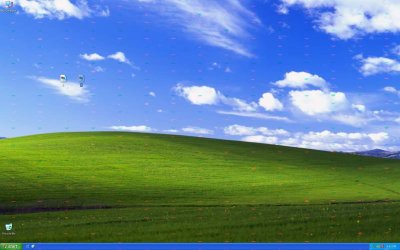
here is the screen shot using windows xp clean install but it has artifacts on screen
 

Attachments

  • gtx 260 artifacts on screen.jpg
    gtx 260 artifacts on screen.jpg
    135.2 KB · Views: 5

My Computer My Computer

OS
windows 7 x64
This is a classic TDR116 error which is typically caused by your display driver following a defect in your RAM/GPU. Firstly stop any overclocking if any, reinstall your Nvidia software package but make sure only the Display Driver and PhysX are selected, make a clean driver install.

Run a Video Memory Test with OCCT
NVIDIA/AMD Video Card - Test with OCCT

Artifacts suggest a hardware problem (very likely) or overheating.
 

My Computer My Computer

Computer type
PC/Desktop
Computer Manufacturer/Model Number
Custom Build
OS
Windows 10 Pro x64, Arch Linux
CPU
Intel Core 2 Quad Q8200 OC'd 3.08GHz
Motherboard
Asus Rampage formula LGA775
Memory
8GB DDR2 900Mhz
Graphics Card(s)
MSI GT730 2GB GDDR5 (Kepler)
Sound Card
Supreme FX2
Monitor(s) Displays
Samsung LS22F350 LED
Screen Resolution
1080P
Hard Drives
Kingston SSDNow UV400 120GB, 500GB Hitachi, 2TB Samsung, 500GB Seagate FreeAgent, 640GB Samsung, 160GB Toshiba (Arch)
PSU
AeroCool 500W Bronze
Cooling
Cooler Master V6 + 3X fans
Keyboard
Prolink keyboard
Mouse
Logitech M705
Internet Speed
1MiB/s
Browser
Chrome Beta
Back
Top