Solved hard disk MBR and NTFS on NAS turn into GPT and Raw

This is one of the disks with data. I'm going with your knowledge, Jumanji.

LET'S Start.

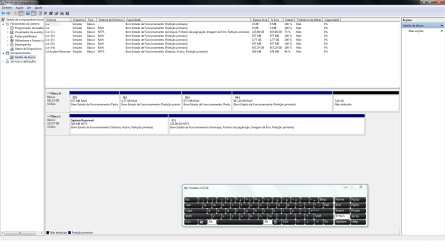
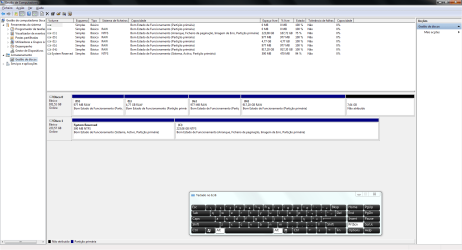
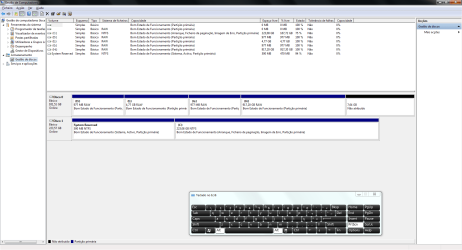
Windows Disk Management

Windows Disk Management.png


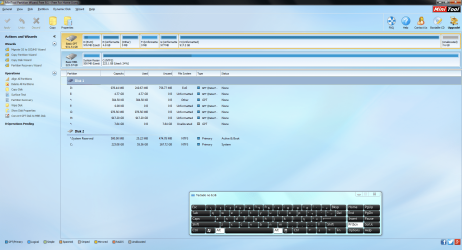
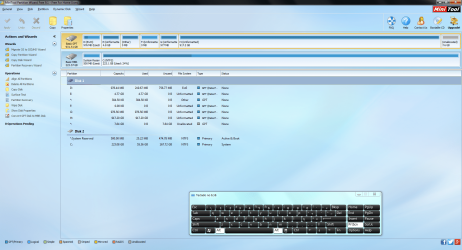
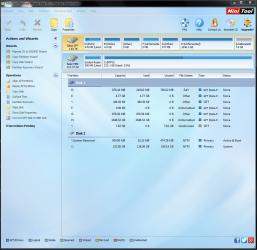
Minitool Partition Wizard

Minitool Partition Wizard.png
 

My Computer My Computer

At a glance

Windows 7 Ultimate x64
Computer type
PC/Desktop
OS
Windows 7 Ultimate x64
OK.

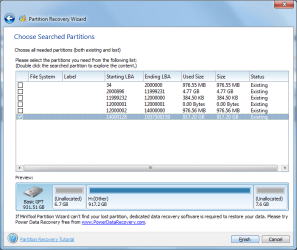
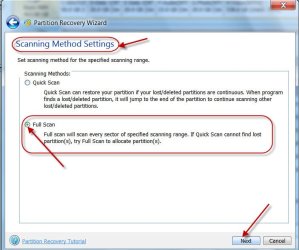
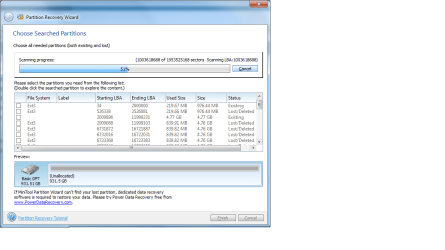
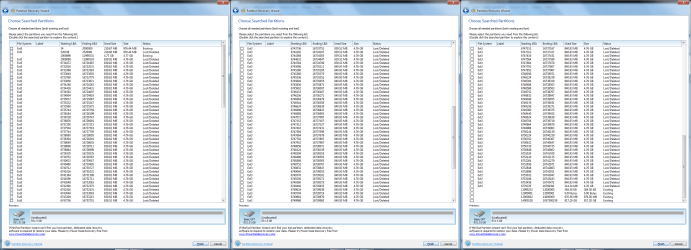
Launch Partition Wizard. On the left Pane under Wizards click on Partition Recovery Wizard > Next > Select your 1 TB drive > Next > Full Disk > Next > Full Scan > Next. Allow the Full Scan to complete( May take an hour or two or more). At the end of the Full Scan you will get a window showing all the found partitions (like the one below). ( Your list will show a number of partitions)

13-01-2017 18-13-57.jpg

Take a screenshot of that Window only ( no need for the background). From the list of Partitions shown hover your mouse on the largest partition - 917.2GB - shown and double click on it. Does the new Window that comes up show your files? Take another screenshot of that Window and then Close the Window. Click on Cancel button on the Partitions Found Window and then close PW. You can run it again if need be after getting further instructions from me.

Post the two screenshots taken for my scrutiny and wait for further instructions.
 

My Computer My Computer

At a glance

Windows 7 Home Premium 32 bit
OS
Windows 7 Home Premium 32 bit
I can only see this. I can´t have access the files when I double click on it.

Partition Recovery 1.png

I might have something previously to this disk (1 1T).
_____________________________

I'm going to make the some procedure in the other disk (2 1T).
In this one I already see lost partitions.

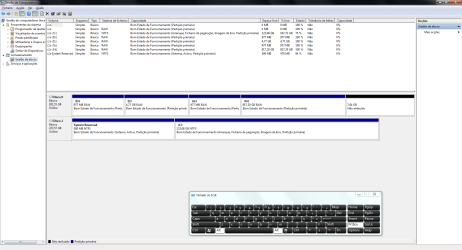
Windows Disk Management 2 1T

Windows Disk Management 2 1T.png


Minitool Partition Wizard 2 1T

Minitool Partition Wizard 2 1T.png


Wait for the result.
 
Last edited:

My Computer My Computer

At a glance

Windows 7 Ultimate x64
Computer type
PC/Desktop
OS
Windows 7 Ultimate x64
Did you do a FULL SCAN? It definitely won't finish so fast. You probably made a Quick Scan

13-01-2017 19-00-13.jpg

Please repeat with Full Scan. Post a screenshot as above in confirmation that you did a Full Scan.
 

My Computer My Computer

At a glance

Windows 7 Home Premium 32 bit
OS
Windows 7 Home Premium 32 bit
And do not put Tick marks in the square. Just hover the mouse and double click on the largest partition in the Partition list.
 

My Computer My Computer

At a glance

Windows 7 Home Premium 32 bit
OS
Windows 7 Home Premium 32 bit
I did a full Scan, but since I already change the disk 1 1T It will be later. But I suppose I have mess around with this disk 1 1T.

Let´s pass to the other disk 2 1T.

Windows disk Management 2 1T
Windows Disk Management 2 1T.png

Partition wizard 2 1T
Minitool Partition Wizard 2 1T.png

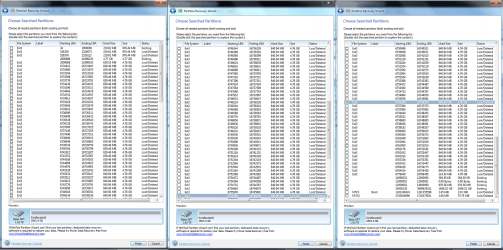
Results Partition disk 2 1T at 50%
Partition Recovery 2 1T 50%.png
 

My Computer My Computer

At a glance

Windows 7 Ultimate x64
Computer type
PC/Desktop
OS
Windows 7 Ultimate x64
Sorry, I am out of this thread. Please seek professional data recovery service as advised by Buffalo Tech. Support..
 
Last edited:

My Computer My Computer

At a glance

Windows 7 Home Premium 32 bit
OS
Windows 7 Home Premium 32 bit
Edited:

Jumanji,

I understand that I was always changing your plans. I'm sorry that went bad. I was just experimented the same procedure with Minitool and TestDisk like in the link. I decided to make a test and went wrong for the disk 1. I did saw the NTFS partitions and joined them together and I don't know what Happen because afterwords I didn't saw the lost partitions again. I did mess with something and went wrong. So I've decided that was for the better in our concertation to change to disk 2.


Sorry I'm like this. I'm just a Forest Engineer working with computers. How about that?

Again I would appreciate if you can and for the experience to learn a little bit more about computers continue with the elearning regarding the Hard Drives.

Sorry it will not happen again.

We will return to drive 1 later if you agreed.


Disk 2 1T.

Windows disk Management 2 1T
Windows Disk Management 2 1T.png

Partition wizard 2 1T
Minitool Partition Wizard 2 1T.png

Results Partition wizard 2 1T
Results Partition Recovery 2 1T.png

And when I double-clique on the partitions no window open for me to see the files.

Also I was reading the instructions from the Buffalo's chat and they only transfer a firmware to the drive, but in my case I insisted to transfer the firmware.

"Here are the steps again:
Boot with hard drives installed >wait for solid red and solid white> then press and release function. Light will blink red while transferring firmware from chassis to Hard drives. Wait for a solid only white. Then it has successfully transferred firmware."


Awaiting for instructions.

See you at my 09:30h yours 15:00h.

Thanks,
 
Last edited:

My Computer My Computer

At a glance

Windows 7 Ultimate x64
Computer type
PC/Desktop
OS
Windows 7 Ultimate x64
Download,install and run GetDataBack Simple Data Recovery Data Recovery Software Products - Runtime Software Products Read all the documentation on the webpage on how to use it.

Scan your 1TB drive. There are four levels of scanning. Try one by one. Check whether it shows all your files in the partition H:

GetDataback does not write anything to the drives. So there is no way you can muck it up further.

You can try Getdataback on all your drives mucked up with your NAS. But do it one by one.
 

My Computer My Computer

At a glance

Windows 7 Home Premium 32 bit
OS
Windows 7 Home Premium 32 bit
Ok. Thanks very much.
 

My Computer My Computer

At a glance

Windows 7 Ultimate x64
Computer type
PC/Desktop
OS
Windows 7 Ultimate x64
Hello Jumanji,

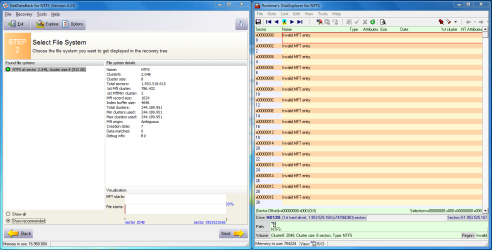
I pass the software GetDataBack for NTFS as you can see and I suppose that is missing the MFT to mount the partition again.

The search didn't find any data.

Results GetDataBack for NTFS
Results GetDataBack for NTFS All Partition 2 1T.png


More Results:

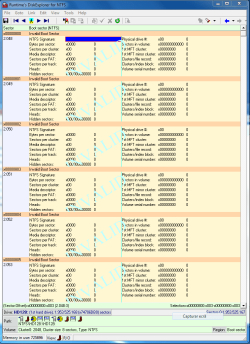
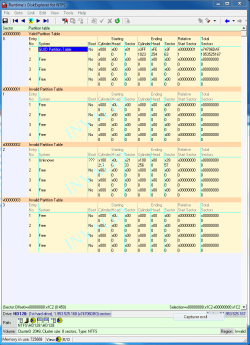
Results GetdataBack for NTFS All Partition Boot Record 1 1T
Results GetdataBack for NTFS All Partition Boot Record 1 1T.png

Results GetdataBack for NTFS All Partition Root Directory 1 1T
Results GetdataBack for NTFS All Partition Root Directory 1 1T.png

Results GetdataBack for NTFS All Partition Table 1 1T
Results GetdataBack for NTFS All Partition Table 1 1T.png


What do you say?

I'm still in a good way to recover the entire Partition?

I'm anxious, with low expectations, to recover the entire partition. Anxious to make myself the test, but I will put it at ease (PAUSE), awaiting for instructions.

Thanks,
 
Last edited:

My Computer My Computer

At a glance

Windows 7 Ultimate x64
Computer type
PC/Desktop
OS
Windows 7 Ultimate x64
Please download, install and run GetDataback Simple Data Recovery Software Products - Runtime Software Products
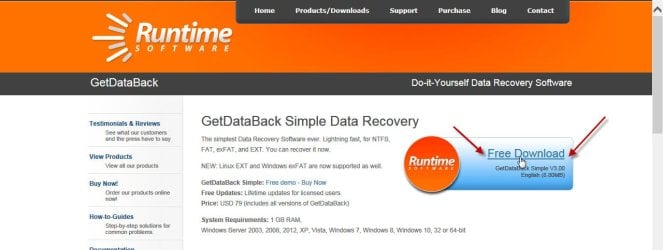
15-01-2017 12-44-10.jpg

It will scan for drives and will show the disks found.

Click on the disk from which you want to recover data.

After a scan, a screen will appear showing all partitions found.

Click on the partition from which you want to recover the data.

A screen will appear showing all the folders/files found.

By default a Level 1 Search is made. You can click on the Level button and choose Level 2, 3 or 4.

If Level 1 is unsuccessful, do a Level 2. If Level 2 is unsuccessful do a Level 3. If Level 3 is unsuccessful do a Level 4.

This is the normal process.

If at anytime you get an error message and it does not proceed further, take a screenshot and post it.

If Getdataback Simple does not find any data or gives out any error message, that is the end of the story as far as I am concerned by experience.

You may then try PhotoRec and check whether it can rebuild the files abinitio without reference to the File System.

Guide to using PhotoRec recovery software.

If your data has been cleanwiped by writing zeroes or 1s to the drive, even PhotoRec will not be able to rebuild. ( It can rebuild data even after formatting but not a 0/1 wipe and then a format.)

If your Buffalo NAS had made a zero wipe before formatting it as a GPT drive, there is absolutely no chance.

 
Last edited:

My Computer My Computer

At a glance

Windows 7 Home Premium 32 bit
OS
Windows 7 Home Premium 32 bit
Toni, I might have missed the answer, however, did you make any backups of your data folders and files before you got involved in the NAS project?
 

My Computer My Computer

At a glance

Windows 7 Professional 64-bitDesktop i5; Acers i5 & i7desktop 16GB; 1 Acer 8GB & 1 Acer 16GB
Computer type
PC/Desktop
Computer Manufacturer/Model Number
Antec desktop; Acer Aspire laptops
OS
Windows 7 Professional 64-bit
CPU
Desktop i5; Acers i5 & i7
Memory
desktop 16GB; 1 Acer 8GB & 1 Acer 16GB
Hard Drives
1TB split into 2 equal partitions [OS and data] usable by RJS
Internet Speed
AT&T DSL
Browser
FF, GChrome, msIE
Other Info
Windows 7 Firewall, Emsisoft AM/AV, MSE [scan-only], SpywareBlaster, Ruiware/BillP combine
No I did not. I took the Drives from the PC desktop since motherboard was giving problems and put directed in the NAS. The NAS did the work of transferring the firmware inside the Drives, but I might have made the process more than once.

Thanks,
 

My Computer My Computer

At a glance

Windows 7 Ultimate x64
Computer type
PC/Desktop
OS
Windows 7 Ultimate x64
Jumanji it didn't give any error whatsoever.

It did show two EXT partitions and one NTFS.

I still believe that my data is there.
Otherwise if formatting in NAS was cleaning the drive to 0 or/and 1 it didn't show the NTFS Particion or even another EXT.

What do you think?

Now I'm going to pass he PhotoRec.
 

My Computer My Computer

At a glance

Windows 7 Ultimate x64
Computer type
PC/Desktop
OS
Windows 7 Ultimate x64
Why don't you post a screenshot of Partitions shown?
 

My Computer My Computer

At a glance

Windows 7 Home Premium 32 bit
OS
Windows 7 Home Premium 32 bit
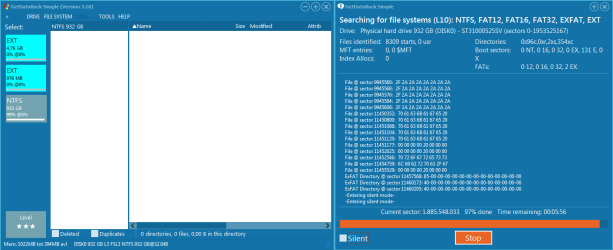
Results GetDataBack Simple Level 4 2 1TB
Results GetDataBack Simple Level 4 2 1TB.png

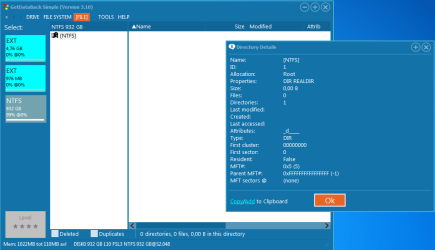
Results GetDataBack Simple INFO 2 1TB
Results GetDataBack Simple INFO 2 1TB.png

Look that the NTFS partition is with 932Gb at 99%.

What does this mean?


I was wondering if using Testdisk to recreate the boot to correct the MFT would result.

Do you saw that exists Testdisk 7.1?


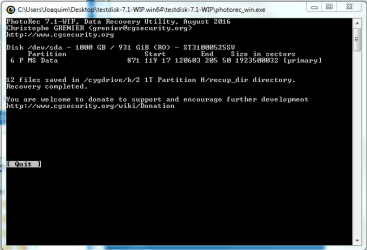
After using the PhotoRec it didn't show nothing regarding my files when pass in the H partition.

Result Photorec in H Partition.png

I'm going to pass the Photorec in the whole disk.


What about others software like "If both MFT and MFTMirr are damaged and thus cannot be repaired using TestDisk, you might want to try commercial software like Zero Assumption Recovery, GetDataBack for NTFS or Restorer 2000"

Thanks,
 

My Computer My Computer

At a glance

Windows 7 Ultimate x64
Computer type
PC/Desktop
OS
Windows 7 Ultimate x64
Hello Jumangi,

I'd like to know if I try to correct the boot using Testdisk to recover the boot Backup on the end of the disk, it will write or not to the disk on the top of the possible data that I might have.

What about if I try to recover the MFT backup from the disk?

Thanks,
 

My Computer My Computer

At a glance

Windows 7 Ultimate x64
Computer type
PC/Desktop
OS
Windows 7 Ultimate x64
On a GPT drive the last 32 sectors in the HDD carry the backup of the GPT Header and GPT Partition Table/s. What is in Sector 2048 is the volume boot record of the first partition. Its backup lies within that partition but very difficult to manually find it.

Now to answer your question, yes TestDisk can find that and tell you whether the volume boot record on the first sector of that partition and its backup embedded in that partition is ok. But for that it has to find the partitions first. For that the MBR partition table should be present in sector 0 and your drive should have turned RAW because of a corrupted volume boot record and/or MFT.

In any case you can try. Follow the procedure outlined in post #6 here WD Elements being read as RAW // Contents readable through app

If you get to the fifth screen where [Boot] is highlighted press enter. You can see the status of the bootsector and backup boot sector. If the Main bootsector is bad but backup bootsector is OK, you can write the backup to the main bootsector. If both bootsectors are bad, you can rebuild the Boot Sector. You can also find the status of the MFT and try repair. But in almost all the cases where we had tried MFT Repair, TestDisk failed. That is when we advise GetDataback and GetDataback was invariably successful in showing the files. (Hmmmm... Christopher Grenier , the author of TestDisk seems to know that TestDisk will fail to repair MFT in most cases and that is why he goes on to suggest commercial software like Zero Assumption Recovery, Getdataback and Restorer)
 
Last edited:

My Computer My Computer

At a glance

Windows 7 Home Premium 32 bit
OS
Windows 7 Home Premium 32 bit
Hello Jumanji, resume for the tree drives:

1 1T - When I pass the software Partition wizard I did saw the NTFS partition, but afterwards it did a physical error and I'm going to send this drive to Professional recover. The data is still in there but with the physical error I believe that I can't recover any data using any software, unless you tell me otherwise, and point me to another direction.

2 1T - This second drive did find the NTFS partitions but it appears empty. I've remember that is possible that this drive is really empty, because before the crash of the windows system I suppose that I divided my data between drive 1 and 3. I'm going to hold this one and later I might send it to recover, if I didn't find the data that I need in the first drive that goes to Professional Recover.

3 2T - Regarding the third Drive since I saw all the files included in that disk I would like for you to help me to use maybe testdisk to recover the directories in order or even the drive it self.

Screenshots 3 2T:

Partition Wizard
Minitool Partition Wizard 3 2T.png

Partition Recovery
Partition Recovery 3 2T.png

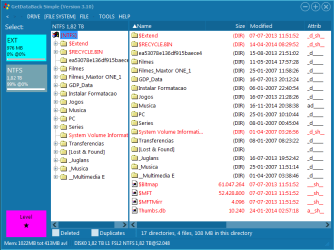
Results GetDataBack Simple Level 1
Results GetDataBack Simple Level 1 3 2TB.png

It's a shame that this disk almost has multimedia files.

Thanks,
 

My Computer My Computer

At a glance

Windows 7 Ultimate x64
Computer type
PC/Desktop
OS
Windows 7 Ultimate x64
Back
Top