Hard Drive Doesn't Mount Its self on Boot

Joshh101

New member
Local time
5:59 PM
Messages
12
Hi all,
Suddenly got a strange problem with my Hard drive, it's a seagate 500gb, suddenly whenever i boot to my OS, my second hard drive isn't mounting its self a drive letter, so therefore i can't see it in 'my computer',
but then if i go to disk management, assign it a letter like Local Disk (D), i can see it again and all my files are fine,

Not sure why this is happening, happened on windows 8, then upgraded to 8.1, still didn't fix it, and now it's happening on my windows 7, fresh install

Could be my hard drive giving up?

Thanks
 

My Computer My Computer

OS
windows 7 64bit
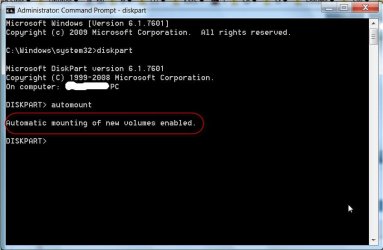
Check whether this resolves your problem

open command prompt
type in diskpart automount enable and press ENTER
 

My Computer My Computer

OS
Windows 7 Home Premium 32 bit
still no luck, that command didn't help, whenever i reboot it just doesn't assign its self a letter, when i assign it, i can see it.
 

My Computer My Computer

OS
windows 7 64bit
Hi, thanks for the reply, still no luck, I've ran the command twice both successfully automounting results, but still the hard drive will not appear unless i assign it a letter

Click on broken links for images, can't get images to work properly yet

4ea736a54cb8f8e3b1a52ca1f0397ba5


This is what my computer is like on boot up,
The 64GB being my SSD, and my 500GB not appearing
77d7af6ae0f67bfc71b8f3cfada7be66


Now when i assign it a letter,
46c95fa4d20e32dd65d7ff08fb2b9c6a

9f35453ba3c75e89c2b39b4d426c1b78


But unless i assign that letter, i can't see it in my computer.
 

My Computer My Computer

OS
windows 7 64bit
I now presume that that 500GB drive is an internal drive and since you said it had happened in Windows 8, 8.1 and now 7, it may have something to do with how your drives are connected to your motherboard ports/ controllers.

Please wait for someone conversant with such problems to help you. You may need to fill in your complete system specifications. http://www.sevenforums.com/tutorials/180324-system-info-see-your-system-specs.html

Also upload your screenshots to Seven Forums servers http://www.sevenforums.com/tutorials/9733-screenshots-files-upload-post-seven-forums.html

Please restate your problem with full details with a screenshot of Windows Disk Management so that it catches their eyes and attention.. ( I was under the impression that it was an external drive. Looks like I put my finger into a wrong pot.:D )
 

My Computer My Computer

OS
Windows 7 Home Premium 32 bit
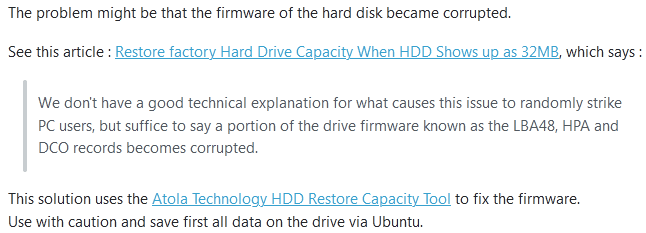
Weekend morning my Windows 7 computer got the same issue when boot.

did google, the problem primarily happens on a dual-boot system. a bootloader issue.

image.png

My Win7 system is NOT running dual-boot. however, in my recent install tests, I loaded various (good or bad) drivers to test. that should be a problem. hence I restored the OS from a backup one month ago.

It's fine now.
 

My Computers My Computers

System One System Two

  • Computer type
    PC/Desktop
    Computer Manufacturer/Model Number
    HP Elite 800 G5
    OS
    Windows 7 Pro 64-bit
    CPU
    I7-9700
    Memory
    32 GB
  • Computer type
    Laptop
    System Manufacturer/Model Number
    ASUS UX305C
    OS
    Windows 7 Pro 64-bit
Back
Top