- Local time
- 1:09 PM
- Messages
- 42
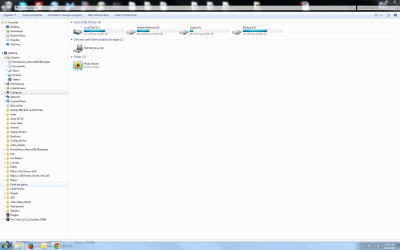
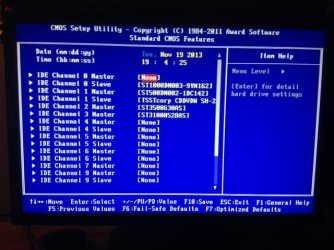
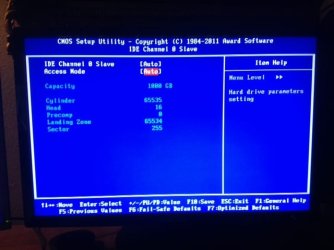
I have C drive and 3 data drives on my computer. I did a Repair install to fix another issue (thanks Ztruker) but when i started Win 7 one of my drives was not recognized on "Computer", although it shows up in the BIOS.
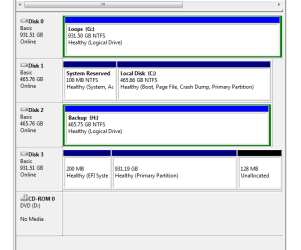
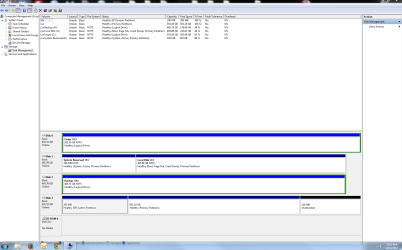
I went into Computer, right clicked, manage, disk management, selected the drive and i cant remember the rest, but the attachment is the image of my drives now.
The disk i need to access and have my computer recognize is disk 3. Also, why are there 3 partions on disk 3?
There's a lot of important data on this disk, so I want to make sure nothing is deleted.
Thanks for your help.
Marty
I went into Computer, right clicked, manage, disk management, selected the drive and i cant remember the rest, but the attachment is the image of my drives now.
The disk i need to access and have my computer recognize is disk 3. Also, why are there 3 partions on disk 3?
There's a lot of important data on this disk, so I want to make sure nothing is deleted.
Thanks for your help.
Marty
Attachments
My Computer
- Computer type
- PC/Desktop
- Computer Manufacturer/Model Number
- custom
- OS
- Windows 7 Pro x64 SP1
- CPU
- Intel Cor i7 960
- Motherboard
- Gigabyte X58A-Ud3R
- Memory
- Kingston 4GB DIMM DDR3 6 total installed
- Graphics Card(s)
- AMD Radeon HD 6500 1GB
- Hard Drives
- Seagate 1TB, SATA600 4 total
- Antivirus
- Norton 360
- Browser
- Chrome and Firefox




 )
)