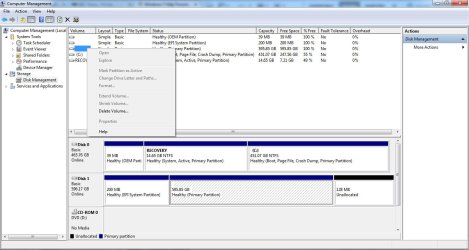
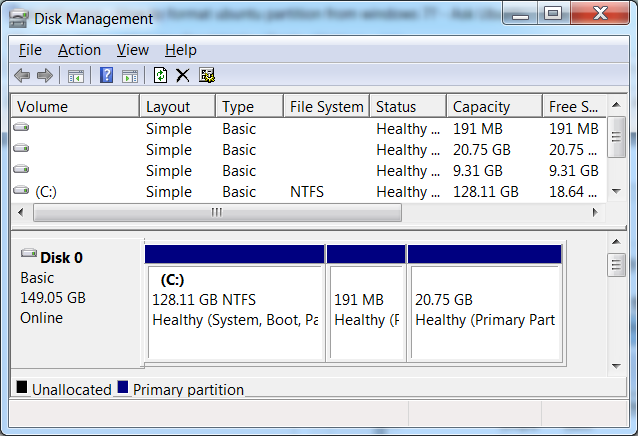
I have a backup drive that we had used for for a while (WD 6000aak), previously in an external drive enclosure. I connected it today via USB to find that the computer has the driver installed, the drive appears in the Devices list, but it does not show in My Computer. In "Disk Management" the drive appears but is not assigned a drive letter. Also, all the options for the volumes are greyed out and cannot be selected - thus I cannot assign a drive letter.
I have tried this on multiple computers. I have also removed it from the enclosure and connected the drive via SATA... the result is identical. I checked the bios and the drive appears there.
The drive does spin when powering up. It is hot (even though it cannot really be accessed).
Any suggestions? Is this drive done?
I have tried this on multiple computers. I have also removed it from the enclosure and connected the drive via SATA... the result is identical. I checked the bios and the drive appears there.
The drive does spin when powering up. It is hot (even though it cannot really be accessed).
Any suggestions? Is this drive done?
My Computer
At a glance
Microsoft Windows 7 Home Premium 64-bit 7601 ...Intel(R) Core(TM) i7 CPU Q 740 @ 1.73GHz8.00 GBATI Mobility Radeon HD 5400 Series
- Computer type
- PC/Desktop
- OS
- Microsoft Windows 7 Home Premium 64-bit 7601 Multiprocessor Free Service Pack 1
- CPU
- Intel(R) Core(TM) i7 CPU Q 740 @ 1.73GHz
- Motherboard
- Dell Inc. 0133D9
- Memory
- 8.00 GB
- Graphics Card(s)
- ATI Mobility Radeon HD 5400 Series
- Sound Card
- (1) AMD High Definition Audio Device (2) Realtek High Defi
- Screen Resolution
- 1366 x 768 x 32 bits (4294967296 colors) @ 60 Hz
- Hard Drives
- (1) ST9500420AS ATA Device (2) WD 6400AAK External USB Device