Hard drive not responding HELP!

Edgar416

New member
Local time
1:58 PM
Messages
10
Hard drive not responding or not detected, windows cannot boot HELP!

I just need clarification at this point. A few days ago my desktop randomly got a blue screen, rebooted and upon the reboot it said "Reboot and select proper boot device". I used the recovery disc to use startup repair and it said hard drive not detecte or not responding. I already asked on a Microsoft forum and one of their methods were to try and repair the BCD in command prompt. This is the link they directed me to which contains 3 methods for repairing BCD: https://support.microsoft.com/en-us/kb/2004518. The first method will not work seeing that my startup repair cannot detect my hard drive so it can't fix anything without being able to detect my hard drive. When beginning the second method by entering
(Bcdedit /export C:\BCD_Backup) in the command prompt, I get a message saying "The store export operation has failed. The requested system device cannot be found." I then attempted the third method but I was lost. They ask you to enter this into command prompt and press enter (cd /d Partition:\Windows\System32) but when I do it isn't recognized as a command so idk what to do now. Can it be the SATA driver? Or does this mean my hard drive is dead? I've done some research and hard drives life expectancy tends to be about 3 to 5 years without manufacturer defects in the drive and my hard drive is about 4 years old now. I need to know if a replacement is needed before I go and buying one. The computer I have is a Gateway all in one pc, model number ZX6971.
 
Last edited:

My Computer

Computer type
PC/Desktop
Computer Manufacturer/Model Number
Gateway ZX6971
OS
Windows 7 Home Premium 64 bit
CPU
Intel(R) Core(TM) i3-2120 @ 3.30 GHz
Graphics Card(s)
Intel HD
Hard Drives
Seagate 7200 RPM 1TB 3.5"

My Computer

Computer type
PC/Desktop
Computer Manufacturer/Model Number
Custom Build
OS
Windows 7 Ultimate x64 SP1
CPU
AMD Phenom 2 1090T
Motherboard
Gigabyte GA-890FXA-UD5
Memory
2x8GB Kingston HyperX Fury Black 1600Mhz Unganged
Graphics Card(s)
MSI GTX 970 Gaming 4G
Sound Card
Realtek On-Board HD 7.1 Audio / Logitech G35
Monitor(s) Displays
3xAcer GD245HQ
Screen Resolution
1920x1080
Hard Drives
Samsung 850 Pro 512GB SSD - OS /
WD Caviar Black SATA 3 - 1 TBx2 - Dynamic RAID 0 /
WD Caviar Green SATA 2 - 640GBx2 - Dynamic RAID 0 /
WD Caviar Green SATA 2 - 640GB - Internal Backup /
Seagate Barracude SATA 3 - 3TB - External Backup/ Sync
PSU
HighPower 1000W
Case
Cooler Master HAF 932
Cooling
Noctua NH-D14
Keyboard
Logitech G19
Mouse
Logitech G500
Internet Speed
100/4 Mbit Cable (100GB quota)
Antivirus
ZoneAlarm Extreme Security / MBAM Pro / MBAE Free / SAS Free
Browser
IE 11 - Firefox - Chrome
Other Info
Logitech F710/ G27/ G940/ Z5500 // TrackIR 5 // Nvidia 3D Surround Vision
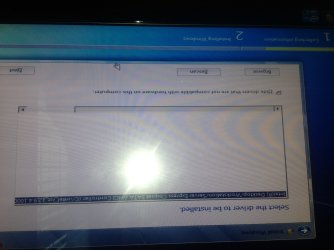
I have both of these SATA drivers on my use and have already tried but nothing my happened
 

Attachments

  • image.jpg
    image.jpg
    557.1 KB · Views: 1

My Computer

Computer type
PC/Desktop
Computer Manufacturer/Model Number
Gateway ZX6971
OS
Windows 7 Home Premium 64 bit
CPU
Intel(R) Core(TM) i3-2120 @ 3.30 GHz
Graphics Card(s)
Intel HD
Hard Drives
Seagate 7200 RPM 1TB 3.5"
An this one
 

Attachments

  • image.jpg
    image.jpg
    736.6 KB · Views: 4

My Computer

Computer type
PC/Desktop
Computer Manufacturer/Model Number
Gateway ZX6971
OS
Windows 7 Home Premium 64 bit
CPU
Intel(R) Core(TM) i3-2120 @ 3.30 GHz
Graphics Card(s)
Intel HD
Hard Drives
Seagate 7200 RPM 1TB 3.5"
Can you check BIOS for SATA operation Mode? Change to AHCI if it is something else. Also if you have 2 harddisks, change OS drive to the first SATA port.
 

My Computer

Computer type
PC/Desktop
Computer Manufacturer/Model Number
Custom Build
OS
Windows 7 Ultimate x64 SP1
CPU
AMD Phenom 2 1090T
Motherboard
Gigabyte GA-890FXA-UD5
Memory
2x8GB Kingston HyperX Fury Black 1600Mhz Unganged
Graphics Card(s)
MSI GTX 970 Gaming 4G
Sound Card
Realtek On-Board HD 7.1 Audio / Logitech G35
Monitor(s) Displays
3xAcer GD245HQ
Screen Resolution
1920x1080
Hard Drives
Samsung 850 Pro 512GB SSD - OS /
WD Caviar Black SATA 3 - 1 TBx2 - Dynamic RAID 0 /
WD Caviar Green SATA 2 - 640GBx2 - Dynamic RAID 0 /
WD Caviar Green SATA 2 - 640GB - Internal Backup /
Seagate Barracude SATA 3 - 3TB - External Backup/ Sync
PSU
HighPower 1000W
Case
Cooler Master HAF 932
Cooling
Noctua NH-D14
Keyboard
Logitech G19
Mouse
Logitech G500
Internet Speed
100/4 Mbit Cable (100GB quota)
Antivirus
ZoneAlarm Extreme Security / MBAM Pro / MBAE Free / SAS Free
Browser
IE 11 - Firefox - Chrome
Other Info
Logitech F710/ G27/ G940/ Z5500 // TrackIR 5 // Nvidia 3D Surround Vision
Yup I've already set it to AHCI and no I only have the one hard drive.
 

My Computer

Computer type
PC/Desktop
Computer Manufacturer/Model Number
Gateway ZX6971
OS
Windows 7 Home Premium 64 bit
CPU
Intel(R) Core(TM) i3-2120 @ 3.30 GHz
Graphics Card(s)
Intel HD
Hard Drives
Seagate 7200 RPM 1TB 3.5"
Hmm, try setting BIOS back to what it was and load those drivers.
 

My Computer

Computer type
PC/Desktop
Computer Manufacturer/Model Number
Custom Build
OS
Windows 7 Ultimate x64 SP1
CPU
AMD Phenom 2 1090T
Motherboard
Gigabyte GA-890FXA-UD5
Memory
2x8GB Kingston HyperX Fury Black 1600Mhz Unganged
Graphics Card(s)
MSI GTX 970 Gaming 4G
Sound Card
Realtek On-Board HD 7.1 Audio / Logitech G35
Monitor(s) Displays
3xAcer GD245HQ
Screen Resolution
1920x1080
Hard Drives
Samsung 850 Pro 512GB SSD - OS /
WD Caviar Black SATA 3 - 1 TBx2 - Dynamic RAID 0 /
WD Caviar Green SATA 2 - 640GBx2 - Dynamic RAID 0 /
WD Caviar Green SATA 2 - 640GB - Internal Backup /
Seagate Barracude SATA 3 - 3TB - External Backup/ Sync
PSU
HighPower 1000W
Case
Cooler Master HAF 932
Cooling
Noctua NH-D14
Keyboard
Logitech G19
Mouse
Logitech G500
Internet Speed
100/4 Mbit Cable (100GB quota)
Antivirus
ZoneAlarm Extreme Security / MBAM Pro / MBAE Free / SAS Free
Browser
IE 11 - Firefox - Chrome
Other Info
Logitech F710/ G27/ G940/ Z5500 // TrackIR 5 // Nvidia 3D Surround Vision
Nope still nothing.
 

My Computer

Computer type
PC/Desktop
Computer Manufacturer/Model Number
Gateway ZX6971
OS
Windows 7 Home Premium 64 bit
CPU
Intel(R) Core(TM) i3-2120 @ 3.30 GHz
Graphics Card(s)
Intel HD
Hard Drives
Seagate 7200 RPM 1TB 3.5"
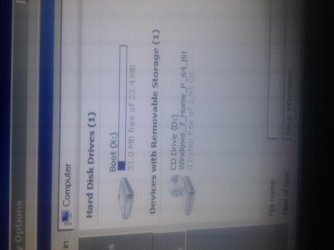
Also what is this Boot (X: )
 

Attachments

  • image.jpg
    image.jpg
    676.1 KB · Views: 2

My Computer

Computer type
PC/Desktop
Computer Manufacturer/Model Number
Gateway ZX6971
OS
Windows 7 Home Premium 64 bit
CPU
Intel(R) Core(TM) i3-2120 @ 3.30 GHz
Graphics Card(s)
Intel HD
Hard Drives
Seagate 7200 RPM 1TB 3.5"
Hello Edgar416!

The X: boot drive could be the boot or recovery partition of your all-in-one PC drive, or of the Recovery CD. How did you get to that option? What happens if you try and load from it?

If your initial drive is not seen or detected, it may not be connected. It could be the cables have gone bad. If I am not mistaken, in all-in-one PC the wiring should be standard, not like the connections in a laptop. You should open it up (extremely carefully) and check/change the cables.

Could you describe a bit more specifically what were you doing or what was happening when the PC got the BSOD?

CK_WD
 

My Computer

Computer type
PC/Desktop
OS
Windows 7 Home Premium x64
X is always the recovery, as far as I know.
 

My Computer

Computer type
PC/Desktop
Computer Manufacturer/Model Number
Custom Build
OS
Windows 7 Ultimate x64 SP1
CPU
AMD Phenom 2 1090T
Motherboard
Gigabyte GA-890FXA-UD5
Memory
2x8GB Kingston HyperX Fury Black 1600Mhz Unganged
Graphics Card(s)
MSI GTX 970 Gaming 4G
Sound Card
Realtek On-Board HD 7.1 Audio / Logitech G35
Monitor(s) Displays
3xAcer GD245HQ
Screen Resolution
1920x1080
Hard Drives
Samsung 850 Pro 512GB SSD - OS /
WD Caviar Black SATA 3 - 1 TBx2 - Dynamic RAID 0 /
WD Caviar Green SATA 2 - 640GBx2 - Dynamic RAID 0 /
WD Caviar Green SATA 2 - 640GB - Internal Backup /
Seagate Barracude SATA 3 - 3TB - External Backup/ Sync
PSU
HighPower 1000W
Case
Cooler Master HAF 932
Cooling
Noctua NH-D14
Keyboard
Logitech G19
Mouse
Logitech G500
Internet Speed
100/4 Mbit Cable (100GB quota)
Antivirus
ZoneAlarm Extreme Security / MBAM Pro / MBAE Free / SAS Free
Browser
IE 11 - Firefox - Chrome
Other Info
Logitech F710/ G27/ G940/ Z5500 // TrackIR 5 // Nvidia 3D Surround Vision
I've tried booting from boot X but the only bootable files I've found in there are drives for all components of computer and they do nothing. So before I got the BSOD, I was casually reading a user manual to some lights I had purchased in a pdf file. I was also running a full scan in malware bytes (but I had scanned my PC the day before and it was fine.) I went to go try something with the lights and left the computer on, came back about 20 minutes later and it was asleep, which is normal obviously, but when o go to wake it up, it takes longer than usual and about 15 seconds after I wake it up I get a bluescreen. I don't recall what it all said, but the beginning said "if this is your first time seeing this restart your computer". Upon restarting I got the error reboot and boot from proper media device and that's when I began troubleshooting. I'm in the middle of opening my computer right now. This is my progress so far.
 

Attachments

  • image.jpg
    image.jpg
    742.2 KB · Views: 0

My Computer

Computer type
PC/Desktop
Computer Manufacturer/Model Number
Gateway ZX6971
OS
Windows 7 Home Premium 64 bit
CPU
Intel(R) Core(TM) i3-2120 @ 3.30 GHz
Graphics Card(s)
Intel HD
Hard Drives
Seagate 7200 RPM 1TB 3.5"
Update: messed around inside the computer for a little. I don't have any extra SATA cables so I just swapped the DVDs drive SATA cable and the hard drive SATA cable, but the hard drive still doesn't show in bios. In the missilaneous tab AHCI ports 0 and 1 are not present but AHCI port 2 reads the DVD drive ( the hard drive is connected to port 0 inside the computer). Can this just be a dead hard drive? Or would it be cheaper to go get this fixed with geeksquad?
 

My Computer

Computer type
PC/Desktop
Computer Manufacturer/Model Number
Gateway ZX6971
OS
Windows 7 Home Premium 64 bit
CPU
Intel(R) Core(TM) i3-2120 @ 3.30 GHz
Graphics Card(s)
Intel HD
Hard Drives
Seagate 7200 RPM 1TB 3.5"
Any friends to test that drive? Or at school/job?
 

My Computer

Computer type
PC/Desktop
Computer Manufacturer/Model Number
Custom Build
OS
Windows 7 Ultimate x64 SP1
CPU
AMD Phenom 2 1090T
Motherboard
Gigabyte GA-890FXA-UD5
Memory
2x8GB Kingston HyperX Fury Black 1600Mhz Unganged
Graphics Card(s)
MSI GTX 970 Gaming 4G
Sound Card
Realtek On-Board HD 7.1 Audio / Logitech G35
Monitor(s) Displays
3xAcer GD245HQ
Screen Resolution
1920x1080
Hard Drives
Samsung 850 Pro 512GB SSD - OS /
WD Caviar Black SATA 3 - 1 TBx2 - Dynamic RAID 0 /
WD Caviar Green SATA 2 - 640GBx2 - Dynamic RAID 0 /
WD Caviar Green SATA 2 - 640GB - Internal Backup /
Seagate Barracude SATA 3 - 3TB - External Backup/ Sync
PSU
HighPower 1000W
Case
Cooler Master HAF 932
Cooling
Noctua NH-D14
Keyboard
Logitech G19
Mouse
Logitech G500
Internet Speed
100/4 Mbit Cable (100GB quota)
Antivirus
ZoneAlarm Extreme Security / MBAM Pro / MBAE Free / SAS Free
Browser
IE 11 - Firefox - Chrome
Other Info
Logitech F710/ G27/ G940/ Z5500 // TrackIR 5 // Nvidia 3D Surround Vision
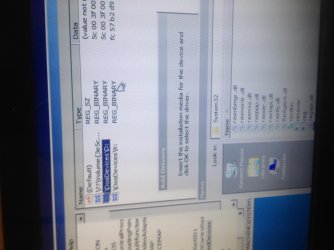
Sorry I was busy today, but no my friend isn't here this week and I'd have to purchase the SATA to usb cable. Although I have looked deeper into the boot X and was able to open the registry and see the mounted devices. There are 3 listed. 1st seems to be my hard drive but it isn't recongnized, the last two are my dvd drive and boot X in that order. Any information we can pull from this?
 

Attachments

  • image.jpg
    image.jpg
    750.4 KB · Views: 1

My Computer

Computer type
PC/Desktop
Computer Manufacturer/Model Number
Gateway ZX6971
OS
Windows 7 Home Premium 64 bit
CPU
Intel(R) Core(TM) i3-2120 @ 3.30 GHz
Graphics Card(s)
Intel HD
Hard Drives
Seagate 7200 RPM 1TB 3.5"
X is always the recovery, as far as I know.

Yes I suppose too.

I don't recall what it all said, but the beginning said "if this is your first time seeing this restart your computer".

Yes, this is standard, how BSOD screens start. :)

Update: messed around inside the computer for a little. I don't have any extra SATA cables so I just swapped the DVDs drive SATA cable and the hard drive SATA cable, but the hard drive still doesn't show in bios. In the missilaneous tab AHCI ports 0 and 1 are not present but AHCI port 2 reads the DVD drive ( the hard drive is connected to port 0 inside the computer). Can this just be a dead hard drive? Or would it be cheaper to go get this fixed with geeksquad?

Yes, it could be a dead drive, you should try to connect it externally to another system using a SATA to USB adapter. But from the description I could only assume it could also be dead ports. Connect the drive with the DVD drive's cable on its port, see what happens.

Plus, after you test these options, or you don't, a professional is always a good idea. :)

There are 3 listed. 1st seems to be my hard drive but it isn't recongnized, the last two are my dvd drive and boot X in that order. Any information we can pull from this?

Hardly so. You will have to get into the drive itself. :/


Post back after you try the options from above!

CK_WD
 

My Computer

Computer type
PC/Desktop
OS
Windows 7 Home Premium x64
Back
Top