Headphones not being recognized correctly or playing sound

Rabbidking

New member
Local time
9:30 AM
Messages
2
Howdy-hey, everybody.

Lately, my Acer Aspire laptop hasn't been able to play sound from headphones, or recognize that I have headphones/earbuds plugged into the headphone jack. A scan for my headphones from the "Add a device" option doesn't turn up anything. In fact, the last solution I tried somehow recognizes headphones as a recording device, akin to my laptop's built-in microphone.

I've been searching everywhere for a solution, but nothing I've found seems to work. I've tried reinstalling the audio drivers from Acer's website, but even with a successful reinstall, it doesn't appear to do anything. I've hit a brick wall trying to find a solution, and I hope that someone who knows more about this stuff than I do can help me out with this issue.

My audio driver is RealTek High Definition Audio, and I'm running Windows 7 Home Professional 64-bit. Also, when I tried one solution, I found something called "Stereo Mix" on my recording devices. I don't know what it is, but I do not believe that it was there before I reinstalled the RealTek drivers. All I know is that it is set as my default device in the recording devices tab.

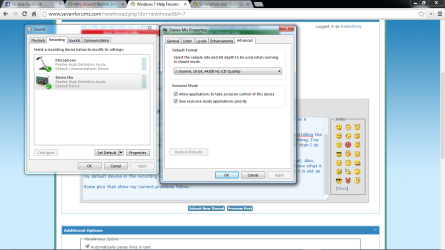
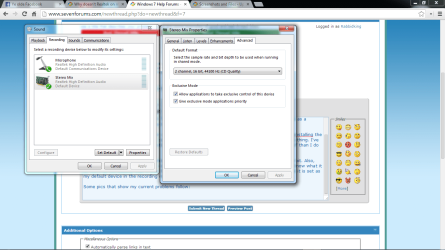
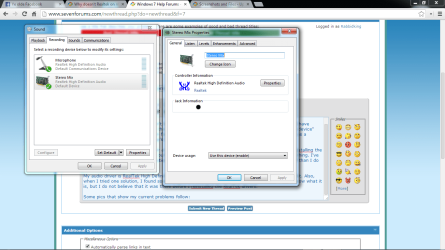
Some pics of my current settings, specifically for the Stereo Mix, in case something's wrong there:
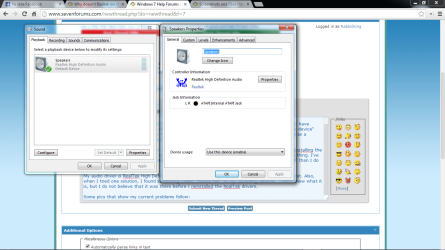
Speakers.png

Stereo Mix.png

Stereo Mix listen.png

Stereo Mix advanced.png
 

My Computer My Computer

At a glance

Windows 7 Home Premium 64-bit
Computer type
Laptop
Computer Manufacturer/Model Number
Acer
OS
Windows 7 Home Premium 64-bit
Stereo Mix is the correct default Recording device. If you ever want to record streaming audio from the internet you must have the Stereo Mix. Also, with the Stereo Mix set as the default recording device, any input is heard and can be recorded (e.g. Mic or Line In).

The Stereo Mix has nothing to do with the Playback functions.

Has the headphone ever worked? Or is this something that recently happened? Makes a difference for troubleshooting.
 

My Computer My Computer

At a glance

Windows 10 64 bitIntel i7 6700K16GB Corsair DominatorIntel CPU Graphics
Computer type
PC/Desktop
Computer Manufacturer/Model Number
My Own Build
OS
Windows 10 64 bit
CPU
Intel i7 6700K
Motherboard
ASUS ROG Maximus VIII Hero
Memory
16GB Corsair Dominator
Graphics Card(s)
Intel CPU Graphics
Sound Card
RealTek
Monitor(s) Displays
27" Dell S2719dgf
Screen Resolution
2560X1440
Hard Drives
1 TB Samsung 850 EVO SSD for Win 10 Pro
500GB Samsung 850 EVO SSD for Win 10 Insider
2 TB drive for backup
PSU
EVGA Supernova 750G2
Case
BeQuiet Silent Base 600
Cooling
Deepcool Captain 120EX
Keyboard
Microsoft Wireless 2000
Mouse
Microsoft wireless
Internet Speed
100 MB/sec (Cable)
Antivirus
Microsoft Defender and Malwarebytes
Browser
Edge/Firefox
Other Info
Cakewalk (Sonar) by BandLab and Studio One 4.1 Pro recording studio software. MOTU 896Mk3 Hybrid recording interface, Frontier Tranzport wireless control unit, Behringer X-Touch Control Surface.
Five USB connected optical drives for CD Audio production using Nero BurningROM
Stereo Mix is the correct default Recording device. If you ever want to record streaming audio from the internet you must have the Stereo Mix. Also, with the Stereo Mix set as the default recording device, any input is heard and can be recorded (e.g. Mic or Line In).

The Stereo Mix has nothing to do with the Playback functions.

Has the headphone ever worked? Or is this something that recently happened? Makes a difference for troubleshooting.

Ah, I wasn't aware of that. Thanks, fireberd. Also, my headphones have worked in the past, but the jack stopped working a couple of months ago. IIRC, my laptop was on (with headphones plugged in) when it fell off of a table I sat it on while I left the room for a moment (more than likely, somebody walked by and bumped it off while I was occupied). The headphones seemed to work when I picked it up (albeit the jack was bent at a small angle when I checked it for damage, but it still plugged in smoothly).

The next day, though, all headphones stopped producing sound. I tested the jack with the headphones that were in the laptop the night before, as well as a new pair of earbuds my brother had, but neither of them worked. I get the feeling that the impact of the landing probably did something to the headphone jack that caused it to malfunction.
 

My Computer My Computer

At a glance

Windows 7 Home Premium 64-bit
Computer type
Laptop
Computer Manufacturer/Model Number
Acer
OS
Windows 7 Home Premium 64-bit
Given what has happened, I too would suspect damage to the headphone jack. They are not very sturdy. With a laptop, most have a small "daughter board" with the I/O on it that can be replaced. In most cases (all that I've seen) the jack can't be fixed or just the jack replaced.

I used to have an Acer laptop and replaced the keyboard. The parts were available on the internet and there were instructions on YouTube on how to replace it. May be the same thing for the sound I/O board.
 

My Computer My Computer

At a glance

Windows 10 64 bitIntel i7 6700K16GB Corsair DominatorIntel CPU Graphics
Computer type
PC/Desktop
Computer Manufacturer/Model Number
My Own Build
OS
Windows 10 64 bit
CPU
Intel i7 6700K
Motherboard
ASUS ROG Maximus VIII Hero
Memory
16GB Corsair Dominator
Graphics Card(s)
Intel CPU Graphics
Sound Card
RealTek
Monitor(s) Displays
27" Dell S2719dgf
Screen Resolution
2560X1440
Hard Drives
1 TB Samsung 850 EVO SSD for Win 10 Pro
500GB Samsung 850 EVO SSD for Win 10 Insider
2 TB drive for backup
PSU
EVGA Supernova 750G2
Case
BeQuiet Silent Base 600
Cooling
Deepcool Captain 120EX
Keyboard
Microsoft Wireless 2000
Mouse
Microsoft wireless
Internet Speed
100 MB/sec (Cable)
Antivirus
Microsoft Defender and Malwarebytes
Browser
Edge/Firefox
Other Info
Cakewalk (Sonar) by BandLab and Studio One 4.1 Pro recording studio software. MOTU 896Mk3 Hybrid recording interface, Frontier Tranzport wireless control unit, Behringer X-Touch Control Surface.
Five USB connected optical drives for CD Audio production using Nero BurningROM
Back
Top