
Solved HELP Me delete this Folder Please

soundesciple

New member
Member
Local time
8:00 PM
Messages
40
Hi i have a folder that will not let me delete it, I have tried to change permissions but do not really know what I am doing

so any advice would help.
 

My Computer

Computer Manufacturer/Model Number
Intel
OS
Windows 7 Ultimate x64
CPU
i7 2600k
Motherboard
Asrock Z68 Extreme 4 Gen 3
Memory
G.Skill Ripjaw X 1600 CL9
Graphics Card(s)
MSI HD 6950/70 2gb
Sound Card
Asus Xonar DS
Monitor(s) Displays
37inch samsung tv 1080p
Screen Resolution
1080p 60hz
Hard Drives
Revo drive x2 120gb PCI-express for OS
2 x 500gb Samsung f3 stripped raid 0
2 x 60gb Corsair Force 3 SSD Raid 0
Samsung F4 Eco Green 2TB storage/backups
PSU
Corsair Professional HX850 80+ silver
Case
Fractal Design R2
Cooling
CPU + GPU Custom Water Cooling loop
Keyboard
Logitach G15
Mouse
LX Gaming lazer mouse
Internet Speed
60.0 Mbps
Other Info
Samsung BR-DVD-RW Combo
NZXT 5 channel touch screen fan controller
3 case fans
5 Rad Fans
Errr......which folder?
 

My Computer

Computer type
PC/Desktop
Computer Manufacturer/Model Number
Golden Mk. I.4
OS
Windows 10 Pro x64 ; Xubuntu x64
CPU
Intel i7 860 @ 2.80 GHz O/C'ed to 4.0GHz
Motherboard
Gigabyte P55A-UD3R Rev.1. Award BIOS F13
Memory
16GB Corsair Vengance DDR3 @ 661 MHz Dual Channel (9-9-9-24)
Graphics Card(s)
EVGA NVidia GTX 560 1024MB
Sound Card
Realtek Integrated
Monitor(s) Displays
Dual Samsung SyncMaster 2494HS
Screen Resolution
1920*1080 and 1920*1080
Hard Drives
1*Samsung 840 EVO 120GB SSD;
1*OCZ Vertex 2 60GB SSD;
2*Samsung F3 SpinPoint 1TB in RAID0;
1*Samsung F1 SpinPoint 1TB;
2*Western Digital 1TB External USB 3.0
1*Western Digital 500GB External USB 3.0
1*Seagate 500GB External USB 2.0
PSU
Thermaltake ToughPower QFan 750W
Case
Thermaltake Element S VK60001W2Z
Cooling
Corsair H60 Water Cooling, 2*230mm and 2*80mm case fans
Keyboard
Logitech G110
Mouse
Logitech MX518
I don't Know what it is it was originally somyhing like (p74jhg73f85hgh893h) but i tried to rename it to delete it so its now zzzzzz.
 

My Computer

Computer Manufacturer/Model Number
Intel
OS
Windows 7 Ultimate x64
CPU
i7 2600k
Motherboard
Asrock Z68 Extreme 4 Gen 3
Memory
G.Skill Ripjaw X 1600 CL9
Graphics Card(s)
MSI HD 6950/70 2gb
Sound Card
Asus Xonar DS
Monitor(s) Displays
37inch samsung tv 1080p
Screen Resolution
1080p 60hz
Hard Drives
Revo drive x2 120gb PCI-express for OS
2 x 500gb Samsung f3 stripped raid 0
2 x 60gb Corsair Force 3 SSD Raid 0
Samsung F4 Eco Green 2TB storage/backups
PSU
Corsair Professional HX850 80+ silver
Case
Fractal Design R2
Cooling
CPU + GPU Custom Water Cooling loop
Keyboard
Logitach G15
Mouse
LX Gaming lazer mouse
Internet Speed
60.0 Mbps
Other Info
Samsung BR-DVD-RW Combo
NZXT 5 channel touch screen fan controller
3 case fans
5 Rad Fans

My Computer

Computer type
PC/Desktop
Computer Manufacturer/Model Number
Golden Mk. I.4
OS
Windows 10 Pro x64 ; Xubuntu x64
CPU
Intel i7 860 @ 2.80 GHz O/C'ed to 4.0GHz
Motherboard
Gigabyte P55A-UD3R Rev.1. Award BIOS F13
Memory
16GB Corsair Vengance DDR3 @ 661 MHz Dual Channel (9-9-9-24)
Graphics Card(s)
EVGA NVidia GTX 560 1024MB
Sound Card
Realtek Integrated
Monitor(s) Displays
Dual Samsung SyncMaster 2494HS
Screen Resolution
1920*1080 and 1920*1080
Hard Drives
1*Samsung 840 EVO 120GB SSD;
1*OCZ Vertex 2 60GB SSD;
2*Samsung F3 SpinPoint 1TB in RAID0;
1*Samsung F1 SpinPoint 1TB;
2*Western Digital 1TB External USB 3.0
1*Western Digital 500GB External USB 3.0
1*Seagate 500GB External USB 2.0
PSU
Thermaltake ToughPower QFan 750W
Case
Thermaltake Element S VK60001W2Z
Cooling
Corsair H60 Water Cooling, 2*230mm and 2*80mm case fans
Keyboard
Logitech G110
Mouse
Logitech MX518

My Computer

Computer Manufacturer/Model Number
Acer Aspire One 722 (AO722)
OS
Windows 7 Home Premium Service Pack 1 32-bit Build 7601
CPU
AMD C-50 Processor 1.0 Ghz
Memory
2 GB DDR3 RAM (1.73 usable in System Properties)
Graphics Card(s)
AMD Radeon HD 6200 series Graphics
Sound Card
High Definition Audio Device
Monitor(s) Displays
Generic PnP Monitor
Screen Resolution
1366 x 768 (recommended)
Hard Drives
320 GB HDD storage
298.09 GB in Disk Management (REAL)
Keyboard
Built-in on my laptop
Mouse
External mouse
Other Info
Installed Windows 7 Service Pack 1 by 9/9/2012
This is some of the coding from the English folder.
all the folders Bar 1 are language folders.
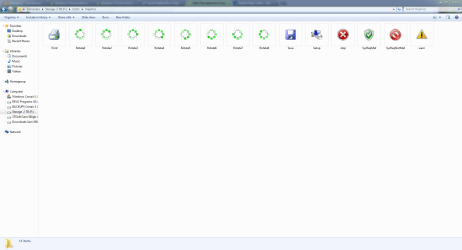
the odd folders is an icon folder with only icons in it if that helps

The folder is also from an previous install, but located on a separate storage disk as I have just done a fresh install on a now disk if that's any help?

<?xml version="1.0" encoding="UTF-16"?>
-<Setup xmlns:ironman="http://schemas.microsoft.com/Setup/2008/01/im" xmlns="http://schemas.microsoft.com/Setup/2008/01/im"> -<LocalizedData> -<Language>
 

My Computer

Computer Manufacturer/Model Number
Intel
OS
Windows 7 Ultimate x64
CPU
i7 2600k
Motherboard
Asrock Z68 Extreme 4 Gen 3
Memory
G.Skill Ripjaw X 1600 CL9
Graphics Card(s)
MSI HD 6950/70 2gb
Sound Card
Asus Xonar DS
Monitor(s) Displays
37inch samsung tv 1080p
Screen Resolution
1080p 60hz
Hard Drives
Revo drive x2 120gb PCI-express for OS
2 x 500gb Samsung f3 stripped raid 0
2 x 60gb Corsair Force 3 SSD Raid 0
Samsung F4 Eco Green 2TB storage/backups
PSU
Corsair Professional HX850 80+ silver
Case
Fractal Design R2
Cooling
CPU + GPU Custom Water Cooling loop
Keyboard
Logitach G15
Mouse
LX Gaming lazer mouse
Internet Speed
60.0 Mbps
Other Info
Samsung BR-DVD-RW Combo
NZXT 5 channel touch screen fan controller
3 case fans
5 Rad Fans
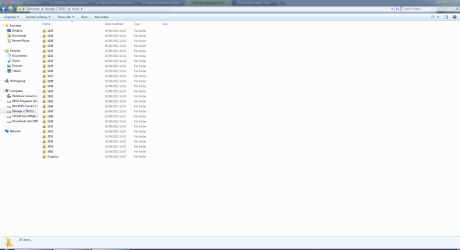
Post a screen capture image - read the tutorial I linked on how to do that.
 

My Computer

Computer type
PC/Desktop
Computer Manufacturer/Model Number
Golden Mk. I.4
OS
Windows 10 Pro x64 ; Xubuntu x64
CPU
Intel i7 860 @ 2.80 GHz O/C'ed to 4.0GHz
Motherboard
Gigabyte P55A-UD3R Rev.1. Award BIOS F13
Memory
16GB Corsair Vengance DDR3 @ 661 MHz Dual Channel (9-9-9-24)
Graphics Card(s)
EVGA NVidia GTX 560 1024MB
Sound Card
Realtek Integrated
Monitor(s) Displays
Dual Samsung SyncMaster 2494HS
Screen Resolution
1920*1080 and 1920*1080
Hard Drives
1*Samsung 840 EVO 120GB SSD;
1*OCZ Vertex 2 60GB SSD;
2*Samsung F3 SpinPoint 1TB in RAID0;
1*Samsung F1 SpinPoint 1TB;
2*Western Digital 1TB External USB 3.0
1*Western Digital 500GB External USB 3.0
1*Seagate 500GB External USB 2.0
PSU
Thermaltake ToughPower QFan 750W
Case
Thermaltake Element S VK60001W2Z
Cooling
Corsair H60 Water Cooling, 2*230mm and 2*80mm case fans
Keyboard
Logitech G110
Mouse
Logitech MX518
Snipping shots
 

Attachments

  • Folder contents.PNG
    Folder contents.PNG
    50.7 KB · Views: 43
  • Graphics folder.PNG
    Graphics folder.PNG
    42.5 KB · Views: 27
  • UEAL.PNG
    UEAL.PNG
    50.7 KB · Views: 22

My Computer

Computer Manufacturer/Model Number
Intel
OS
Windows 7 Ultimate x64
CPU
i7 2600k
Motherboard
Asrock Z68 Extreme 4 Gen 3
Memory
G.Skill Ripjaw X 1600 CL9
Graphics Card(s)
MSI HD 6950/70 2gb
Sound Card
Asus Xonar DS
Monitor(s) Displays
37inch samsung tv 1080p
Screen Resolution
1080p 60hz
Hard Drives
Revo drive x2 120gb PCI-express for OS
2 x 500gb Samsung f3 stripped raid 0
2 x 60gb Corsair Force 3 SSD Raid 0
Samsung F4 Eco Green 2TB storage/backups
PSU
Corsair Professional HX850 80+ silver
Case
Fractal Design R2
Cooling
CPU + GPU Custom Water Cooling loop
Keyboard
Logitach G15
Mouse
LX Gaming lazer mouse
Internet Speed
60.0 Mbps
Other Info
Samsung BR-DVD-RW Combo
NZXT 5 channel touch screen fan controller
3 case fans
5 Rad Fans
When you did the 2nd fresh installation, was the disk with the original installation still connected to the motherboard?
 

My Computer

Computer type
PC/Desktop
Computer Manufacturer/Model Number
Golden Mk. I.4
OS
Windows 10 Pro x64 ; Xubuntu x64
CPU
Intel i7 860 @ 2.80 GHz O/C'ed to 4.0GHz
Motherboard
Gigabyte P55A-UD3R Rev.1. Award BIOS F13
Memory
16GB Corsair Vengance DDR3 @ 661 MHz Dual Channel (9-9-9-24)
Graphics Card(s)
EVGA NVidia GTX 560 1024MB
Sound Card
Realtek Integrated
Monitor(s) Displays
Dual Samsung SyncMaster 2494HS
Screen Resolution
1920*1080 and 1920*1080
Hard Drives
1*Samsung 840 EVO 120GB SSD;
1*OCZ Vertex 2 60GB SSD;
2*Samsung F3 SpinPoint 1TB in RAID0;
1*Samsung F1 SpinPoint 1TB;
2*Western Digital 1TB External USB 3.0
1*Western Digital 500GB External USB 3.0
1*Seagate 500GB External USB 2.0
PSU
Thermaltake ToughPower QFan 750W
Case
Thermaltake Element S VK60001W2Z
Cooling
Corsair H60 Water Cooling, 2*230mm and 2*80mm case fans
Keyboard
Logitech G110
Mouse
Logitech MX518
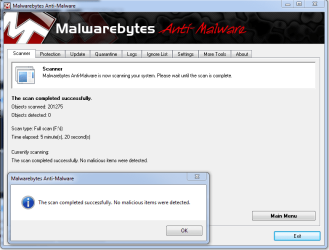
well, It can be a virus. Some of the boot sector viruses behave like that. Boot sector viruses are very strong and not easy to detect. If it is a virus, you need to format your hard-disk completely.

Then reinstall Windows 7. :p

Download, install and Run full scan with Malwarebytes.
 

My Computer

Computer Manufacturer/Model Number
Acer Aspire One 722 (AO722)
OS
Windows 7 Home Premium Service Pack 1 32-bit Build 7601
CPU
AMD C-50 Processor 1.0 Ghz
Memory
2 GB DDR3 RAM (1.73 usable in System Properties)
Graphics Card(s)
AMD Radeon HD 6200 series Graphics
Sound Card
High Definition Audio Device
Monitor(s) Displays
Generic PnP Monitor
Screen Resolution
1366 x 768 (recommended)
Hard Drives
320 GB HDD storage
298.09 GB in Disk Management (REAL)
Keyboard
Built-in on my laptop
Mouse
External mouse
Other Info
Installed Windows 7 Service Pack 1 by 9/9/2012
When you did the 2nd fresh installation, was the disk with the original installation still connected to the motherboard?

No. the new disk is an SSD so I removed all other drives before installing
 

My Computer

Computer Manufacturer/Model Number
Intel
OS
Windows 7 Ultimate x64
CPU
i7 2600k
Motherboard
Asrock Z68 Extreme 4 Gen 3
Memory
G.Skill Ripjaw X 1600 CL9
Graphics Card(s)
MSI HD 6950/70 2gb
Sound Card
Asus Xonar DS
Monitor(s) Displays
37inch samsung tv 1080p
Screen Resolution
1080p 60hz
Hard Drives
Revo drive x2 120gb PCI-express for OS
2 x 500gb Samsung f3 stripped raid 0
2 x 60gb Corsair Force 3 SSD Raid 0
Samsung F4 Eco Green 2TB storage/backups
PSU
Corsair Professional HX850 80+ silver
Case
Fractal Design R2
Cooling
CPU + GPU Custom Water Cooling loop
Keyboard
Logitach G15
Mouse
LX Gaming lazer mouse
Internet Speed
60.0 Mbps
Other Info
Samsung BR-DVD-RW Combo
NZXT 5 channel touch screen fan controller
3 case fans
5 Rad Fans
well, it can be a virus. Some of the boot sector viruses behave like that. Boot sector viruses are very strong and not easy to detect. If it is a virus, you need to format your hard-disk completely.

then reinstall windows 7. :p

download, install and run full scan with malwarebytes.
Capture.PNG
 

My Computer

Computer Manufacturer/Model Number
Intel
OS
Windows 7 Ultimate x64
CPU
i7 2600k
Motherboard
Asrock Z68 Extreme 4 Gen 3
Memory
G.Skill Ripjaw X 1600 CL9
Graphics Card(s)
MSI HD 6950/70 2gb
Sound Card
Asus Xonar DS
Monitor(s) Displays
37inch samsung tv 1080p
Screen Resolution
1080p 60hz
Hard Drives
Revo drive x2 120gb PCI-express for OS
2 x 500gb Samsung f3 stripped raid 0
2 x 60gb Corsair Force 3 SSD Raid 0
Samsung F4 Eco Green 2TB storage/backups
PSU
Corsair Professional HX850 80+ silver
Case
Fractal Design R2
Cooling
CPU + GPU Custom Water Cooling loop
Keyboard
Logitach G15
Mouse
LX Gaming lazer mouse
Internet Speed
60.0 Mbps
Other Info
Samsung BR-DVD-RW Combo
NZXT 5 channel touch screen fan controller
3 case fans
5 Rad Fans
Any more ideas, before i have to move 600gb of data off the disk before re- formatting it?
 

My Computer

Computer Manufacturer/Model Number
Intel
OS
Windows 7 Ultimate x64
CPU
i7 2600k
Motherboard
Asrock Z68 Extreme 4 Gen 3
Memory
G.Skill Ripjaw X 1600 CL9
Graphics Card(s)
MSI HD 6950/70 2gb
Sound Card
Asus Xonar DS
Monitor(s) Displays
37inch samsung tv 1080p
Screen Resolution
1080p 60hz
Hard Drives
Revo drive x2 120gb PCI-express for OS
2 x 500gb Samsung f3 stripped raid 0
2 x 60gb Corsair Force 3 SSD Raid 0
Samsung F4 Eco Green 2TB storage/backups
PSU
Corsair Professional HX850 80+ silver
Case
Fractal Design R2
Cooling
CPU + GPU Custom Water Cooling loop
Keyboard
Logitach G15
Mouse
LX Gaming lazer mouse
Internet Speed
60.0 Mbps
Other Info
Samsung BR-DVD-RW Combo
NZXT 5 channel touch screen fan controller
3 case fans
5 Rad Fans
I think that folder is part of your previous installation. before we try to delete it, can you confirm that if you disconnect that drive, that your computer still boots up and operates normally?
 

My Computer

Computer type
PC/Desktop
Computer Manufacturer/Model Number
Golden Mk. I.4
OS
Windows 10 Pro x64 ; Xubuntu x64
CPU
Intel i7 860 @ 2.80 GHz O/C'ed to 4.0GHz
Motherboard
Gigabyte P55A-UD3R Rev.1. Award BIOS F13
Memory
16GB Corsair Vengance DDR3 @ 661 MHz Dual Channel (9-9-9-24)
Graphics Card(s)
EVGA NVidia GTX 560 1024MB
Sound Card
Realtek Integrated
Monitor(s) Displays
Dual Samsung SyncMaster 2494HS
Screen Resolution
1920*1080 and 1920*1080
Hard Drives
1*Samsung 840 EVO 120GB SSD;
1*OCZ Vertex 2 60GB SSD;
2*Samsung F3 SpinPoint 1TB in RAID0;
1*Samsung F1 SpinPoint 1TB;
2*Western Digital 1TB External USB 3.0
1*Western Digital 500GB External USB 3.0
1*Seagate 500GB External USB 2.0
PSU
Thermaltake ToughPower QFan 750W
Case
Thermaltake Element S VK60001W2Z
Cooling
Corsair H60 Water Cooling, 2*230mm and 2*80mm case fans
Keyboard
Logitech G110
Mouse
Logitech MX518
Ok cheers Golden, I am at work now, I will try that soon as i get home.
 

My Computer

Computer Manufacturer/Model Number
Intel
OS
Windows 7 Ultimate x64
CPU
i7 2600k
Motherboard
Asrock Z68 Extreme 4 Gen 3
Memory
G.Skill Ripjaw X 1600 CL9
Graphics Card(s)
MSI HD 6950/70 2gb
Sound Card
Asus Xonar DS
Monitor(s) Displays
37inch samsung tv 1080p
Screen Resolution
1080p 60hz
Hard Drives
Revo drive x2 120gb PCI-express for OS
2 x 500gb Samsung f3 stripped raid 0
2 x 60gb Corsair Force 3 SSD Raid 0
Samsung F4 Eco Green 2TB storage/backups
PSU
Corsair Professional HX850 80+ silver
Case
Fractal Design R2
Cooling
CPU + GPU Custom Water Cooling loop
Keyboard
Logitach G15
Mouse
LX Gaming lazer mouse
Internet Speed
60.0 Mbps
Other Info
Samsung BR-DVD-RW Combo
NZXT 5 channel touch screen fan controller
3 case fans
5 Rad Fans
OK. If it does, you can delete that folder safely - this was what I was wanting to check.

To delete it, there are a few options. Try this first :

1. Right-click on the folder, click Properties.
2. Now click the Security tab. Click the Edit button.
3. Select your user account name and then place a tick in Full Control.
4. Click Apply and OK to close the panel.

Now see if you can delete the folder. If not, post back and I'm sure someone will have an alternate suggestion.
 

My Computer

Computer type
PC/Desktop
Computer Manufacturer/Model Number
Golden Mk. I.4
OS
Windows 10 Pro x64 ; Xubuntu x64
CPU
Intel i7 860 @ 2.80 GHz O/C'ed to 4.0GHz
Motherboard
Gigabyte P55A-UD3R Rev.1. Award BIOS F13
Memory
16GB Corsair Vengance DDR3 @ 661 MHz Dual Channel (9-9-9-24)
Graphics Card(s)
EVGA NVidia GTX 560 1024MB
Sound Card
Realtek Integrated
Monitor(s) Displays
Dual Samsung SyncMaster 2494HS
Screen Resolution
1920*1080 and 1920*1080
Hard Drives
1*Samsung 840 EVO 120GB SSD;
1*OCZ Vertex 2 60GB SSD;
2*Samsung F3 SpinPoint 1TB in RAID0;
1*Samsung F1 SpinPoint 1TB;
2*Western Digital 1TB External USB 3.0
1*Western Digital 500GB External USB 3.0
1*Seagate 500GB External USB 2.0
PSU
Thermaltake ToughPower QFan 750W
Case
Thermaltake Element S VK60001W2Z
Cooling
Corsair H60 Water Cooling, 2*230mm and 2*80mm case fans
Keyboard
Logitech G110
Mouse
Logitech MX518
To delete it, there are a few options. Try this first :

1. Right-click on the folder, click Properties.
2. Now click the Security tab. Click the Edit button.
3. Select your user account name and then place a tick in Full Control.
4. Click Apply and OK to close the panel.

Now see if you can delete the folder. If not, post back and I'm sure someone will have an alternate suggestion.

I think I have already tried this option and got an error pop up message, can't remember exactly what it said. I will post a screen shot later.
 

My Computer

Computer Manufacturer/Model Number
Intel
OS
Windows 7 Ultimate x64
CPU
i7 2600k
Motherboard
Asrock Z68 Extreme 4 Gen 3
Memory
G.Skill Ripjaw X 1600 CL9
Graphics Card(s)
MSI HD 6950/70 2gb
Sound Card
Asus Xonar DS
Monitor(s) Displays
37inch samsung tv 1080p
Screen Resolution
1080p 60hz
Hard Drives
Revo drive x2 120gb PCI-express for OS
2 x 500gb Samsung f3 stripped raid 0
2 x 60gb Corsair Force 3 SSD Raid 0
Samsung F4 Eco Green 2TB storage/backups
PSU
Corsair Professional HX850 80+ silver
Case
Fractal Design R2
Cooling
CPU + GPU Custom Water Cooling loop
Keyboard
Logitach G15
Mouse
LX Gaming lazer mouse
Internet Speed
60.0 Mbps
Other Info
Samsung BR-DVD-RW Combo
NZXT 5 channel touch screen fan controller
3 case fans
5 Rad Fans
Someone started a thread and posted a snapshot of similar folders (dot net). I also had them a few months back, more than likely Windows Update remnants. I removed them, but it was a hassle because of elevated permissions control embedded in a few of the files in the folders. I have not encountered any belated harm from their removal.
 

My Computer

OS
Windows 7 Home Premium x64
A couple ideas:

- While it's not exactly something everyone has on hand (although hey, who does not have a friend with a mac nowadays?), what about using a non-windows computer like a mac or a linux live-cd/USB on your computer to delete such files.

Any non-windows OS isn't treating those folders and files as his precious treasure like windows OSs do.
For them, they are all the same businness. I already used my trusty Puppy linux USB to replace some OS files that were not accessible otherwise (and were causing issues), and it's a breeze after you figure out how its filemanager interface works :p.

-I had some longish-named undeletable files into folders and windows refused to delete them, a disk check found them as filesistem errors and removed them (It ran after a defrag I did for completely unrelated reasons).
 

My Computer

Computer type
PC/Desktop
Computer Manufacturer/Model Number
custom built
OS
Win 7 Pro 64-bit 7601
CPU
AMD Phenom 9650 QuadCore, revision DR-B3
Motherboard
ASUS M4A78
Memory
5 GB yes I run 2x 2GB and 1x 1GB, different brand, spank me.
Graphics Card(s)
NVIDIA GeForce 9800 GT 512 Mb, unknown manufacturer.
Sound Card
Crappy Realtek Integrated Audio
Monitor(s) Displays
Fujitsu Siemens P19-3P
Screen Resolution
1280 x 1024 x 32 bits @ 60 Hz Oh yeah, 4:3 rocks!
Hard Drives
(1) MAXTOR S TM3320613AS SATA Disk Device (2) STM35004 18AS SATA Disk Device (3) TOSHIBA USB 2.5"-HDD
PSU
whatever, around 450w
Case
Scavenged from old company PC, 10+ years old
Cooling
CPU fan, GPU fan, case fan, nothing fancy
Keyboard
Microsoft, PS/2, white.
Mouse
Optical, logitec.
Internet Speed
effective max speeds: 70-ish kB/s down 30-ish kB/s up
Antivirus
Avira, free edition.
Browser
Firefox with FXChrome to make it look like Google Chrome :P
Other Info
Was discarded by previous owner due to "horrible performance".
Was running Win Xp from a IDE drive. Yeah. Was a pain.
SATA II drive and Win7 and it zips away! Yay!
This may have to do with a driver that was downloaded.
 

My Computer

Computer type
PC/Desktop
Computer Manufacturer/Model Number
Bruce ... somewhere in his 40's
OS
Windows 7 Ultimate 32bit SP1
CPU
Intel(R) Core(TM)2 Quad CPU @ 2.40GHz, 2400 MHz
Motherboard
INTEL/D975XBX2
Memory
4 GB
Graphics Card(s)
ATI Radeon HD 2600 Pro
Monitor(s) Displays
Samsung SyncMaster 914v
Screen Resolution
1280 x 1024
Hard Drives
2/500GB each ... ST3500630AS ATA Device.
One is not connected
PSU
Rocketfish 700 W
Case
G.Skill Gigabyte Chassis
Keyboard
Standard PS/2 Keyboard
Mouse
Microsoft PS/2 Mouse
Internet Speed
DSL
Antivirus
Avira Internet Security
Browser
IE 11
Other Info
ATI HDMI Audio
Back
Top