
s23srinivas
New member
- Local time
- 9:02 PM
- Messages
- 1
Hi,
I have a problem with my external hard drive, its a WD Elements 1TB and its not being recognized by Windows (running Windows 7). I get the 'device connected' sound and the 'Safely Remove Device' icon on the taskbar but no drive appears in My Computer.
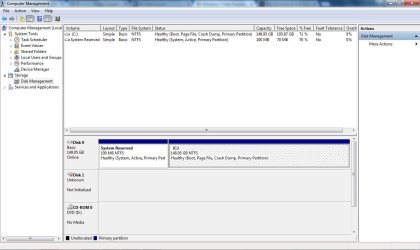
Though the Device Manager shows the HDD under Disk drives, the Disk management shows it as Disk 1 Unknown with no driver letter and Not initialized. On clicking to initialize, it gives i/o device error.
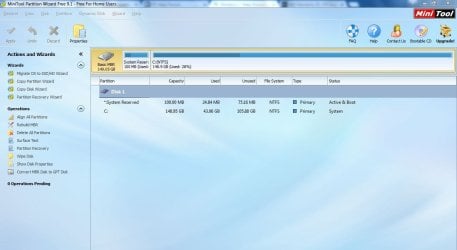
I have Mini Partition Wizard installed on my laptop that too does not detect any drive.
Attached screenshots for both Disk management and Mini Partition Wizard for reference.
Can anyone please help me to recover the data from this hard disk?
Srinivas
I have a problem with my external hard drive, its a WD Elements 1TB and its not being recognized by Windows (running Windows 7). I get the 'device connected' sound and the 'Safely Remove Device' icon on the taskbar but no drive appears in My Computer.
Though the Device Manager shows the HDD under Disk drives, the Disk management shows it as Disk 1 Unknown with no driver letter and Not initialized. On clicking to initialize, it gives i/o device error.
I have Mini Partition Wizard installed on my laptop that too does not detect any drive.
Attached screenshots for both Disk management and Mini Partition Wizard for reference.
Can anyone please help me to recover the data from this hard disk?
Srinivas
Attachments
My Computer
- Computer type
- PC/Desktop
- OS
- Windows 7 Professional 32 bit


