Help with stutter in games

when that stutter happens, the audio stays the same. no stutter in the audio
EDIT: nvm, sometimes audio freezes
EDIT: most of the time it does not freeze
 

My Computer

Computer type
PC/Desktop
Computer Manufacturer/Model Number
Weekend Warrior Rig
OS
Windows 10 Pro
CPU
Intel i7-3770K 4.4GHz
Motherboard
ASUS P8Z77-V Pro
Memory
8GB G.SKILL Ripjaws 1866 MHz
Graphics Card(s)
EVGA GTX 980 Classified
Monitor(s) Displays
Asus VH238H 23" 2ms
Screen Resolution
1920x1080
Hard Drives
Intel 330 120GB SSD /
WD Blue 1TB /
WD Black 500GB
PSU
Corsair CX750M
Case
NZXT H440
Cooling
Corsair H80i- CPU / Corsair H90- GPU
Keyboard
Logitech K360 LE
Mouse
Logitech G500
Antivirus
Avast
Browser
Chrome
Other Info
1200W 2.1 Surround Sound Audio
Well, if it HAS to be memory, buy some new RAM. :huh:
 

My Computer

Computer type
PC/Desktop
Computer Manufacturer/Model Number
Home Built Desktop By DataTech
OS
Windows 7 Ultimate X64 SP1
CPU
Intel i5-2550K, Differing ~4.4-4.8GHz No built in GPU
Motherboard
ASUS P8Z68-V PRO/GEN3
Memory
16GB G.Skill Sniper 1866MHz @ 2133MHz 2x8GB
Graphics Card(s)
ASUS GTX650TIB-DC2OC-2GD5, (650TI Boost)
Sound Card
Onboard Realtek 5-1
Monitor(s) Displays
Samsung P2570HD
Screen Resolution
1920x1080
Hard Drives
Samsung 840 Pro 256GB SSD for OS, 500GB Seagate Constellation (Enterprise drive) for Data
PSU
Corsair HX650W
Case
Inwin Dragon Rider
Cooling
Hyper 212 EVO w/two Noctua fans, push-pull, @1300 RPM
Keyboard
E-Z Eyes, bright yellow keys with large characters
Mouse
steelseries SENSEI Laser Pro Gaming
Internet Speed
48-51Mbs Mbs down, 11 Mbs up Xfinity Cable
Antivirus
Norton Internet Security 2013
Browser
IE 10, Opera, Pale Moon if needed
Other Info
4 case fans, LG BluRay-RE, ASUS DVD-RW, Mr. Fusion power supply, 1.21 gigawatts.
Well, if it HAS to be memory, buy some new RAM. :huh:


im honestly thinking it was my DVI cable..... :huh::shock::confused:

im still trying. im on my new monitor with HDMI cable. so we shall see..... still setting It up so its true to color.

damn! this thing is HUGE!!!!!!!
 

My Computer

Computer type
PC/Desktop
Computer Manufacturer/Model Number
Weekend Warrior Rig
OS
Windows 10 Pro
CPU
Intel i7-3770K 4.4GHz
Motherboard
ASUS P8Z77-V Pro
Memory
8GB G.SKILL Ripjaws 1866 MHz
Graphics Card(s)
EVGA GTX 980 Classified
Monitor(s) Displays
Asus VH238H 23" 2ms
Screen Resolution
1920x1080
Hard Drives
Intel 330 120GB SSD /
WD Blue 1TB /
WD Black 500GB
PSU
Corsair CX750M
Case
NZXT H440
Cooling
Corsair H80i- CPU / Corsair H90- GPU
Keyboard
Logitech K360 LE
Mouse
Logitech G500
Antivirus
Avast
Browser
Chrome
Other Info
1200W 2.1 Surround Sound Audio
I think I just solved my issues. I needed to up the voltage on the cpu by 1 offset, and I need a new PSU. while running prime95 with the new voltage, my PC just shut off like power was killed to it. which it was. the psu....

so I bought a CX750M for less than the price of a CX600M. $30 off on newegg :D
 

My Computer

Computer type
PC/Desktop
Computer Manufacturer/Model Number
Weekend Warrior Rig
OS
Windows 10 Pro
CPU
Intel i7-3770K 4.4GHz
Motherboard
ASUS P8Z77-V Pro
Memory
8GB G.SKILL Ripjaws 1866 MHz
Graphics Card(s)
EVGA GTX 980 Classified
Monitor(s) Displays
Asus VH238H 23" 2ms
Screen Resolution
1920x1080
Hard Drives
Intel 330 120GB SSD /
WD Blue 1TB /
WD Black 500GB
PSU
Corsair CX750M
Case
NZXT H440
Cooling
Corsair H80i- CPU / Corsair H90- GPU
Keyboard
Logitech K360 LE
Mouse
Logitech G500
Antivirus
Avast
Browser
Chrome
Other Info
1200W 2.1 Surround Sound Audio
Glad you got it figured out!
 

My Computer

Computer type
PC/Desktop
Computer Manufacturer/Model Number
Dude Build
OS
Windows 10 Pro X64
CPU
Intel(R) Core(TM) i5-3570K CPU OC@ 4.5GHZ Turbo
Motherboard
MSI Z77A-G45 Gaming
Memory
8.00 GB DDR3 1600Mhz
Graphics Card(s)
MSI Gaming X GTX 1070
Sound Card
Realtek High Definition
Monitor(s) Displays
Dell S23O9W, HP L1710
Screen Resolution
DELL-1920 x 1080 HP-1280 x1024
Hard Drives
Crucial m4 256 SSD, WD 7200RPM 500GB WD 1TB
PSU
Seasonic X650 GOLD
Case
Zalman Z12
Cooling
Antec Kuhler 920
Keyboard
Logitech
Mouse
MSI DS100 Interceptor
Internet Speed
50 down and 5 up
Antivirus
MSE
Browser
Chrome, IE 11
Other Info
Logitech X-620 Speakers
Well we shall see....
 

My Computer

Computer type
PC/Desktop
Computer Manufacturer/Model Number
Weekend Warrior Rig
OS
Windows 10 Pro
CPU
Intel i7-3770K 4.4GHz
Motherboard
ASUS P8Z77-V Pro
Memory
8GB G.SKILL Ripjaws 1866 MHz
Graphics Card(s)
EVGA GTX 980 Classified
Monitor(s) Displays
Asus VH238H 23" 2ms
Screen Resolution
1920x1080
Hard Drives
Intel 330 120GB SSD /
WD Blue 1TB /
WD Black 500GB
PSU
Corsair CX750M
Case
NZXT H440
Cooling
Corsair H80i- CPU / Corsair H90- GPU
Keyboard
Logitech K360 LE
Mouse
Logitech G500
Antivirus
Avast
Browser
Chrome
Other Info
1200W 2.1 Surround Sound Audio
I think I just solved my issues. I needed to up the voltage on the cpu by 1 offset, and I need a new PSU. while running prime95 with the new voltage, my PC just shut off like power was killed to it. which it was. the psu....

so I bought a CX750M for less than the price of a CX600M. $30 off on newegg :D
I been beating that Dead Horse since it was a Foal Colt ;)

500w Powering a overclock video card fans is not enough i'm sure the stutter will go away even if you got a 600w

500w was skinning the cat in my opinion
 

My Computer

Computer type
PC/Desktop
Computer Manufacturer/Model Number
CoreI7-6700K MrFingerIII Special Builds
OS
Windows 10 Home Premium 64bit sp1
CPU
Intel I7-6700K @ 4.6 Ghz 1.344 volts everyday OC
Motherboard
Asrock Fatality K6 Z170 Socket 1151
Memory
32GB G-Skill TridentZ 3200mhz 16-18-18-38 DDR4
Graphics Card(s)
Sli Gigabyte Windforce GTX 980 G1
Sound Card
AC97 Creative Rage Tactic 3D Headphones Bluetooth
Monitor(s) Displays
27" Asus ROG Swift PG278Q G-Sync 48" Vizio Smart HD TV
Screen Resolution
2560x1440p 27"- 48" Currently Gaming at 2560x1440p Res 2K
Hard Drives
250GB Samsung Evo840SSD Seagate baracuda 500 GB WD Mybook 500Gb 1TB Seagate Barracuda
PSU
HX1050w Corsair Silver 80plus certified crosfire/sli
Case
Enthod Pro Full Tower
Cooling
Corsair H110i GT 280 mm High Performance WaterBlock
Keyboard
Logitech wireless keyboard
Mouse
Logitech wireless mouse
Internet Speed
Cox Cable 100+ mb
Antivirus
WebRoot Spysweeper with Antivirus
Browser
IE-10, Chrome, Opera
Other Info
My Other Rig is a AMD FX8320E @4.6Ghz 16GB Ballistic Sport Ram
Mobo Asrock Fatality 990FX 120GB OCZ SSD 1TB Seagate Barracuda Corsair H75 Cooling PSU Corsair CX750
GPU GTX Gigabyte 970G1
Just throwing my .10c in the ring

when im playing a game, for about .5 seconds to 1 sec, the game freezes then returns back to normal. all my specs are below.

Have you checked event viewer for any instances of nvmkdlm.sys failing and recovering?

It sounds like a driver failure/recover hitch.

im honestly thinking it was my DVI cable..... :huh::shock::confused:

No way it's the cable. The symptoms don't match. For future reference, a bad cable does not do what's described.

Perhaps try disabling ECC, your RAM probably doesn't even support it but I haven't looked at your specs.

It would be disabled/ignored by default despite setting since it's not ECC Ram. It would have zero impact on performance.

Facebook is a real good reason to have a good real-time AV installed.

Only if you are a click monkey/involved in extraneous non FB apps. Just chatting is perfectly safe.

It's not indicative of a virus.

And I don't need anti virus on it. Its not a daily computer. I only go on here, Facebook, and YouTube lol

Yeah... High chance you'd be okay but a lightweight/no intrusion like MSE wouldn't hurt.

Could it be my page file? I have initial and max at 2gb

Not for all your descriptions - but set it back to auto. Setting a min/max is a XP legacy. Seven's memory management is far superior now and will do you more good than bad by resetting it to auto.

I think I just solved my issues. I needed to up the voltage on the cpu by 1 offset, and I need a new PSU. while running prime95 with the new voltage, my PC just shut off like power was killed to it. which it was. the psu....

so I bought a CX750M for less than the price of a CX600M. $30 off on newegg :D

Or you could have re concentrated on tweaking the OC.

I hate to say it mate, but your original PSU was probably fine.
 

My Computer

Computer type
PC/Desktop
Computer Manufacturer/Model Number
Systems by SmartEyeball
OS
8 Pro x64
CPU
i7 3770K 4.6GHz
Motherboard
ASUS P8Z77 WS
Memory
16GB G.Skill Trident X 2666mhz
Graphics Card(s)
x2 EVGA 780 Ti Superclocked SLI
Sound Card
SB X-FI Surround 5.1 PRO USB / ATH-AD900 Headphones
Monitor(s) Displays
x3 Dell U2410 / 58" Samsung
Screen Resolution
5760*1200/ 1920*1200
Hard Drives
2x Intel 520 240GB (RAID 0) * 2x WD Caviar Blacks 2TB (RAID 0) * 2TB WD Caviar Black * Sony Optirac DVD
PSU
Silverstone Strider Evolution 1200W
Case
Thermaltake Level 10 GT Snow Edition
Cooling
Noctua NH-D14
Keyboard
Topre Realforce // Ducky Shine MX Black // Filco Ninja TKL
Mouse
Thermaltake Theron (Highly Recommended) + Razer Imperator
Antivirus
MSE
Browser
IE, FF, WaterFox
Other Info
GT Extreme V2 Sim Racing Cockpit + 40" LCD and K/B Mouse stand ▼
Fanatec CSR Elite Wheel + Clubsport V1 Pedals + CSR shifter/7G-H ▼Saitek X52 Pro ▼ TrackIR 5 Pro
Buttkicker v2 Seat Rumbler with Dedicated 5.1 and Sub Woofer attached to frame ▼
=
Bloody Big Grin
I think I just solved my issues. I needed to up the voltage on the cpu by 1 offset, and I need a new PSU. while running prime95 with the new voltage, my PC just shut off like power was killed to it. which it was. the psu....

so I bought a CX750M for less than the price of a CX600M. $30 off on newegg :D
I been beating that Dead Horse since it was a Foal Colt ;)

500w Powering a overclock video card fans is not enough i'm sure the stutter will go away even if you got a 600w

500w was skinning the cat in my opinion

Just throwing my .10c in the ring

when im playing a game, for about .5 seconds to 1 sec, the game freezes then returns back to normal. all my specs are below.

Have you checked event viewer for any instances of nvmkdlm.sys failing and recovering?

It sounds like a driver failure/recover hitch.

im honestly thinking it was my DVI cable..... :huh::shock::confused:

No way it's the cable. The symptoms don't match. For future reference, a bad cable does not do what's described.


It would be disabled/ignored by default despite setting since it's not ECC Ram. It would have zero impact on performance.


Only if you are a click monkey/involved in extraneous non FB apps. Just chatting is perfectly safe.

It's not indicative of a virus.


Yeah... High chance you'd be okay but a lightweight/no intrusion like MSE wouldn't hurt.

Could it be my page file? I have initial and max at 2gb

Not for all your descriptions - but set it back to auto. Setting a min/max is a XP legacy. Seven's memory management is far superior now and will do you more good than bad by resetting it to auto.

I think I just solved my issues. I needed to up the voltage on the cpu by 1 offset, and I need a new PSU. while running prime95 with the new voltage, my PC just shut off like power was killed to it. which it was. the psu....

so I bought a CX750M for less than the price of a CX600M. $30 off on newegg :D

Or you could have re concentrated on tweaking the OC.

I hate to say it mate, but your original PSU was probably fine.

it wasent the fact the the PSU is bad, it was just not giving enough power. my computer shut down completely. like it was unplugged from the wall. which was the PSU shutting off because my system was drawing too much power.

I was going to get the 600W, but the 750W was cheaper.

ill check even viewer for that.

if its a driver issue, what driver?

when I installed windows, ive only installed audio, video, and my Xbox remote. other than that, I lwt windows and windows update take care of the rest.
 

My Computer

Computer type
PC/Desktop
Computer Manufacturer/Model Number
Weekend Warrior Rig
OS
Windows 10 Pro
CPU
Intel i7-3770K 4.4GHz
Motherboard
ASUS P8Z77-V Pro
Memory
8GB G.SKILL Ripjaws 1866 MHz
Graphics Card(s)
EVGA GTX 980 Classified
Monitor(s) Displays
Asus VH238H 23" 2ms
Screen Resolution
1920x1080
Hard Drives
Intel 330 120GB SSD /
WD Blue 1TB /
WD Black 500GB
PSU
Corsair CX750M
Case
NZXT H440
Cooling
Corsair H80i- CPU / Corsair H90- GPU
Keyboard
Logitech K360 LE
Mouse
Logitech G500
Antivirus
Avast
Browser
Chrome
Other Info
1200W 2.1 Surround Sound Audio
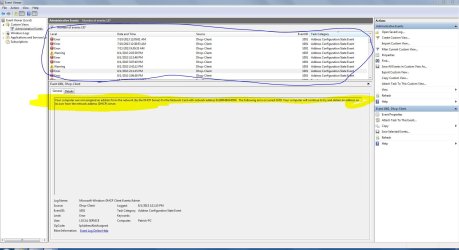
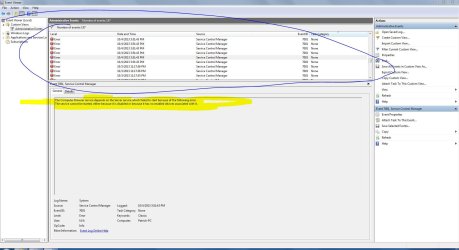
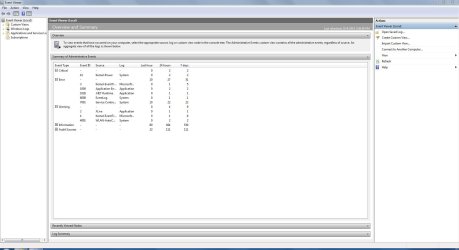
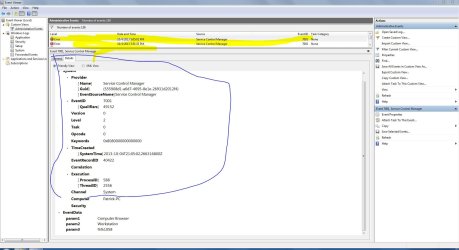
heres some of my event viewer stuff.... what I noticed was "computer browser failed to start because of Server service was disabled" so I disabled the computer browser service.
I also noticed a lot of DHCP errors. idk what those are about tho.
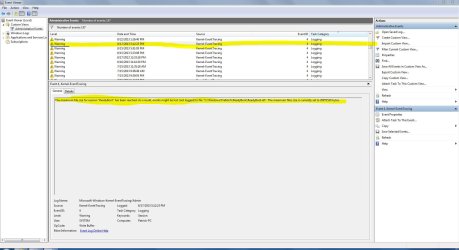
I also noticed a lot of "readyboot" errors and stuff associated with it. idk what this even is....

the kernel power stuff is when my PSU quit yesterday when I was running prime
 

Attachments

  • 1.JPG
    1.JPG
    220.3 KB · Views: 6
  • 2.JPG
    2.JPG
    211.7 KB · Views: 5
  • 17-139-050-TS.jpg
    17-139-050-TS.jpg
    169.9 KB · Views: 3
  • Capture.JPG
    Capture.JPG
    203.9 KB · Views: 6
  • 5.JPG
    5.JPG
    211.9 KB · Views: 4
Last edited:

My Computer

Computer type
PC/Desktop
Computer Manufacturer/Model Number
Weekend Warrior Rig
OS
Windows 10 Pro
CPU
Intel i7-3770K 4.4GHz
Motherboard
ASUS P8Z77-V Pro
Memory
8GB G.SKILL Ripjaws 1866 MHz
Graphics Card(s)
EVGA GTX 980 Classified
Monitor(s) Displays
Asus VH238H 23" 2ms
Screen Resolution
1920x1080
Hard Drives
Intel 330 120GB SSD /
WD Blue 1TB /
WD Black 500GB
PSU
Corsair CX750M
Case
NZXT H440
Cooling
Corsair H80i- CPU / Corsair H90- GPU
Keyboard
Logitech K360 LE
Mouse
Logitech G500
Antivirus
Avast
Browser
Chrome
Other Info
1200W 2.1 Surround Sound Audio
ok, I read that the readyboot one is harmless and is because I disabled superfetch and prefetch. however, I cant get the computer browser one to stop..... I think that Is wagt causing my problems...
 

My Computer

Computer type
PC/Desktop
Computer Manufacturer/Model Number
Weekend Warrior Rig
OS
Windows 10 Pro
CPU
Intel i7-3770K 4.4GHz
Motherboard
ASUS P8Z77-V Pro
Memory
8GB G.SKILL Ripjaws 1866 MHz
Graphics Card(s)
EVGA GTX 980 Classified
Monitor(s) Displays
Asus VH238H 23" 2ms
Screen Resolution
1920x1080
Hard Drives
Intel 330 120GB SSD /
WD Blue 1TB /
WD Black 500GB
PSU
Corsair CX750M
Case
NZXT H440
Cooling
Corsair H80i- CPU / Corsair H90- GPU
Keyboard
Logitech K360 LE
Mouse
Logitech G500
Antivirus
Avast
Browser
Chrome
Other Info
1200W 2.1 Surround Sound Audio
ok, I believe I have fixed all errors except readyboot, however microsofts says that it does not harm performace, in any way, and is not really an "error" and to ignore it. so I am.

let me clear event log, and do a fresh start to see if there is anything weird
 

My Computer

Computer type
PC/Desktop
Computer Manufacturer/Model Number
Weekend Warrior Rig
OS
Windows 10 Pro
CPU
Intel i7-3770K 4.4GHz
Motherboard
ASUS P8Z77-V Pro
Memory
8GB G.SKILL Ripjaws 1866 MHz
Graphics Card(s)
EVGA GTX 980 Classified
Monitor(s) Displays
Asus VH238H 23" 2ms
Screen Resolution
1920x1080
Hard Drives
Intel 330 120GB SSD /
WD Blue 1TB /
WD Black 500GB
PSU
Corsair CX750M
Case
NZXT H440
Cooling
Corsair H80i- CPU / Corsair H90- GPU
Keyboard
Logitech K360 LE
Mouse
Logitech G500
Antivirus
Avast
Browser
Chrome
Other Info
1200W 2.1 Surround Sound Audio
so playing bf3, it seems to get progressfully worse at time goes on.

however all those errors seem to be fixed

any other ideas? how can I tell its a driver? the only drivers I manually installed is audio, Graphics, and Wifi adapter. and I KNOW its not any of those causing problems because ive tried multiple versions of them.

also im borrowing my friends ram tomorrow morning to try out. but I seriously doubt its my ram.
 
Last edited:

My Computer

Computer type
PC/Desktop
Computer Manufacturer/Model Number
Weekend Warrior Rig
OS
Windows 10 Pro
CPU
Intel i7-3770K 4.4GHz
Motherboard
ASUS P8Z77-V Pro
Memory
8GB G.SKILL Ripjaws 1866 MHz
Graphics Card(s)
EVGA GTX 980 Classified
Monitor(s) Displays
Asus VH238H 23" 2ms
Screen Resolution
1920x1080
Hard Drives
Intel 330 120GB SSD /
WD Blue 1TB /
WD Black 500GB
PSU
Corsair CX750M
Case
NZXT H440
Cooling
Corsair H80i- CPU / Corsair H90- GPU
Keyboard
Logitech K360 LE
Mouse
Logitech G500
Antivirus
Avast
Browser
Chrome
Other Info
1200W 2.1 Surround Sound Audio
i think its fixed.....

most games now have not stuttered. only BF3 has been. im trying all my other games before I call it however.
 

My Computer

Computer type
PC/Desktop
Computer Manufacturer/Model Number
Weekend Warrior Rig
OS
Windows 10 Pro
CPU
Intel i7-3770K 4.4GHz
Motherboard
ASUS P8Z77-V Pro
Memory
8GB G.SKILL Ripjaws 1866 MHz
Graphics Card(s)
EVGA GTX 980 Classified
Monitor(s) Displays
Asus VH238H 23" 2ms
Screen Resolution
1920x1080
Hard Drives
Intel 330 120GB SSD /
WD Blue 1TB /
WD Black 500GB
PSU
Corsair CX750M
Case
NZXT H440
Cooling
Corsair H80i- CPU / Corsair H90- GPU
Keyboard
Logitech K360 LE
Mouse
Logitech G500
Antivirus
Avast
Browser
Chrome
Other Info
1200W 2.1 Surround Sound Audio
ok, I read that the readyboot one is harmless and is because I disabled superfetch and prefetch. however, I cant get the computer browser one to stop..... I think that Is wagt causing my problems...

Superfetch and prefetch are best left switched on. In fact Seven doesn't actually need any real "tweaking" unlike previous MS OS'es. Aside from adjusting those and your pagefile, are there any other changes you've made?


From your event viewer screenshots there doesn't appear to be anything worth worrying about. None that would be the cause of this anyway.

If it was the graphics driver, you'd see:

"Display driver nvlddmkm stopped responding and has successfully recovered."

However since there doesn't appear to be any of those events, it's probably not the cause. (although the symptoms are similar.)


You mentioned this issue also occurred with your previous GPU, what was it? And what's the oldest driver version you've tried? Nvidias been putting out some crappy ones for a while. Maybe going back as far 320.18 or 320.49 might be worth trying if you haven't already.


Have you checked your hard drives health? It might be worthwhile using an app like this to give it a check. With a quirky issue like this it doesn't hurt to check all angles.


When you ran memtest, how many passes did you let it do? Just the one or several? If there is something wrong with your RAM, it might not show up straight away.


What change did you make to improve your other games? Although if BF3 is still playing up, the issue may not be resolved. As for the choppy youtube playback, was it just in one browser or were other browsers affected as well?
 

My Computer

Computer type
PC/Desktop
Computer Manufacturer/Model Number
Systems by SmartEyeball
OS
8 Pro x64
CPU
i7 3770K 4.6GHz
Motherboard
ASUS P8Z77 WS
Memory
16GB G.Skill Trident X 2666mhz
Graphics Card(s)
x2 EVGA 780 Ti Superclocked SLI
Sound Card
SB X-FI Surround 5.1 PRO USB / ATH-AD900 Headphones
Monitor(s) Displays
x3 Dell U2410 / 58" Samsung
Screen Resolution
5760*1200/ 1920*1200
Hard Drives
2x Intel 520 240GB (RAID 0) * 2x WD Caviar Blacks 2TB (RAID 0) * 2TB WD Caviar Black * Sony Optirac DVD
PSU
Silverstone Strider Evolution 1200W
Case
Thermaltake Level 10 GT Snow Edition
Cooling
Noctua NH-D14
Keyboard
Topre Realforce // Ducky Shine MX Black // Filco Ninja TKL
Mouse
Thermaltake Theron (Highly Recommended) + Razer Imperator
Antivirus
MSE
Browser
IE, FF, WaterFox
Other Info
GT Extreme V2 Sim Racing Cockpit + 40" LCD and K/B Mouse stand ▼
Fanatec CSR Elite Wheel + Clubsport V1 Pedals + CSR shifter/7G-H ▼Saitek X52 Pro ▼ TrackIR 5 Pro
Buttkicker v2 Seat Rumbler with Dedicated 5.1 and Sub Woofer attached to frame ▼
=
Bloody Big Grin
ok, I read that the readyboot one is harmless and is because I disabled superfetch and prefetch. however, I cant get the computer browser one to stop..... I think that Is wagt causing my problems...

Superfetch and prefetch are best left switched on. In fact Seven doesn't actually need any real "tweaking" unlike previous MS OS'es. Aside from adjusting those and your pagefile, are there any other changes you've made?


From your event viewer screenshots there doesn't appear to be anything worth worrying about. None that would be the cause of this anyway.

If it was the graphics driver, you'd see:

"Display driver nvlddmkm stopped responding and has successfully recovered."

However since there doesn't appear to be any of those events, it's probably not the cause. (although the symptoms are similar.)


You mentioned this issue also occurred with your previous GPU, what was it? And what's the oldest driver version you've tried? Nvidias been putting out some crappy ones for a while. Maybe going back as far 320.18 or 320.49 might be worth trying if you haven't already.


Have you checked your hard drives health? It might be worthwhile using an app like this to give it a check. With a quirky issue like this it doesn't hurt to check all angles.


When you ran memtest, how many passes did you let it do? Just the one or several? If there is something wrong with your RAM, it might not show up straight away.


What change did you make to improve your other games? Although if BF3 is still playing up, the issue may not be resolved. As for the choppy youtube playback, was it just in one browser or were other browsers affected as well?

I read that the computer browser thing in even view was causing some people to freeze up. but not like mine.

ive tried all drivers since the 320.19. my last GPU was the same exact one as I have now. I sent it in for an RMA and they sent me a new one of the same model. my last one was the same issue.

I have ran a check disk in widows multiple times, and they have all come up clean. my HDD has 200GB left, and is defraged. ill run that program you listed. What should i have my bios set to for my HDD? ANCHI or IDE?
EDIT: Drive completed successfully. no errors.

I let memtest run several passes.

the only real changes I did was OC my CPU, HT Link, Shut down a bit of services, page file is set to 1GB, turn off some windows animations, turned off some windows features, and other various little things.... nothing that would cause this however.

the youtube issue happens in IE. I don't have any other browser on here. however, I DO remember videos lagging on my laptop too in IE, so I switched that to chrome, and it was fine. im not too worried about the youtube videos thing. when I edit videos @ 1080p, the video is perfectly fine. no lags or stutters of any kind.

it seems to only happen now on BF3. it does it very little in the beginning of playing, then as time goes on and my GPU heats up, the boost clock fluctuates maybe 10-20MHZ in the boost range, and so does voltage. and the stuttering gets worse after that, so I think it maybe that cause.....? It does NOT happen in my other games AS often. it may happen once every 20 mins or so, or not at all. so far that I noticed.
 
Last edited:

My Computer

Computer type
PC/Desktop
Computer Manufacturer/Model Number
Weekend Warrior Rig
OS
Windows 10 Pro
CPU
Intel i7-3770K 4.4GHz
Motherboard
ASUS P8Z77-V Pro
Memory
8GB G.SKILL Ripjaws 1866 MHz
Graphics Card(s)
EVGA GTX 980 Classified
Monitor(s) Displays
Asus VH238H 23" 2ms
Screen Resolution
1920x1080
Hard Drives
Intel 330 120GB SSD /
WD Blue 1TB /
WD Black 500GB
PSU
Corsair CX750M
Case
NZXT H440
Cooling
Corsair H80i- CPU / Corsair H90- GPU
Keyboard
Logitech K360 LE
Mouse
Logitech G500
Antivirus
Avast
Browser
Chrome
Other Info
1200W 2.1 Surround Sound Audio
For a spinner HDD, IDE should be fine, the setting wouldn't cause stutters.
Memtest should be run a minimum of 7 full passes, more if possible, but at least 7.

Do you have another PCIe slot to try the GPU in?
 

My Computer

Computer type
PC/Desktop
Computer Manufacturer/Model Number
Home Built Desktop By DataTech
OS
Windows 7 Ultimate X64 SP1
CPU
Intel i5-2550K, Differing ~4.4-4.8GHz No built in GPU
Motherboard
ASUS P8Z68-V PRO/GEN3
Memory
16GB G.Skill Sniper 1866MHz @ 2133MHz 2x8GB
Graphics Card(s)
ASUS GTX650TIB-DC2OC-2GD5, (650TI Boost)
Sound Card
Onboard Realtek 5-1
Monitor(s) Displays
Samsung P2570HD
Screen Resolution
1920x1080
Hard Drives
Samsung 840 Pro 256GB SSD for OS, 500GB Seagate Constellation (Enterprise drive) for Data
PSU
Corsair HX650W
Case
Inwin Dragon Rider
Cooling
Hyper 212 EVO w/two Noctua fans, push-pull, @1300 RPM
Keyboard
E-Z Eyes, bright yellow keys with large characters
Mouse
steelseries SENSEI Laser Pro Gaming
Internet Speed
48-51Mbs Mbs down, 11 Mbs up Xfinity Cable
Antivirus
Norton Internet Security 2013
Browser
IE 10, Opera, Pale Moon if needed
Other Info
4 case fans, LG BluRay-RE, ASUS DVD-RW, Mr. Fusion power supply, 1.21 gigawatts.
For a spinner HDD, IDE should be fine, the setting wouldn't cause stutters.
Memtest should be run a minimum of 7 full passes, more if possible, but at least 7.

Do you have another PCIe slot to try the GPU in?

yes, but only x8 speed.

also, its a brand new mobo. it was happening on the other one too. so its not the mobo.
 

My Computer

Computer type
PC/Desktop
Computer Manufacturer/Model Number
Weekend Warrior Rig
OS
Windows 10 Pro
CPU
Intel i7-3770K 4.4GHz
Motherboard
ASUS P8Z77-V Pro
Memory
8GB G.SKILL Ripjaws 1866 MHz
Graphics Card(s)
EVGA GTX 980 Classified
Monitor(s) Displays
Asus VH238H 23" 2ms
Screen Resolution
1920x1080
Hard Drives
Intel 330 120GB SSD /
WD Blue 1TB /
WD Black 500GB
PSU
Corsair CX750M
Case
NZXT H440
Cooling
Corsair H80i- CPU / Corsair H90- GPU
Keyboard
Logitech K360 LE
Mouse
Logitech G500
Antivirus
Avast
Browser
Chrome
Other Info
1200W 2.1 Surround Sound Audio
For a spinner HDD, IDE should be fine, the setting wouldn't cause stutters.
Memtest should be run a minimum of 7 full passes, more if possible, but at least 7.

Do you have another PCIe slot to try the GPU in?

yes, but only x8 speed.

also, its a brand new mobo. it was happening on the other one too. so its not the mobo.

Even in the x8 lane the card will perform the same. It never uses the full x16
 

My Computer

Computer type
PC/Desktop
Computer Manufacturer/Model Number
Dude Build
OS
Windows 10 Pro X64
CPU
Intel(R) Core(TM) i5-3570K CPU OC@ 4.5GHZ Turbo
Motherboard
MSI Z77A-G45 Gaming
Memory
8.00 GB DDR3 1600Mhz
Graphics Card(s)
MSI Gaming X GTX 1070
Sound Card
Realtek High Definition
Monitor(s) Displays
Dell S23O9W, HP L1710
Screen Resolution
DELL-1920 x 1080 HP-1280 x1024
Hard Drives
Crucial m4 256 SSD, WD 7200RPM 500GB WD 1TB
PSU
Seasonic X650 GOLD
Case
Zalman Z12
Cooling
Antec Kuhler 920
Keyboard
Logitech
Mouse
MSI DS100 Interceptor
Internet Speed
50 down and 5 up
Antivirus
MSE
Browser
Chrome, IE 11
Other Info
Logitech X-620 Speakers
OK, bit its not the lane. Lol
 

My Computer

Computer type
PC/Desktop
Computer Manufacturer/Model Number
Weekend Warrior Rig
OS
Windows 10 Pro
CPU
Intel i7-3770K 4.4GHz
Motherboard
ASUS P8Z77-V Pro
Memory
8GB G.SKILL Ripjaws 1866 MHz
Graphics Card(s)
EVGA GTX 980 Classified
Monitor(s) Displays
Asus VH238H 23" 2ms
Screen Resolution
1920x1080
Hard Drives
Intel 330 120GB SSD /
WD Blue 1TB /
WD Black 500GB
PSU
Corsair CX750M
Case
NZXT H440
Cooling
Corsair H80i- CPU / Corsair H90- GPU
Keyboard
Logitech K360 LE
Mouse
Logitech G500
Antivirus
Avast
Browser
Chrome
Other Info
1200W 2.1 Surround Sound Audio
Back
Top