

Ive been thinking about a Tutorial for this but Im lost as to how I should name it or explain how to access the options 
I dont know how many of you have noticed but nearly all the File/Save dialogues have hidden options available :huh:
Default Save Microsoft Word
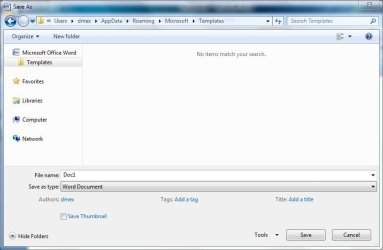
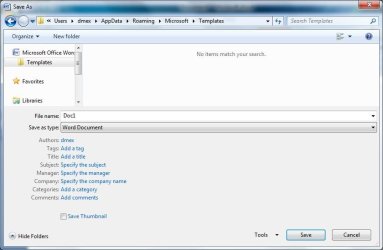
Advanced Save Microsoft Word
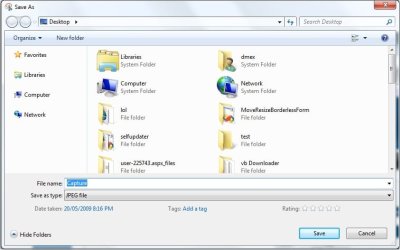
Default save Snipping Tool
Advanced save Snipping Tool
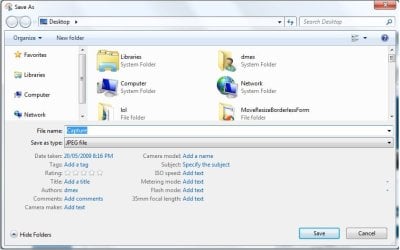
The Thing thats annoyed me about this since the first leaked build of Windows 7 is how these options are more or less hidden, end-users will not notice them and how applications that dont have options will use the last menu-size and show a very large emtpy space

On a separate issue, I do like how you can hide menu's altogether in applications using the Ribbonbar though
Paint
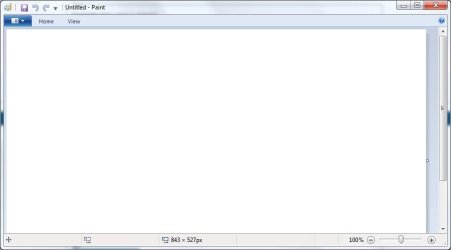
Wordpad

I dont know how many of you have noticed but nearly all the File/Save dialogues have hidden options available :huh:
Default Save Microsoft Word
Advanced Save Microsoft Word
Default save Snipping Tool
Advanced save Snipping Tool
The Thing thats annoyed me about this since the first leaked build of Windows 7 is how these options are more or less hidden, end-users will not notice them and how applications that dont have options will use the last menu-size and show a very large emtpy space
On a separate issue, I do like how you can hide menu's altogether in applications using the Ribbonbar though
Paint
Wordpad


