

Pe85000kg
New member
- Local time
- 10:31 PM
- Messages
- 8
This started some time in August of 2015. This issue did not exist at all prior to my time owning this computer since 2009.
The issue remains anywhere I do it, whether it be in a program or on the desktop. When I hold down at least one key on the keyboard it interferes with the cursor when I move the mouse. Adding more keys pressed down at the same time only multiplies the length of the effect.
Here is an example I made (Recording the screen with a program caused flickering, recording the screen with a camera shows it better);
I could make several more examples, but the problem is that keystrokes, especially repeated ones through holding down the key cause the interface to ignore any mouse movements to windows or any thing else through the cursors movement.
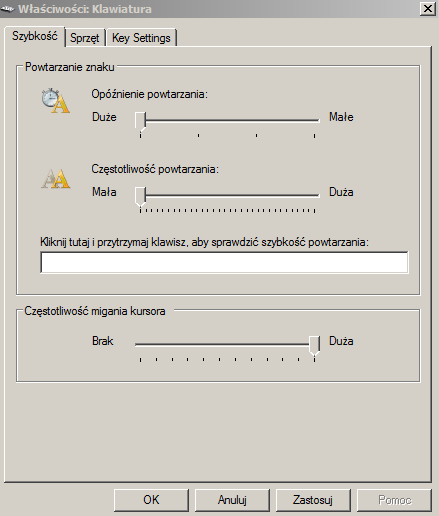
I have used a temporary fixed that others on the internet mentioned, although to an extent this only lessened the severity of my problem. This was done by setting the keys to no repeat, although it decreases the lag somewhat it is unconventional to press backspace for every letter I want to delete instead of holding it down.
I have read other forums already, and the problem comes from touchpads on laptops to to other things. But I am using a mouse and keyboard on a desktop, and their solutions do not fix my problems. I do not think this is at all a hardware problem because I have switched out 3 mice already and each one has the same problem, as well as switching between two keyboards, and even using different USB ports for all.
Went in to Ease of Access and played with some of the settings for key repeats, but none change the problem. Have deleted the drives and reinstalled them for the mice and keyboards, unless I am missing something in the options. My last resort is to backup my files and reinstall windows 7 again, but I really do not want to go through all the time and set everything up again...
I am open to any ideas, even trying some old things again. This issue is such a pain in the ass at this point.
DxDiag attached as txt file bellow, it exceeded that character limit.
The issue remains anywhere I do it, whether it be in a program or on the desktop. When I hold down at least one key on the keyboard it interferes with the cursor when I move the mouse. Adding more keys pressed down at the same time only multiplies the length of the effect.
Here is an example I made (Recording the screen with a program caused flickering, recording the screen with a camera shows it better);
I could make several more examples, but the problem is that keystrokes, especially repeated ones through holding down the key cause the interface to ignore any mouse movements to windows or any thing else through the cursors movement.
I have used a temporary fixed that others on the internet mentioned, although to an extent this only lessened the severity of my problem. This was done by setting the keys to no repeat, although it decreases the lag somewhat it is unconventional to press backspace for every letter I want to delete instead of holding it down.
I have read other forums already, and the problem comes from touchpads on laptops to to other things. But I am using a mouse and keyboard on a desktop, and their solutions do not fix my problems. I do not think this is at all a hardware problem because I have switched out 3 mice already and each one has the same problem, as well as switching between two keyboards, and even using different USB ports for all.
Went in to Ease of Access and played with some of the settings for key repeats, but none change the problem. Have deleted the drives and reinstalled them for the mice and keyboards, unless I am missing something in the options. My last resort is to backup my files and reinstall windows 7 again, but I really do not want to go through all the time and set everything up again...
I am open to any ideas, even trying some old things again. This issue is such a pain in the ass at this point.
DxDiag attached as txt file bellow, it exceeded that character limit.
Attachments
My Computer
- Computer type
- PC/Desktop
- Computer Manufacturer/Model Number
- Dell Studio XPS 435T / 9000
- OS
- Windows 7 64 bit
- CPU
- Intel Core i7 -920 processor (8MB L3 Cache 2 .66GHz)
