- Local time
- 6:35 PM
- Messages
- 109
I have a new Windows 7 Professional machine, on which Adobe Reader is preinstalled. A program I'm using (called TeXnicCenter, if you must know), is calling some program called Nitro to view the PDF files it creates. I want to change that to Reader, which means I need to find its executable.
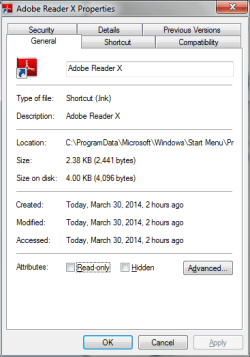
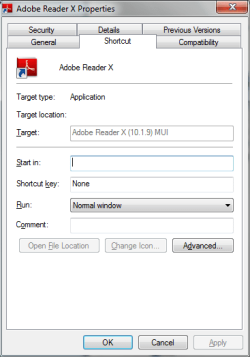
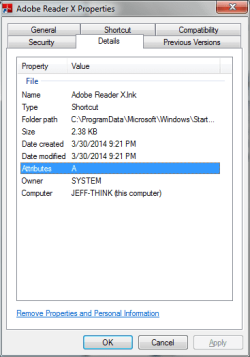
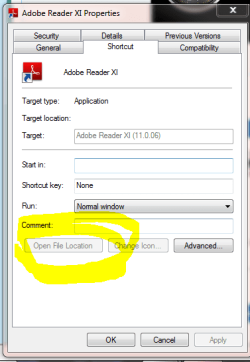
Start Menu has a shortcut to Reader. I have opened that shortcut's properties box. However, it does not tell me where it's pointing to.
I've had this type of problem in the past. I don't just want to know where Reader is installed (I do want to know that, though). How do I find where Reader is installed from the Start Menu's shortcut? Why is the location hidden?
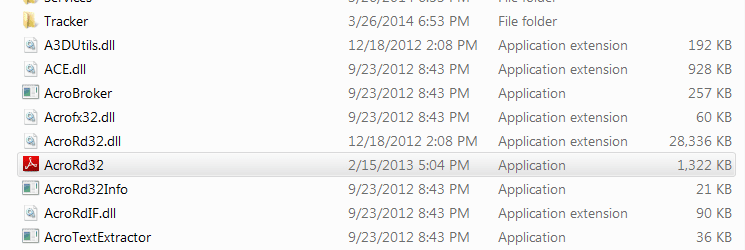
I have found the Program Files (x86)/Adobe directory. But I it is a rather large tree and I haven't found the correct executable. This is another reason I want to use the shortcut. It point me right to the correct executable. Why would MS even bother to hide this info?
Start Menu has a shortcut to Reader. I have opened that shortcut's properties box. However, it does not tell me where it's pointing to.
I've had this type of problem in the past. I don't just want to know where Reader is installed (I do want to know that, though). How do I find where Reader is installed from the Start Menu's shortcut? Why is the location hidden?
I have found the Program Files (x86)/Adobe directory. But I it is a rather large tree and I haven't found the correct executable. This is another reason I want to use the shortcut. It point me right to the correct executable. Why would MS even bother to hide this info?
My Computer
- Computer type
- PC/Desktop
- Computer Manufacturer/Model Number
- Lenovo/2757CTO Thinkpad W700
- OS
- Microsoft Windows 7 Professional 64-bit 7601 Multiprocessor Free Service Pack 1
- CPU
- AMD A6-5350M APU with Radeon(tm) HD Graphics
- Motherboard
- LENOVO 20B20011US
- Memory
- 16.00 GB
- Graphics Card(s)
- AMD Radeon HD 8450G
- Sound Card
- (1) AMD High Definition Audio Device (2) Conexant 20671 Sm
- Monitor(s) Displays
- ??
- Screen Resolution
- 1366 x 768 x 32 bits (4294967296 colors) @ 60 Hz
- Hard Drives
- HGST HTS 545032A7E380 SATA Disk Device
- Mouse
- Microsoft Optical Wheel Mouse
- Other Info
- BIOS: Ver 1.00PARTTBLX