Solved How to create a Win 7 bootable CD with external drive support

cma6

New member
Local time
9:48 PM
Messages
49
I am able to create a system image of my Win 7 x64 drive. But if I had to restore the system image, it seems I would need a Win 7 bootable CD with external drive support, as my drive system image is on an external drive.
Windows backup does make a System Repair CD but that is for repair of Win 7; or can it be used for the System Image restore operation?
If not, how would I make a bootable Win 7 CD with external drive support?
Thanks in advance to the system experts.
CMA
 

My Computer My Computer

Computer type
PC/Desktop
OS
Microsoft Windows 7 Professional 64-bit 7601 Multiprocessor Free Service Pack 1
CPU
Intel(R) Core(TM) i7-4930K CPU @ 3.40GHz
Motherboard
ASUSTeK COMPUTER INC. X79-DELUXE
Memory
32.00 GB
Graphics Card(s)
NVIDIA GeForce GTX 650 Ti BOOST
Sound Card
(1) NVIDIA High Definition Audio (2) High Definition Audio
Screen Resolution
1280 x 1024 x 32 bits (4294967296 colors) @ 75 Hz
Hard Drives
(1) Samsung SSD 840 Series SCSI Disk Device (2) WDC WD1000DHTZ-04N21 SCSI Disk Device (3) TOSHIBA External USB 3.0 USB Device
PSU
Corsair RM 850
Case
Cooler Master HAF932 Advanced
Cooling
Cooler Master Eisberg 240L Prestige
Keyboard
TypeMatrix 2030
Mouse
Logitech MS10 wireless
Internet Speed
high speed
Antivirus
System Suite 10; Trend Micro
Browser
several

My Computer My Computer

Computer type
PC/Desktop
Computer Manufacturer/Model Number
Own build (new) Desk1 / Asus ROG Win 7 / Desk2 1st build
OS
Desk1 7 Home Prem / Desk2 10 Pro / Main lap Asus ROG 10 Pro 2 laptop Toshiba 7 Pro Asus P2520 7 & 10
CPU
Desk1 i5 3750K / Laptop i7 GTX 860M / Desk2 i5 2500
Motherboard
Desk1 Asus P877-V / Desk2 Gigabyte H67 UD3H / Laptop ?
Memory
Desk1 8GB (1866) / Desk2 16GB (1333) / Laptop 8Gb DDR3
Graphics Card(s)
Desk 1& 2NVidia GTX 650 & Laptops on board Intel
Sound Card
Desk 1 & 2 -XONAR DG Realtek High Def audio Laptop
Monitor(s) Displays
Desk 1 Benq HD 2450 / Desk2 Philips 24" / Laptop 17.5"
Screen Resolution
1920x1080 D1 & D2 & Laptop 1
Hard Drives
Desk1 Samsung 120GB 830 SSD
Asus ROG 256GB 850 Pro SSD
Desk2 Samsung 840 256 SSD
Toshiba 120GB EVO
PSU
Desk 1 Corsair HX 1050/ Laptop ? / Desk 2 Corsair HX 650
Case
Desk 1 Cooler HAF XM ? Toshiba laptop / Desk2 Coolermaster
Cooling
Fans on all Desk1 -2 Desk2 - all Coolermasters 5 Laptop ?
Keyboard
Desk 1 MS Sidewinder X6 Desk 2 MS Sidewinder X 4
Mouse
Desk 1&2 - Gigabyte MS 900 gamer - laptop - Logitec wireless
Internet Speed
ADSL2+
Other Info
One other Desktop (tester) and spare Toshba laptop both with SSD's
Running Kaspersky 2016 ISS on all machines config'd identically
Logitec audio stereo systems on each machine (x3)
Canon MG5250MFC
Router/modem TP-Link running WPA2SK
I also use Macrium to image my Hard Drive on a weekly basis. Macrium has provision to be able to make a bootable CD for recovery.
 

My Computer My Computer

Computer type
PC/Desktop
Computer Manufacturer/Model Number
Self built using existing case
OS
Windows 7 Home Premium 64 bit sp1
CPU
Intel i5 3570 3.4Ghz Ivy Bridge SKT 1155 quad core
Motherboard
Gigabyte Z77-HD3 SKT 1155 2xSata 3, 4x USB 3.0
Memory
G-Skill Rip Jaws 16Gb (8x2) DDR3 -1600 PC3 12800 CL 10 red
Graphics Card(s)
Gigabyte NVIDIA GT610 1Gb DDR3 810/1200 PCI-E 2.0 Silent
Sound Card
NVIDIA High Definition & Realtech High Definition Audio
Monitor(s) Displays
2 x Philips 226V4L 16:9 aspect ratio
Screen Resolution
1920 x 1080 HD
Hard Drives
Samsung 840 Pro 256gb SSD, SATA 3.
Hitachi Touro Portable 1tb, USB 3.0 HDD used for image b/ups.
PSU
Corsair VS450
Case
Codeng
Cooling
PSU fan & CPU fan
Keyboard
Logitech
Mouse
Logitech Wireless trackball M570
Internet Speed
Wireless 3G. 3mg down & 550kb up.
Antivirus
Bitdefender Internet Security 2020
Browser
Opera (Current Version) & Firefox
Other Info
MS Office 2013 Pro. Davis weather station software. MGE Nova 600 avr UPS.
How to make a Windows 7 bootable CD

Thanks for the replies but neither of them answer my question. I know how to use Win backup to make a system image. That does not concern me.

My question is how to make a Win 7 boot disk with external drive support so that the image backup can be used for restore.

Thanks to Ranger and Icit for the link to Shawn's (fantastically complicated) Win 7 recovery methodology. I don't suppose that MS actually expects anyone to be able to do this :)

However, assuming one can execute the recovery method, it still begs the question: one needs a Windows 7 boot CD with access to Backup/Image Restore as well as to the external HD.

Section 6 B) of Shawn's tutorial implicitly acknowledges this issue of not having access to the external HD:
"If the drive can't be seen to select a system image from, you may need to use the tutorial below to load your SATA drivers. You would click on the Advanced button and on 'Install a driver.'" option."
This brings us back to the basic issue: how to create a "System Repair" disc that also loads the SATA drivers.
 

My Computer My Computer

Computer type
PC/Desktop
OS
Microsoft Windows 7 Professional 64-bit 7601 Multiprocessor Free Service Pack 1
CPU
Intel(R) Core(TM) i7-4930K CPU @ 3.40GHz
Motherboard
ASUSTeK COMPUTER INC. X79-DELUXE
Memory
32.00 GB
Graphics Card(s)
NVIDIA GeForce GTX 650 Ti BOOST
Sound Card
(1) NVIDIA High Definition Audio (2) High Definition Audio
Screen Resolution
1280 x 1024 x 32 bits (4294967296 colors) @ 75 Hz
Hard Drives
(1) Samsung SSD 840 Series SCSI Disk Device (2) WDC WD1000DHTZ-04N21 SCSI Disk Device (3) TOSHIBA External USB 3.0 USB Device
PSU
Corsair RM 850
Case
Cooler Master HAF932 Advanced
Cooling
Cooler Master Eisberg 240L Prestige
Keyboard
TypeMatrix 2030
Mouse
Logitech MS10 wireless
Internet Speed
high speed
Antivirus
System Suite 10; Trend Micro
Browser
several
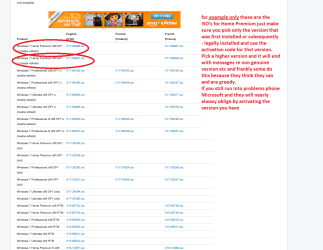
Hmm well I can only suggest this http://www.sevenforums.com/tutorials/219487-clean-reinstall-factory-oem-windows-7-a.html and just have it on a disk or stick. I am not sure how it would work from an external drive because it needs to boot that ISO?

I am equally unsure as to why you want to have that copy of Windows on the external drive when it can be kept separately on a disk and not be open to getting mixed up with what is on the drive??

Just make sure you have the right version though as the activation code you have is only for that version and is tied to the motherboard.
 

Attachments

  • ISO.PNG
    ISO.PNG
    41.1 KB · Views: 1

My Computer My Computer

Computer type
PC/Desktop
Computer Manufacturer/Model Number
Own build (new) Desk1 / Asus ROG Win 7 / Desk2 1st build
OS
Desk1 7 Home Prem / Desk2 10 Pro / Main lap Asus ROG 10 Pro 2 laptop Toshiba 7 Pro Asus P2520 7 & 10
CPU
Desk1 i5 3750K / Laptop i7 GTX 860M / Desk2 i5 2500
Motherboard
Desk1 Asus P877-V / Desk2 Gigabyte H67 UD3H / Laptop ?
Memory
Desk1 8GB (1866) / Desk2 16GB (1333) / Laptop 8Gb DDR3
Graphics Card(s)
Desk 1& 2NVidia GTX 650 & Laptops on board Intel
Sound Card
Desk 1 & 2 -XONAR DG Realtek High Def audio Laptop
Monitor(s) Displays
Desk 1 Benq HD 2450 / Desk2 Philips 24" / Laptop 17.5"
Screen Resolution
1920x1080 D1 & D2 & Laptop 1
Hard Drives
Desk1 Samsung 120GB 830 SSD
Asus ROG 256GB 850 Pro SSD
Desk2 Samsung 840 256 SSD
Toshiba 120GB EVO
PSU
Desk 1 Corsair HX 1050/ Laptop ? / Desk 2 Corsair HX 650
Case
Desk 1 Cooler HAF XM ? Toshiba laptop / Desk2 Coolermaster
Cooling
Fans on all Desk1 -2 Desk2 - all Coolermasters 5 Laptop ?
Keyboard
Desk 1 MS Sidewinder X6 Desk 2 MS Sidewinder X 4
Mouse
Desk 1&2 - Gigabyte MS 900 gamer - laptop - Logitec wireless
Internet Speed
ADSL2+
Other Info
One other Desktop (tester) and spare Toshba laptop both with SSD's
Running Kaspersky 2016 ISS on all machines config'd identically
Logitec audio stereo systems on each machine (x3)
Canon MG5250MFC
Router/modem TP-Link running WPA2SK
Adding Sata drivers to Windows Repair disc

I won't have Win 7 on an external drive, which contains only the system image. The Windows 7 Repair disc already has Windows 7 on it. The issue is how to add the Sata driver(s) to the Windows 7 Repair disc so that the external drive can be recognized.
Thanks for your help which clarified these issues for me.
 

My Computer My Computer

Computer type
PC/Desktop
OS
Microsoft Windows 7 Professional 64-bit 7601 Multiprocessor Free Service Pack 1
CPU
Intel(R) Core(TM) i7-4930K CPU @ 3.40GHz
Motherboard
ASUSTeK COMPUTER INC. X79-DELUXE
Memory
32.00 GB
Graphics Card(s)
NVIDIA GeForce GTX 650 Ti BOOST
Sound Card
(1) NVIDIA High Definition Audio (2) High Definition Audio
Screen Resolution
1280 x 1024 x 32 bits (4294967296 colors) @ 75 Hz
Hard Drives
(1) Samsung SSD 840 Series SCSI Disk Device (2) WDC WD1000DHTZ-04N21 SCSI Disk Device (3) TOSHIBA External USB 3.0 USB Device
PSU
Corsair RM 850
Case
Cooler Master HAF932 Advanced
Cooling
Cooler Master Eisberg 240L Prestige
Keyboard
TypeMatrix 2030
Mouse
Logitech MS10 wireless
Internet Speed
high speed
Antivirus
System Suite 10; Trend Micro
Browser
several
Your question is not clear.

1) Have you already made a win7 repair cd/usb drive?

2) If so, when you boot it up, does it fail to see the external HD which contains your backup image?

3) If that is the problem, then if you have the required drivers, you can install them permanenetly into your win7 repair wim.
 

My Computers My Computers

System One System Two

  • Computer type
    PC/Desktop
    OS
    7 X64
    CPU
    i5 8400
    Motherboard
    gigabyte b365m ds3h
    Memory
    2x8gb 3200mhz
    Hard Drives
    various
    PSU
    pure power 11 400w cm
    Case
    Coolermaster
    Cooling
    cryorig m9i
  • Computer type
    PC/Desktop
    OS
    7x64
    CPU
    g5400
    Motherboard
    ga b365m ds3h
    Memory
    8gb ddr4 2400
    PSU
    xfx pro 450w
SIW2,
Your response is exactly on point. Not having the SATA drivers, the Win 7 Repair disc does not find the external HD. If it did find the external HD, I would not be posting here.
How do I find the WIN7 SATA driver(s) for my external HD?
Once I know that, I can copy them to my Windows Repair disc.
 

My Computer My Computer

Computer type
PC/Desktop
OS
Microsoft Windows 7 Professional 64-bit 7601 Multiprocessor Free Service Pack 1
CPU
Intel(R) Core(TM) i7-4930K CPU @ 3.40GHz
Motherboard
ASUSTeK COMPUTER INC. X79-DELUXE
Memory
32.00 GB
Graphics Card(s)
NVIDIA GeForce GTX 650 Ti BOOST
Sound Card
(1) NVIDIA High Definition Audio (2) High Definition Audio
Screen Resolution
1280 x 1024 x 32 bits (4294967296 colors) @ 75 Hz
Hard Drives
(1) Samsung SSD 840 Series SCSI Disk Device (2) WDC WD1000DHTZ-04N21 SCSI Disk Device (3) TOSHIBA External USB 3.0 USB Device
PSU
Corsair RM 850
Case
Cooler Master HAF932 Advanced
Cooling
Cooler Master Eisberg 240L Prestige
Keyboard
TypeMatrix 2030
Mouse
Logitech MS10 wireless
Internet Speed
high speed
Antivirus
System Suite 10; Trend Micro
Browser
several
Well I was under the impression that you wanted to make the machine boot from the external as far as I know the drivers are loaded by Windows whe you do the install.


Plus as there are no specs for the machine you are working with then it is hard to determine what those drivers are from the manufacturers site.
 

My Computer My Computer

Computer type
PC/Desktop
Computer Manufacturer/Model Number
Own build (new) Desk1 / Asus ROG Win 7 / Desk2 1st build
OS
Desk1 7 Home Prem / Desk2 10 Pro / Main lap Asus ROG 10 Pro 2 laptop Toshiba 7 Pro Asus P2520 7 & 10
CPU
Desk1 i5 3750K / Laptop i7 GTX 860M / Desk2 i5 2500
Motherboard
Desk1 Asus P877-V / Desk2 Gigabyte H67 UD3H / Laptop ?
Memory
Desk1 8GB (1866) / Desk2 16GB (1333) / Laptop 8Gb DDR3
Graphics Card(s)
Desk 1& 2NVidia GTX 650 & Laptops on board Intel
Sound Card
Desk 1 & 2 -XONAR DG Realtek High Def audio Laptop
Monitor(s) Displays
Desk 1 Benq HD 2450 / Desk2 Philips 24" / Laptop 17.5"
Screen Resolution
1920x1080 D1 & D2 & Laptop 1
Hard Drives
Desk1 Samsung 120GB 830 SSD
Asus ROG 256GB 850 Pro SSD
Desk2 Samsung 840 256 SSD
Toshiba 120GB EVO
PSU
Desk 1 Corsair HX 1050/ Laptop ? / Desk 2 Corsair HX 650
Case
Desk 1 Cooler HAF XM ? Toshiba laptop / Desk2 Coolermaster
Cooling
Fans on all Desk1 -2 Desk2 - all Coolermasters 5 Laptop ?
Keyboard
Desk 1 MS Sidewinder X6 Desk 2 MS Sidewinder X 4
Mouse
Desk 1&2 - Gigabyte MS 900 gamer - laptop - Logitec wireless
Internet Speed
ADSL2+
Other Info
One other Desktop (tester) and spare Toshba laptop both with SSD's
Running Kaspersky 2016 ISS on all machines config'd identically
Logitec audio stereo systems on each machine (x3)
Canon MG5250MFC
Router/modem TP-Link running WPA2SK
Back
Top