B
bunnycat
Guest
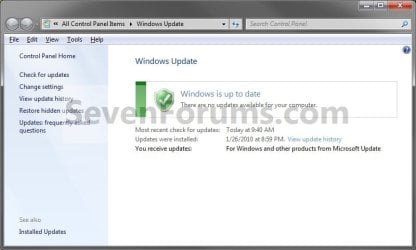
Hello, how do I do a manual windows update?
I have a new pc win 7 Pro 64-bit, 8 gb ram, 1 t hd, 500 g hd, ATI 5670 video card, ATI chipset
I was told by the tech who built the pc that I need to make sure that my updates are done manually so I can make sure to select 64-bit.
However, I can’t seem to find out how to do it manually in such a way that it would allow me to select 64-bit.
Any suggestions, or links that could help are much appreciated!
Thanks.
sue
I have a new pc win 7 Pro 64-bit, 8 gb ram, 1 t hd, 500 g hd, ATI 5670 video card, ATI chipset
I was told by the tech who built the pc that I need to make sure that my updates are done manually so I can make sure to select 64-bit.
However, I can’t seem to find out how to do it manually in such a way that it would allow me to select 64-bit.
Any suggestions, or links that could help are much appreciated!
Thanks.
sue
 I'm so out of the loop on all things computer.