windows7ke
New member
- Local time
- 12:30 AM
- Messages
- 9
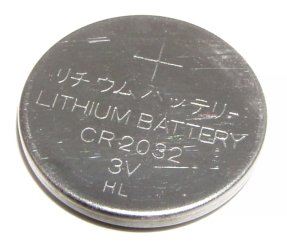
After a little research on this forum i found a post from BRINK an admin with instructions to run a program and post a copy of some of my computers information. The problem i'm having relates to the clock not keeping up with the current time. Only when i boot it up is it correct, after that it lags behind as much as every hour that goes by approximately 10 mins is shown to have past on the computer clock. I have had this computer for a couple of years in storage and just recently set it up again after moving and all windows updates are current. Another potential problem is the cursor when i type into a search engine seems to hesitate instead of blinking steadily. I do not know if this is cause for concern or if these two issues i'm having are related at all but if anyone has any advice on what i can do to fix the problem i would greatly appreciate it! below is my report, Thank you in advance!
Code:
Diagnostic Report (1.9.0027.0):
-----------------------------------------
Windows Validation Data-->

Validation Code: 0
Cached Online Validation Code: N/A, hr = 0xc004f012
Windows Product Key: *****-*****-27CCH-G93RD-QYX2Y
Windows Product Key Hash: dyTz1IYRzIwl3fkFjo3KXoQKmgk=
Windows Product ID: 00426-437-7582616-85738
Windows Product ID Type: 5
Windows License Type: Retail
Windows OS version: 6.1.7601.2.00010100.1.0.001
ID: {03E20847-F72B-4D8B-93EF-ECCC00D3D77A}(3)
Is Admin: Yes
TestCab: 0x0
LegitcheckControl ActiveX: N/A, hr = 0x80070002
Signed By: N/A, hr = 0x80070002
Product Name: Windows 7 Ultimate
Architecture: 0x00000009
Build lab: 7601.win7sp1_gdr.150316-1654
TTS Error:
Validation Diagnostic:
Resolution Status: N/A

Vista WgaER Data-->
ThreatID(s): N/A, hr = 0x80070002
Version: N/A, hr = 0x80070002

Windows XP Notifications Data-->
Cached Result: N/A, hr = 0x80070002
File Exists: No
Version: N/A, hr = 0x80070002
WgaTray.exe Signed By: N/A, hr = 0x80070002
WgaLogon.dll Signed By: N/A, hr = 0x80070002

OGA Notifications Data-->
Cached Result: N/A, hr = 0x80070002
Version: N/A, hr = 0x80070002
OGAExec.exe Signed By: N/A, hr = 0x80070002
OGAAddin.dll Signed By: N/A, hr = 0x80070002

OGA Data-->
Office Status: 109 N/A
OGA Version: N/A, 0x80070002
Signed By: N/A, hr = 0x80070002
Office Diagnostics: 025D1FF3-364-80041010_025D1FF3-229-80041010_025D1FF3-230-1_025D1FF3-517-80040154_025D1FF3-237-80040154_025D1FF3-238-2_025D1FF3-244-80070002_025D1FF3-258-3

Browser Data-->
Proxy settings: N/A
User Agent: Mozilla/4.0 (compatible; MSIE 8.0; Win32)
Default Browser: C:\Program Files (x86)\Google\Chrome\Application\chrome.exe
Download signed ActiveX controls: Prompt
Download unsigned ActiveX controls: Disabled
Run ActiveX controls and plug-ins: Allowed
Initialize and script ActiveX controls not marked as safe: Disabled
Allow scripting of Internet Explorer Webbrowser control: Disabled
Active scripting: Allowed
Script ActiveX controls marked as safe for scripting: Allowed

File Scan Data-->

Other data-->
Office Details: <GenuineResults><MachineData><UGUID>{03E20847-F72B-4D8B-93EF-ECCC00D3D77A}</UGUID><Version>1.9.0027.0</Version><OS>6.1.7601.2.00010100.1.0.001</OS><Architecture>x64</Architecture><PKey>*****-*****-*****-*****-QYX2Y</PKey><PID>00426-437-7582616-85738</PID><PIDType>5</PIDType><SID>S-1-5-21-563311206-1459254088-2755514761</SID><SYSTEM><Manufacturer>Dell Inc.</Manufacturer><Model>OptiPlex 960                 </Model></SYSTEM><BIOS><Manufacturer>Dell Inc.</Manufacturer><Version>A02</Version><SMBIOSVersion major="2" minor="5"/><Date>20081229000000.000000+000</Date></BIOS><HWID>E0B13507018400F8</HWID><UserLCID>0409</UserLCID><SystemLCID>0409</SystemLCID><TimeZone>Eastern Standard Time(GMT-05:00)</TimeZone><iJoin>0</iJoin><SBID><stat>3</stat><msppid></msppid><name></name><model></model></SBID><OEM><OEMID>DELL  </OEMID><OEMTableID>B10K   </OEMTableID></OEM><GANotification/></MachineData><Software><Office><Result>109</Result><Products/><Applications/></Office></Software></GenuineResults>

Spsys.log Content: 0x80070002

Licensing Data-->
Software licensing service version: 6.1.7601.17514

Name: Windows(R) 7, Ultimate edition
Description: Windows Operating System - Windows(R) 7, RETAIL channel
Activation ID: ac96e1a8-6cc4-4310-a4ff-332ce77fb5b8
Application ID: 55c92734-d682-4d71-983e-d6ec3f16059f
Extended PID: 00426-00170-437-758261-01-1033-7600.0000-3562013
Installation ID: 018186822525083844236482711200753780903272752192121652
Processor Certificate URL: http://go.microsoft.com/fwlink/?LinkID=88338
Machine Certificate URL: http://go.microsoft.com/fwlink/?LinkID=88339
Use License URL: http://go.microsoft.com/fwlink/?LinkID=88341
Product Key Certificate URL: http://go.microsoft.com/fwlink/?LinkID=88340
Partial Product Key: QYX2Y
License Status: Licensed
Remaining Windows rearm count: 4
Trusted time: 4/20/2015 4:01:16 PM

Windows Activation Technologies-->
HrOffline: 0x00000000
HrOnline: N/A
HealthStatus: 0x0000000000000000
Event Time Stamp: N/A
ActiveX: Registered, Version: 7.1.7600.16395
Admin Service: Registered, Version: 7.1.7600.16395
HealthStatus Bitmask Output:


HWID Data-->
HWID Hash Current: OAAAAAEABgABAAIAAAABAAAAAgABAAEAeqgC65ZoKkVUDa4TmCnYe8jrrD8w684vnHVe+QVDRso=

OEM Activation 1.0 Data-->
N/A

OEM Activation 2.0 Data-->
BIOS valid for OA 2.0: yes
Windows marker version: 0x0
OEMID and OEMTableID Consistent: yes
BIOS Information:
  ACPI Table Name	OEMID Value	OEMTableID Value
  APIC			DELL  		B10K
  FACP			DELL  		B10K
  HPET			DELL  		B10K
  BOOT			DELL  		B10K
  MCFG			DELL  		B10K
  SSDT			DELL		st_ex
  ASF!			DELL  		B10K
  ____			DELL  		B10K
  SLIC			DELL  		B10K
  SSDT			DELL		st_ex
  SSDT			DELL		st_ex
  SSDT			DELL		st_ex
My Computer
- Computer type
- PC/Desktop
- Computer Manufacturer/Model Number
- Dell
- OS
- windows 7 ultimate