My Computer
At a glance
Windows 7 UltimateTurion 64 Bit2 GIG
- Computer Manufacturer/Model Number
- Gateway
- OS
- Windows 7 Ultimate
- CPU
- Turion 64 Bit
- Memory
- 2 GIG



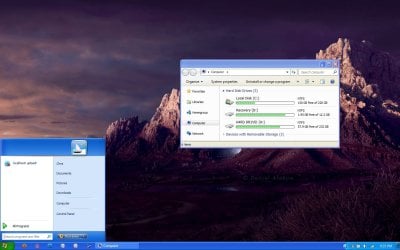


If all you want is to change the title of the Windows 7 menu to look like XP, I don't think that's possible, even with a custom theme. The layout is just too different.
There are several tools that let you get the classic start menu on Windows 7. I recommend my own creation Classic Shell: http://classicshell.sourceforge.net/index.html
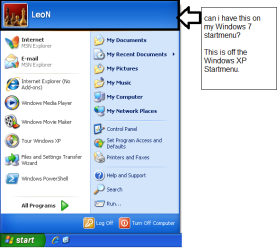
Classic Shell has a skin that makes it similar to the XP start menu, but there are some key differences (like no recent programs, no pinned programs, and no shutdown buttons at the bottom). Check out the XP Luna skin here: Classic Shell: Gallery
But since one of your requirements is "without losing functionality", you probably don't want to lose the search. I'm aware of only one tool that has search: Windows 7 Classic Start Menu. It is not free though.
Not 95, but 98 ! Check it outWe had Windows XP and we wanted to look like Vista or Windows 7, now we have Windows 7 and want to look like Windows XP. Just for fun of it could anyone make theme to make look Windows 7 like Windows 95???

Actually, CSMenu has a search bar and everything. I linked to it in my tutorial. Most of the programs you linked to aren't what he asked for and/or you have to pay for them.


