Portable Program associate file extensions
Hi,
I don't use KMPlayer but I do have S-Player portable media player.
Now I can't say if this solution will work for you but this is what I did.
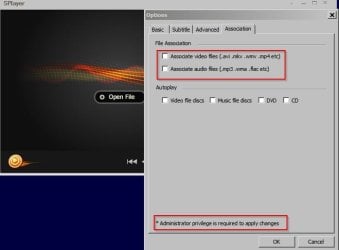
I left the S-Player settings alone and changed nothing. Didn't attempt to associate any extensions.
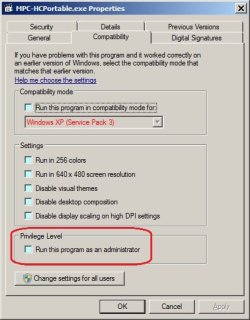
Then I created an elevated shortcut to the program's executable file in:
%USERPROFILE%\AppData\Roaming\Microsoft\Windows\Start Menu\Programs\Startup
(Copy and paste into the address bar in an explorer window).
http://www.sevenforums.com/tutorials/11949-elevated-program-shortcut-without-uac-prompt-create.html
(The shortcut should be created here
%USERPROFILE%\AppData\Roaming\Microsoft\Windows\Start Menu\Programs\Startup
and not on your Desktop as shown in the tutorial. Or you can just use:
http://winaero.com/comment.php?comment.news.152 - be careful and choose the correct download link.
Then rebooted. S-Player runs on start-up and that's not really useful - in fact it's annoying.
However I just right clicked an .mp4 file then chose
Open with - browsed to splayer.exe and chose to always open with.
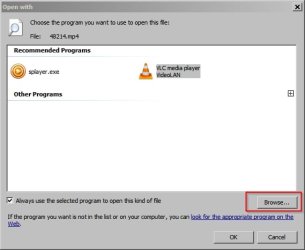
Rebooted - then removed the elevated shortcut that I'd created earlier. S-Player no longer auto-starts on boot and the default program settings stuck.
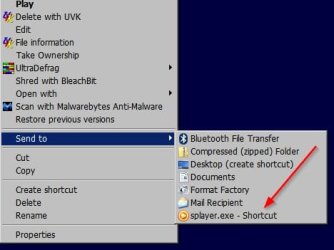
A workaround that's inconvenient but works is to add a shortcut to KMPlayer in your right click send to menu.
%USERPROFILE%\AppData\Roaming\Microsoft\Windows\SendTo
If you right click on a video you can choose to open it with KMPlayer by choosing
send to.