Again for those who may be interested, I've installed a Crucial P1 M.2 1TB NVMe disk card in the HP250 i5-8265U budget machine running Win7.
That completes the upgrade. I used an updated USB3 Win7 installation card (drivers from SWI2, Win-raid and MDL, plus various other sites ), then ran driver setups for the Intel UHD graphics, the touchpad and finally the NVMe card.
The two interesting bits:
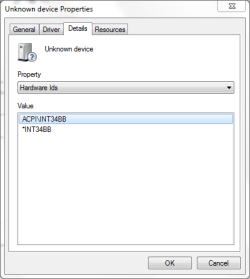
a) the graphics chip, which had defaulted to VGA on Win7 installation, was upgraded by the Biostar installer from
Windows tool
An added line in the inf file from this graphics driver setup (recorded in my comments above) allowed the setup to ran straight through. Note though that the Biostar driver has two preconditions: installation of two kbxxxx.msu files and a supplied registry file. Microsoft has thoughtfully removed the msu files from its' repository - very noble of them - but Biostar has links for their own repository (anticipating MS's action, one may surmise). The registry file has a Chinese language name, translated it says: " Install before running driver setup"
b) the Crucial (Micron) NVMe P1 card, while an older model, works fine, with read speeds to about 1750 Mb/s and write speeds about 1500 Mb/s (Crystal Disc benchmarks). There are two pre-requisite kbxxx.msu files to allow the NVMe card to be recognised (both SWI2 here and Win-raid have supplied download links as MS has predictably removed these as well). After recognition on reboot, Micron has a driver file here amongst other sites:
Drivers Micron NVMe PCIe Device Driver 2.1.15.56 WHQL
[Micron NVMe Windows Device driver
Release Notes:
April 2020
Software Version 2.1.15.56]
This upgrades the speeds of the card to those recorded above.
I used Macrium Reflect to clone the existing C: drive onto the NVMe card. Once the clone was completed (a surprisingly long time), I turned the machine off, no reboot as there were then 2 active C: drives in the machine, removed the initial C: drive and then rebooted using the NVMe drive. The UEFI BIOS squawked but turning Legacy on and Secure Boot off had it all working properly.
This P1 M.2 NVMe disk is an older model but is now being discounted by dealers. 1TB at 3x the speeds of the older SATA ssd's for AUD$100 seemed a good deal to me.
All up, this HP250 G7 i5-8265U is an 8th gen budget machine with upgraded capability running on Win7. The website here supplied the essential core information to do this, although spread over quite a few threads.