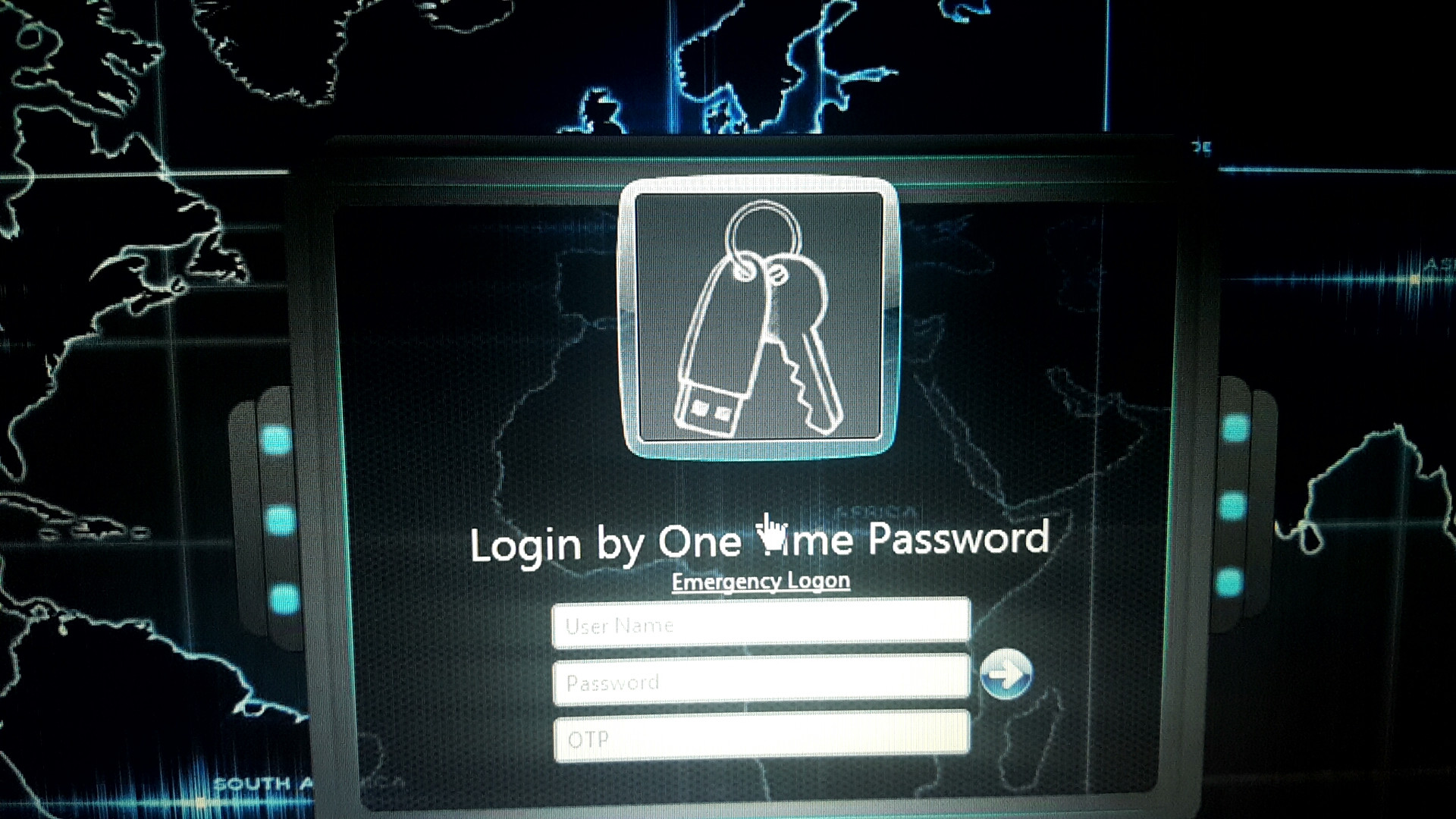
P piercedfreak New member Local time 11:30 AM Messages 4 Oct 1, 2017 #1 Is there a way to change the icon on the login screen for USB key/OTP? My Computer My Computer Computer typeLaptopOSWindows 7 Ultimate 64bit
G georgeks New member Power User VIP Local time 5:30 PM Messages 177 Oct 19, 2017 #2 Change Drive Icon in Windows 10 Customization Tutorials My Computer My Computer Computer typePC/DesktopComputer Manufacturer/Model NumberCustom BuildOSWindows 10 Pro x64CPUCore2Quad Q9550 @2.83GHz (o/c @3.82GHz)MotherboardASUS P5K Premium WiFiMemory8GB (4x2GB DDR2)Graphics Card(s)ASUS ROG STRIX GTX1050 Ti O4G GamingSound CardCreative Soundblaster X-Fi PlatinumMonitor(s) DisplaysACER ED273WIDX 27"Screen Resolution1920 x 1080Hard DrivesSAMSUNG SSD 840 Series 120GB SAMSUNG 500GB SATA 7200 rpm 2xWD Velociraptor 150GB 10000 rpmPSU600WCaseCoolerMaster CenturionCoolingCooler Master V8KeyboardVPRO V700MouseLogitech G602AntivirusNorton ISBrowserFirefox x64
P piercedfreak New member Thread Starter Local time 11:30 AM Messages 4 Oct 19, 2017 #3 georgeks said: Change Drive Icon in Windows 10 Customization Tutorials Click to expand... Nope, not an actual Drive Icon, but this. My Computer My Computer Computer typeLaptopOSWindows 7 Ultimate 64bit
georgeks said: Change Drive Icon in Windows 10 Customization Tutorials Click to expand... Nope, not an actual Drive Icon, but this.